Showing posts with label Speed Up Windoww. Show all posts

Saturday, 7 September 2013

TuneUp Utilities 2014 14.0.1000.88 Final

Unknown | 7.9.13 | | Best Blogger Tips


TuneUp Utilities ကို အားလံုးသိၾကမွာပါ... ကြန္ပ်ဴတာ တစ္လံုး အတြက္ ေတာ္ေတာ္ေလး ျပည့္စံုျပီး ေဆာင္းထားသင့္တဲ႔ Software ေလးပါ... 2014 Update Version ေလးမို႔ ျပန္လည္မွ်ေဝေပးလိုက္ပါတယ္...။


TuneUp Utilities 2014 can make your Windows operating system more comfortable, faster and more secure with just a few mouse clicks. And all operations performed on the operating system are completely safe, because all changes are monitored by TuneUpRescue Center and
can be undone at any time. All TuneUp Utilities 2014 modules can be
accessed through a common interface that is divided into six categories.
The software helps both beginners and experts to make Windows meet
their needs in a way that is better, easier and safer. All important
system options are explained in an easy way and can be turned on or off
at the click of your mouse. TuneUp Utilities 2014 will then make the
necessary changes in the registry or boot files automatically. The most changes that you make can be undone in TuneUp Rescue Center - easily and safely.


The
TuneUp Utilities 2014 Turbo Mode provides an immediate performance
boost whenever you need it. When you use your computer in the TuneUp
Turbo Mode, an analysis is performed to see which tasks, programs and
functions are currently running in the background that are not strictly
necessary. These programs are stopped or slowed down, allowing the
additional processing power gained to be used exclusively by the
programs you are actually running.


Name : TuneUp Utilities 


Version : 2014 14.0.1000.88 Final


Languange : English


Medicine : Include - KeyTrialResset 2014.reg


OS Support : Xp/Vista/7/8


Code File : tu.2014 14.0.1000.88


Updated : 6 September 2013


Publisher : TuneUp 


Size : 31 Mb


Click Here to Download


Friday, 7 June 2013

PC Optimizer Pro v6.4.6.4 Full Version [ Making Your Computer Run Faster]

Unknown | 7.6.13 | Best Blogger Tips


PC Optimizer Pro  ေနာက္ဆံုး Update ပါ.။ Cleaning, Repair, Optimize  Windows Operating System အတြက္ အရမ္းေကာင္းတဲ႔ Speed Up Software ေလးပါ... အရင္က တင္ထားတဲ႔ Download Link  ေတြ အလုပ္မလုပ္ေတာ့ဘူးေျပာလာလို႔  ထပ္တင္ေပးလိုက္ပါတယ္.... ။


 Making Your Computer Run Faster!!!!! ...


  In a nutshell, PC Optimizer Pro v6.4.6.4 makes your computer run faster and prevents up to 90% of Windows crashes. Once your PC is clean of registry errors then you will absolutely notice an end to slow, frozen, or unpredictable operation. In fact, if your system is already crashing or seizing up for no apparent reason, then you need PC Optimizer Pro v6.4.6.4 right now! PC Optimizer Pro is a suite of automated system-maintenance and optimization utilities which tune up windows performance.
It removes junk files to save valuable disk space and prevents application crashes.


Click Here to Download


Tuesday, 5 February 2013

PC Cleaner Pro 2013 (Boost Your PC's Speed)

Unknown | 5.2.13 | Best Blogger Tips


ဒီ Software ေလးကလည္း ေဆာင္ထားသင့္တဲ႔ ေဆာ့ဖ္ဝဲလ္ ေလးပါပဲ.... PC မွာ မလိုအပ္တာေတြကို ရွာေဖြရွင္းလင္းေပးျပီး သြက္လက္ျမန္ဆန္လာေအာင္ ေဆာင္ရြက္ေပးႏိုင္ပါတယ္...:)


We believe computers are meant to speed things up, not slow things down, so you can work smarter and faster. That's why we engineered PC Cleaner to provide outstanding antivirus and antispyware protection, and PC optimization tools that works quietly and efficiently, without slowing your PC down like other bloated security products.


Registry Cleaner


PC Cleaner will remove unused and old entries, including File Extensions, ActiveX Controls, ClassIDs, ProgIDs, Uninstallers, Shared DLLs, Fonts, Help Files, Application Paths, Icons, Invalid Shortcuts and more.


Increase Your PC's Performance


PC optimization is the quickest way to adjust your system settings at once. PC Cleaner will analyze your system & adjust your PC to function at its maximum performance.


Boost Your PC's Speed


PC Cleaner uses recommeneded tweaks to help boost your PC speed and overall system performance. You could have faster downloads, uploads, web surfing and more.


Certified Virus + Spyware Protection


Certified Virus + Spyware Protection PC Antivirus Pro will scan your complete system for malicious threats including: viruses, spyware,. rogue programs, trojans, adware, rootkit, dialers, worms, parasites and other potentially harmful programs that may be installed on your computer.


Security Defense


PC Cleaner will scan and check for windows vulnerablities within Windows system. Windows Update is a service provided by Microsoft. Security updates or critical updates protect against vulnerabilities to malware and security exploits.


Clean Your System


In using a computer from day to day you're going to accumulate system clutter. You can significantly increase your PC performance & stability by removing these files.


Privacy Protection


PC Cleaner is designed to protect you by cleaning up all the unwanted history data on your computer which could also put you at risk of identity theft.


Internet Optimizer


PC Cleaner will automatically adjust your internet connections to increase super fast web surfing, faster downloads including: music , movies games and video downloads.


System Optimizer


PC System Optimizer is the fastest way to adjust all your system settings at once. The PC Optimizer works by determining what type of PC you have and what programs you have installed. Then it will adjust system settings so that your machine will function at its maximum capacity.


Memory Optimizer


PC Cleaner will optimize your memory and recover wasted memory (RAM), space and improve system performance.


Startup Manager


Startup Manger allows you control of what programs are launched when you start your computer. You can disable unnecessary programs that are slowing you down.


Uninstall Manager


This feature lets you easily uninstall applications that you don't want you your computer.


BHO Manager


Stabilize your browser and speed up web efficiency by managing Browser Helper Objects and Plugins.


ActiveX Manager


Many ActiveX controls are actually beneficial, but malicious programs frequently use ActiveX controls in order to embed themselves on your system through browser security exploits or compromised security settings. PC Cleaner's definition database contains a comprehensive list of malicious ActiveX objects, which will be automatically loaded to the blocked list. This file is updated continuously by our definitions team.


Duplicate File Remover


PC Cleaner Duplicate File Remover will easily find and remove duplicates and help you reclaim valuable disk space and improve data efficiency. Duplicate files are in most cases redundant and unnecessary, so keeping them is merely a waste of hard disk space.


Automatic Updates


Having a system that is up-to-date is the best way to keep programs running right. PC cleaner updates everyday to ensure you you have the most current protection and tools.



Click Here to Download


Friday, 18 January 2013

Advanced SystemCare Pro 6.1.9.215 Final Datecode 17.01.2013

Unknown | 18.1.13 | | Best Blogger Tips


အားလံုသိၾကျပီးသားပါ.. အထူးအေထြ မိတ္ဆက္ေပးစရာလိုမယ္မထင္ေတာ့ပါဘူး....:P ကြန္ျပဴတာ ေလးတယ္ , ေႏွးတယ္ဆိုသူမ်ားအတြက္ပါ ... မေန႔ထြက္တဲ႔ Update ေလးမို႔ ထပ္တင္ေပးလိုက္ပါတယ္...


Advanced SystemCare provides an always-on, automated, all-in-one PC Healthcare Service with anti-spyware, privacy protection, performance tune-ups, and system cleaning capabilities. This powerful and award-winning precision tool fixes stubborn errors, cleans out clutter, optimizes internet and download speeds, ensures personal security and maintains maximum computer performance automatically. Designed for the latest Windows system environment and to speed up your PC and provide more reliability. Safely cleans registry junk, compacts registry bloats and defragments the whole registry for maximum performance. Find and fix the registry errors others miss with our “Deep Scan” technology.


Features:
• Designed for the latest Windows system environment. Gives your PC better speed and reliability
• Powerful Hard Drive Defrag and Optimization
• Next-generation Registry Deep Clean and Optimization
• Automated Working in the Background
• Defends PC Security with Extra Protection
• Quick and Extensive Clean-up for Hard Drives
• Keeps Your PC Running at Peak Performance
• Fixes Multiple System Errors


v5.4.0
+ Added support for Windows 8 Release Preview
+ Improved user interface
+ Improved “Smart RAM”, “Uninstaller” etc.
+ Updated multiple languages
+ Updated driver database and anti-malware database
* Fixed general bugs


Home Page www.iobit.com


Click Here to Download


Thursday, 10 January 2013

Uniblue Registry Booster 2013 6.1.0.9 With Activator

Unknown | 10.1.13 | Best Blogger Tips


Uniblue Registry Booster 2013 ကို သူငယ္ခ်င္းတစ္ေယာက္ေတာင္းထားလို႔ အားလံုးအတြက္တင္ေပးလိုက္ပါတယ္...


RegistryBooster 2012 is an application that was designed to be the easy answer to Windows registry problems.


This award winning software will deep scan your registry to identify problems and errors that can cause instability and slowdown.


RegistryBooster will then repair or remove harmful registry entries to optimize your PC for better performance. You can also defragment your registry for extra speed and efficiency.


Here are some key features of "Registry Booster 2013":


Scanning:


· To start a registry scan, go to the Overview tab from the navigation panel and click on the Start scan button. RegistryBooster will conduct a deep scan of your registry, checking for errors and useless entries. Once the scan has finished, the program will shift to the Latest scan results page and display the number of errors found per registry section.


Fixing:


· To start the fix process, click on the Fix errors button at the bottom right of the screen. The program will, as a safety precaution, back up your registry before proceeding to fix errors.


Defragmenting:


· To defragment your registry, select Registry Scan from the navigation panel and then, from the left-hand side menu, select Registry defrag. To start the defragmentation process, click on the Defrag registry button on the bottom right of the screen.


· Note that the defragmentation process may take a few minutes during which applications running concurrently may slow down. It is important not to quit RegistryBooster during defragmentation as this could damage your registry.


Restoring the registry:


· For maximum safety, RegistryBooster takes a partial backup of your registry, automatically, every time you fix it. This backup can be resorted to if, for any reason, you want to restore a previous version of your registry.


· To restore your registry, choose the Restore tab from the navigation panel. Any registry backups will be listed together with the date and time that they were set. Click on the registry backup you would like resort to and click on the Restore button on the bottom right of the screen. Once the registry has been restored, you will need to restart your computer for the changes to take effect.


HomePage : http://www.uniblue.com/software/registrybooster/


1. Install Software

2. After Install Don't Start Program

3. Extract & Run Activator

4. Put There Any Name & Click OK

5. Wait 3-4 Seconds

6. Done!!!


Click Here to Download


Sunday, 23 December 2012

SuperEasy SpeedUp 2.01 Full + Crack

Unknown | 23.12.12 | | Best Blogger Tips


ကြန္ပ်ဴတာမွာမလိုအပ္တာေတြကို ရွင္းလင္းေပးျပီး  Speed up ေပးျခင္း Startup ကို ျမန္ဆန္ေစျခင္း စ,တာေတြကို အျပင္... အျခား Features ေတြမ်ားစြာပါဝင္ပါေသးတယ္....အေသးစိတ္ကို ဒီေနရာမွာ ေလ့လာႏိုင္ပါတယ္....:)


SuperEasy SpeedUp 2.01 Full + Crack helps you to optimize and speed up Windows, clean the disk from unnecessary files and folders from the system temporary files, fix and clean the registry, delete temporary Internet files.  StartUp-Tuner module helps manage startup applications and make Defrag Defragment hard drives.  The program has a simple and intuitive interface that helps you to understand, even inexperienced users.  The program is translated into many languages, including Russian.


Key features of SuperEasy SpeedUp 2.01 Full + Crack:


  • Full system maintenance and cleaning

  • Remove internet traces

  • Trouble shooting

  • Release capacity

  • Freed from unnecessary startup programs

  • Optimization of file access and download time

  • Clean up hard drive

  • Full optimization of the one-click

  • Delete unwanted, unneeded files

  • Deactivate unnecessary services

  • Protection of privacy

  • Backup to restore


Instant results:


  • Optimized PC Performance

  • Improved stability of the system

  • Reducing time access to files

  • Quickly open program

  • Much faster startup

  • More free capacity

  • No more error messages

  • Extends the life of your computer

  • Removes random failure and restart

  • Avoid accidental downtime


Operating system: Windows XP / Vista / Win 7/Win 8.


Sunday, 16 December 2012

Abelssoft.StartupStar 2013 (ဝင္းဒိုးတတ္တာ ျမန္ေစခ်င္ရင္)

Unknown | 16.12.12 | Best Blogger Tips


ကြန္ပ်ဴတာ စ,ဖြင့္တာနဲ႔ Startup မွာ ၾကာေနရင္ ဒါေလးနဲ႔ ကြန္ထရိုးလ္ လုပ္ေပးႏိုင္ပါတယ္ ... Window စ,တတ္တတ္ခ်င္း မလိုအပ္တဲ႔ Programs ေတြကိုပိတ္ထားေပးျခင္းျဖင့္ Window တတ္တာကို ျမန္ဆန္ေစမွာပါ....။ အေသးစိတ္ကို ဒီမွာ ေလ့လာႏိုင္ပါတယ္...။


 သူ႕ကိုအသံုးျပဳဖို႔ NET 4.0 အထက္ လိုမွာပါ... NET Framework Version 4.5 ကို ဒီေနရာမွာ ေဒါင္းယူ Install ေပးႏိုင္ပါတယ္...။ ျပီးေတာ့ Software ကို Unlock လုပ္ေပးဖို႔ Email တခုခုနဲ႔ First Name , Last Name ေတြေရးထည့္ေပးျပီး ျပန္ပို႔လာမဲ႔  Mail မွာ Link ကို Click ျပီး Activated လုပ္ေပးရမွာပါ....။


Manages all programs that are launched on Windows start up

StartupStar is an easy-to-use application that will provide full control on which programs will run when your system starts.


It manages all programs that are launched on Windows start up. With StartupStar, you can choose, which programs are started so you'll be able to remove unwanted programs that are launched without your permission.


Furthermore, StartupStar can create, edit and remove entries and you are also able to change their location.


StartupStar also gives you the opportunity to quickly deactivate an entry so you can test your new settings without removing an entry.


StartupStar offers you a great Backup system so you'll always be able to undo changes in your settings.


Here are some key features of "StartupStar":


Shows you what is started when switching on your PC:

· StartupStar shows you exactly what is started automatically when switching on your PC. This allows you to identify software which is started unnecessarily on startup.


Total control:

· StartupStar allows you to change the entries that are started automatically. StartupStar gives you 100% control and it allows you to modify, add or detele entries. StartupStar can handle all startup types used by Windows.


Block unwanted programs from starting:

· With StartupStar you may not only remove programs from the startup process but you may also block them, so that they cannot add themselves againlater.


How to Download See Here


Saturday, 15 December 2012

TuneUp Utilities 2013 13.0.3000.138 Full Version

Unknown | 15.12.12 | | Best Blogger Tips


Ba Nyar အကိုေရ Tuneup utilities 2013 အတြက္ Keygen ေလးရွိရင္ ကူညီပါအံုးေနာ္..


TuneUp Utilities 2013 ကိုအားလံုးသိၾကမွာပါ....  ေနာက္ဆံုး Version ေလးကို ေတာင္းထားလို႔ အားလံုးအတြက္ ျပန္လည္မွ်ေဝေပးလိုက္ပါတယ္....:)


FREE Download TuneUp Utilities 2013 Full Version 


Features

The new Start page

TuneUp Utilities 2013 welcomes you with a completely redesigned Start page, which tells you about the status of your computer. If problems or nonoptimal settings are found, you are only a mouse-click away from resolving them. The Start page also tells you when new tips for increasing computer performance are available and warns you if maintenance tasks are not being taken care of automatically. The Start page also shows you whether new automatic startup programs have been added to Windows since the last time you ran TuneUp Utilities. You can decide whether these programs that start up automatically are really necessary.


TuneUp Speed Optimizer

Which settings slow your computer down? Which unnecessary services or programs are running in the background? Is your Internet connection optimally configured? TuneUp Speed Optimizer knows the answers to all these questions. It examines your entire system for bottlenecks, superfluous background programs, and incorrect settings. Great: with just one click you can carry out most optimizations very quickly. In addition, TuneUp Speed Optimizer provides suggestions for speeding up your system.


TuneUp Shortcut Cleaner

Cleaning up your working environment is tedious: removing invalid shortcuts from the Start menu, the Desktop, and the Quick Launch bar is very time-consuming. TuneUp ShortCut Cleaner now does the work for you. It checks whether all shortcuts are valid and removes the orphaned ones with just a click of a button. At the same time, empty folders are removed from the Start menu. TuneUp ShortCut Cleaner also checks frequently used programs and cleans up the list of recently opened files.


Support for the Opera browser

After hard disk defragmentation, which we introduced in TuneUp Utilities 2009, the feature most requested by customers was support for the Opera browser. TuneUp Utilities 2010 now also includes full support for Opera. Via several special Opera settings, TuneUp System Control now allows you to change the number of Speed Dial entries, conveniently choose your default search engine, and reenable fast backward and forward navigation. Internet optimization lets you optimize Opera's performance for your Internet connection. Free up disk space lets you delete the Opera cache.


TuneUp Styler

Now you can also change the Vista logo animation which appears just before logon. You can download a whole series of great animations from the TuneUp website. Or, if you prefer, you can choose your own personal image to display while Vista starts up. With Vista, you can also add your own images to Vista's logon screen: With just a few mouse clicks you can create a truly personal logon experience.


TuneUp Uninstall Manager

Redesigned from the ground up, TuneUp Install Manager now runs much faster and has a new, even more intuitive interface so that it is even easier to uninstall unnecessary programs. Unnecessary programs often are forgotten because they were installed a long time ago and then not used. TuneUp Utilities 2009 shows you a list of programs not used for a long time so that you can target for uninstallation those applications that use valuable disk space and in certain circumstances even slow your system down.


TuneUp StartUp Manager

A smooth-running system results when there are no unnecessary autostart applications. The improved TuneUp Startup Manager organizes your programs into groups and provides clear explanations to make it easier for you to identify those programs that are not needed.New automatic startup programs are now highlighted so that you can disable unwanted entries more easily. System start tasks are now also listed in TuneUp StartUp Manager In Vista, in particular, scheduled tasks are used in place of autostart entries.


Free up disk space

The already rapid display of disk space to be freed up is now even faster on NTFS drives. And now it is so easy to delete even more unnecessary files, like the backup files for the first Windows Vista service pack and the Opera and Safari caches. The second "Free up disk space" module that helps you turn off Windows functions that use excessive disk space has also been enhanced. The Windows Search index can now be disabled and deleted with a single click. This makes particular sense if you are already using a different search engine. In addition, TuneUp Disk Space Explorer now runs faster and no longer requires that an entire drive be analyzed. You can now specify that only those folders be analyzed that you are really interested in.


Lots more improvements

Along with the totally new features, there are a series of improvements that are not immediately visible. There are small improvements like Tooltips in the main window, a substantial increase in the number of problems that can be found byTuneUp Registry Cleaner, and better progress feedback from TuneUp Drive Defrag. But there are also big improvements "under the hood". Two good examples are a completely reworked installation program and significant improvements in our update technology.


Thursday, 13 December 2012

RegCure Pro 3.1.3 Full Version

Unknown | 13.12.12 | Best Blogger Tips


RegCure Pro cleans errors to get your computer running at its best.


သူကေတာ့ ကြန္ျပဴတာရဲ႕ Registry Error ေတြကို ရွာေဖြေပးျပီး Fix လုပ္ေပးျခင္း, Slow Down ျဖစ္ေနတဲ႔ ကြန္ျပဴတာကို ျမန္ဆန္လာေအာင္ေဆးေၾကာေပးျခင္း တို႔အျပင္ အျခား Features ေတြမ်ားစြာပါဝင္ပါေသးတယ္... အေသးစိတ္ကို ဒီေနရာမွာ ေလ့လာႏိုင္ပါတယ္.... ေတာင္းဆိုထားလို႔ အားလံုးအတြက္တင္ေပးလိုက္ပါတယ္....။


RegCure Pro boasts a stable of easy-to-use tools for cleaning, fixing and optimizing your computer to improve speed and performance. It will remove unneeded browser helpers, helps manage processes and assists with finding software to open unknown file extensions.

RegCure Pro is designed to quickly restore your computer to peak performance. It does so by tackling the major PC performance problems.

RegCure Pro's main scan addresses system and registry errors, active malware, unwanted processes causing performance issues, privacy files with potentially confidential information, junk files and clutter.

Some software comes with a lot of unneeded tools. Not so with RegCure Pro! Each feature and tool of this advanced software targets a specific PC performance issue or computer problem.

RegCure Pro will:
• Improve computer startup times
• Optimize your PC’s memory by defragmenting
• Remove active viruses, adware, spyware and other malware
• Fix system and registry errors
• Get rid of junk files, temporary items and clutter
• Halt unwanted processes that slow down your PC
• Manage restore points for safety and to save disk space
• Locate programs to open files
• Optimizes browsing experience


Tuesday, 4 December 2012

Uniblue SpeedUpMyPC 2013 v5.3.4.4 Multilingual

Unknown | 4.12.12 | | Best Blogger Tips


Uniblue SpeedUpMyPC 2013 v5.3.4.4 Multilingual


Uniblue SpeedUpMyPC 2013 v5.3.4.4 Multilingual | 6.5 MB


အားလံုးနဲ႔ ရင္ႏွီးေနတဲ့  Uniblue SpeedUpMyPC ေလးပါ


ဒီေန႔ပဲ update အသစ္ေလးထြက္လို႔ ျပန္လည္မွ်ေဝလိုက္ပါတယ္


အထဲမွာserial key ေလးေတြပါပါတယ္


က်ေနာ္ကေတာ့ အေပၚဆံုးတခု႔ နဲ႔ကိုအဆင္ေျပပါတယ္ ခင္ လိုအပ္မယ္ဆိုရင္ေအာက္မွာယူသြားလိုက္ပါ


From Mediafire


လင့္အသစ္ကေနစမ္းထားပါတယ္ အဆင္မေျပရင္ျပန္ေအာ္လိုက္ေနာ္ 


From box


ကိုလတ္(ကြ်ဲဆင္း)


SpeedUpMyPC – the award winning utility software that ensures your PC is
automatically optimized for maximum performance in just a few easy
clicks. SpeedUpMyPC is a system utility that helps you get the most out
of your computer without being a Windows expert. It can can free up
memory (RAM) and other resources, detect and optimize your internet
connection, reassign CPU resources to improve performance and prevent
crashes. It also includes a startup manager, that enables you to make
Windows load faster dy disabling programs that you do not want to start
automatically.


The built-in bandwidth monitor allows you to keep an eye on your
internet connection and can automatically detect your true connection
speed. Additional features include browser optimization, automatic RAM
cleaning and an interactive tray icon display. SpeedUpMyPC makes it
easier than ever before to optimize your settings, free up resources,
and remove resource hogs. With simple explanations and real-time graphs
for all vital system resources, SpeedUpMyPC identifies performance
bottlenecks in minutes. With a heavy-duty arsenal of optimization tools,
such as RAM recovery, CPU optimization, startup management, and
automatic crash recovery, SpeedUpMyPC is THE must-have utility for both
beginner and power users.


SpeedUpMyPC makes it easier than ever before to optimize your settings,
free up resources, and remove resource hogs. With simple explanations
and real-time graphs for all vital system resources, SpeedUpMyPC
identifies performance bottlenecks in minutes. With a heavy-duty arsenal
of optimization tools, such as RAM recovery, CPU optimization, startup
management, and automatic crash recovery, SpeedUpMyPC is THE must-have
utility for both beginner and power users.


- Dramatically optimize your use of CPU processing power and boost critical applications for extra speed

- Use powerful disk defrag and optimization features that are faster and more efficient than the standard built-in versions

- Remove unnecessary background and auto-start applications for noticeably faster start up times.

- Improve your data security with new File Shredder and Privacy
Protection tools to completely remove unwanted files and folders,
permanently.

- Use File Clean Up to automatically free up even more disk space, quickly

- Optimize your internet connection settings for improved bandwidth, faster browsing and quicker downloads.


SpeedUpMyPC FEATURES


User Interface:

- Windows Familiar GUI

- Automatic Performance Scan

- System Overview and Recommendations

- Extensive Manual and Help

- System Optimization State

- System Tray Shortcut

- Detailed System Graphs


Optimization:

- CPU Usage Overview

- CPU Booster Functionality

- Memory Usage Overview

- RAM Optimization

- Disk Usage

- Disk Analyzer and Defrag

- Internet Speed Analyzer

- Internet Speed Optimizer

- Startup Manager

- Process Viewer


Clean-Up :

- Junk Clean-Up Scan

- Detailed Junk Clean-Up Scan Results

- Privacy Protector Scan

- Detailed Privacy Protector Scan Results

- File Shredder

- Uninstall Manager


Settings: 

• Launch application at startup

• Check for updates every time SpeedUpMyPC starts

• Start scanning when the application loads

• Perform automatic optimization and cleanup after each scan


Saturday, 1 December 2012

ကြန္ပ်ဴတာမွာ အမ်ားဆံုးျဖစ္တတ္တဲ႔ Error ေတြကို အလြယ္ကူဆံုးေျဖရွင္းေပးမဲ႔ Software (Windows Repair (All in One) v1.9.2 Released )

Unknown | 1.12.12 | Best Blogger Tips


Download Windows Repair (All in One) v1.7.3 Full Version


ကြန္ပ်ဴတာမွာ အမ်ားဆံုးျဖစ္တတ္တဲ႔ Error ေတြကို အလြယ္ကူဆံုးေျဖရွင္းေပးမဲ႔ Software ေလးပါ.... 


Windows Repair (All in One) v1.9.2 Full Version is a software that works to repair the damage that occurs in the operating system (Windows), whether the damage caused by Virus (Malware), conflicts between applications or cause other reasons. Windows Repair (All in One) v1.7.3 Full Version can be used to repair the damage that occurs in Windows XP, 2003, Vista, 2008 and 7. Windows Repair (All in One) v1.9.2 Full Version is recommended to installed on your PC, especially for those of you who use a pirated Windows OS (Cracked) or who do not have Original CD of Windows Installer.


Windows Repair (All in One) v1.9.2 Full Version screenshot:


Download Windows Repair (All in One) v1.7.3 Full Version


Download Windows Repair (All in One) v1.7.3 Full Version


Windows Repair (All in One) v1.9.2 Full Version Features:


  • Reset Registry Permissions

  • Reset File Permissions

  • Register System Files

  • Repair WMI

  • Repair Windows Firewall

  • Repair Internet Explorer

  • Repair MDAC & MS Jet

  • Repair Hosts File

  • Remove Policies Set By Infections

  • Repair Icons

  • Repair Winsock & DNS Cache

  • Remove Temp Files

  • Repair Proxy Settings

  • Unhide Non System Files

  • Repair Windows Updates

  • Repair CD/DVD Missing/Not Working

  • and more...


>>>  Download Here  <<<


Tuesday, 20 November 2012

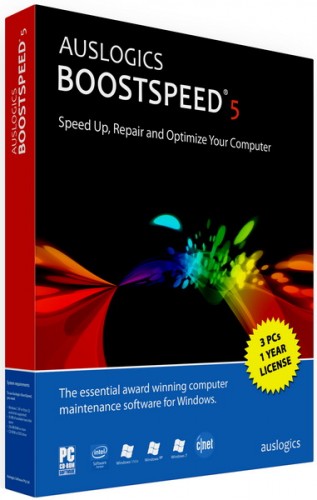
Auslogics BoostSpeed 5 v5.4.0.10 (2013) Full (ကြန္ျပဴတာ နဲ႔ အင္တာနက္ Connection ကိုျမင့္တင္ဖို႔)

Unknown | 20.11.12 | | Best Blogger Tips


Zin KO


Auslogic Boost Speed ေနာက္ဆံုးထြက္ေလးကိုကီးေလးနဲ႕တင္ေပးပါလားအစ္ကို... 


ကြန္ျပဴတာ နဲ႔ အင္တာနက္ ကို ျမန္ဆန္သြက္လက္ေအာင္ ပံ့ပိုးေပးတဲ႔ Software ေကာင္းေလးပါ .. အေသးစိတ္ကို ဒီေနရာ မွာေလ့လာႏိုင္ပါတယ္.....။


With just a couple of clicks this program will clean, fix and

tune your PC, so that it will run as fast as new!


Auslogics BoostSpeed® 5


Your one-stop PC maintenance and optimization tool.

The program will clean up, speed up and fix your slow

computer to make it run as fast and stable as new.

Cleans up the Windows registry

Defragments hard drives

Frees up disk space

Recovers accidentally deleted files

Speeds up Internet connection.


Tuesday, 13 November 2012

SpeedUpMyPC 2013 5.3.4.2

Unknown | 13.11.12 | Best Blogger Tips


ကြန္ပ်ဴတာ ေလးတယ္ ေႏွးတယ္ ဆိုျပီး Cbox မွာ ေျပာသြားလို႔ နာမည္ၾကီး Speed Up PC ေဆာ့ဖ္ဝဲ ေလးတင္ေပးလိုက္ပါတယ္....


SpeedUpMyPC scans your computer to identify the processes, files and
settings that are slowing you down, before wielding a powerful range of
tools to optimize your system for improved performance. 


With single click simplicity, network settings, RAM and CPU function are
all scanned, cleaned and tuned for speed, while junk files are deleted
for space. The result will be a computer that runs faster and better .


 SpeedUpMyPC FEATURES

User Interface:

- Windows Familiar GUI

- Automatic Performance Scan

- System Overview and Recommendations

- Extensive Manual and Help

- System Optimization State

- System Tray Shortcut

- Detailed System Graphs

Optimization:

- CPU Usage Overview

- CPU Booster Functionality

- Memory Usage Overview

- RAM Optimization

- Disk Usage

- Disk Analyzer and Defrag

- Internet Speed Analyzer

- Internet Speed Optimizer

- Startup Manager

- Process Viewer

Clean-Up :

- Junk Clean-Up Scan

- Detailed Junk Clean-Up Scan Results

- Privacy Protector Scan

- Detailed Privacy Protector Scan Results

- File Shredder

- Uninstall Manager


· .Net Framework 3.5 (included as part of the SpeedUpMyPC installation process)


Sunday, 4 November 2012

Advanced SystemCare Pro 6.0.8.170

Unknown | 4.11.12 | Best Blogger Tips


Advanced SystemCare ကိုေတာ့ အားလံုးသိၾကမွာပါ Update ေလးထြက္လာလို႔ ထပ္တင္ေပးလိုက္ပါတယ္...


Features:

# Scan and remove spyware and adware with the latest definition

# Prevent spyware, hijackers and bad websites from being installed

# Erase the history of all activities in your computer

# Scan and fix invalid and improper registry entries

# Detect and remove invalid startup items

# Search and Clean up unused Windows garbage

# Repair system configurations, Eliminate System Bottlenecks and Prevent Crashes

# Tune up Windows to improve both system and Internet performance, unleash the power of your Windows

# Analyze and Show detailed information of hardware and Windows

# Finish all Work with one click, Super Easy to Use


Tuesday, 30 October 2012

PC Optimizer Pro v6.4.3.9 Full Version

Unknown | 30.10.12 | | Best Blogger Tips


PC Optimizer Pro  ေနာက္ဆံုး Update ေလးကို ထပ္တင္ေပးလိုက္ပါတယ္...။ Cleaning, Repair, Optimize  Windows Operating System
အတြက္ အရမ္းေကာင္းတဲ႔ Software ေလးပါ... Cbox မွာ ေအာ္ေနတဲ႔ ကြန္ပ်ဴတာၾကီး
ေလးေနပါတယ္ ဆိုတဲ႔လူေတြ ဒါေလးသံုးျပီး အမွဳိက္ သရိုက္ေတြကို
ရွင္းလင္းေပးလိုက္ပါခင္မ်ာ ... Making Your Computer Run Faster !!!!! ...


  Full Version ျဖစ္ေအာင္ Patch ခ်ိဳးနည္းကို ဒီမွာ ၾကည့္လိုက္ပါ...


PC
Optimizer Pro - a program for cleaning, repair and optimize the Windows
operating system in a few mouse clicks. The program allows you to
optimize the performance of your computer, making your computer run
faster, and allows you to fix various system errors, preventing up to
90% of all failures in the computer. The program consists of a set of
system utilities that help you clean the system registry and hard disk
of debris, remove unneeded applications and programs from startup, will
show you information about your system and make a backup copy in case of
system failure, and many other operations.


Click Here to Download


Saturday, 27 October 2012

SpeedyPC Pro

Unknown | 27.10.12 | Best Blogger Tips


SpeedyPC Pro ကိုေတာင္းထားလို႔ ျပန္လည္မွ်ေဝေပးလိုက္ပါတယ္ ေတာင္းထားတာကေတာ့ Version  3.1.3 ပါ Crack အဆင္မေျပလို႔ Version 3.0.0 ကိုပဲ ျပန္တင္ေပးလိုက္ပါတယ္ .... သူကတာ့ PC ကိုေလးလန္ေစတဲ႔ Registry Error နဲ႔ Malware ေတြကို ျပဳျပင္ရွင္းလင္းေပးတဲ႔ Speed Up ေဆာ့ဖ္ဝဲ တစ္မ်ိဳးပါ.... အေသးစိတ္ကို www.fixpcerrorsquickly.com  မွာေလ့လာႏိုင္ပါတယ္...။


SpeedyPC Pro Can Tackle Your Mysterious Window Problems and Get Your PC Back to Smooth


 Performance.


Here Is How It Can Help PC Users:

Clean your PC of the ActiveX and registry errors and clutter that slow it down.

Protect yourself and your PC by removing malware and privacy files.

Optimize memory by defragging. Improves file save and recall times.

Help opening unknown file extensions with File Manger tool.

Bonus SpeedyPC Pro tools to improve your computer's performance

and Much More


Full Version ျဖစ္ေအာင္ Patch ခ်ိဳးနည္း