Showing posts with label Driver Software. Show all posts

Tuesday, 8 April 2014

SamDrivers FULL Edition 14.4 & DVD Edition 14.2.2 (x86/x64)

Unknown | 8.4.14 | Best Blogger Tips


  Driver အတြက္ အခတ္အခဲျဖစ္ေနရင္ ဒါေလးက ကူညီေျဖရွင္းေပးႏိုင္ပါတယ္... Update Version ပါ.. ေအာက္မွာ ေဒါင္းယူႏိုင္ပါတယ္..။
 
Collection of drivers from SamLab.ws for all 32- bit and 64- bit Windows operating systems from Windows 2000 to Windows 8.1 Update 1 , including server platforms .
 
As the shell-installer to auto-detect your hardware and automatically install the necessary drivers use special programs :

DriverPack Solution 14.4 Revision 412 / Drivers Installer Assistant 5.12.30 / Snappy Driver Installer 0.1.44 / DriverX 3.05 + wrapper for the backup drivers Drivers Backup Solution 3.90.21

  Thank to : BungaNajwa.Com


 How to Download:


ဝင္းကမာၻေက်ာ္


Saturday, 29 March 2014

DriverPack Solution 14 R411+14.03.3 (New Update,28 March2014)

Unknown | 29.3.14 | Best Blogger Tips


DriverPack ကို သိတဲ့လူမ်ား သိၾကမွာပါ... ကြန္ပ်ဴတာမွာ လိုအပ္ေနတဲ့ Driver ေတြကို အလိုေလွ်ာက္ ထည့္သြင္းေပးႏိုင္တဲ႔ Software ပါ.... မေန႔ကမွ Update ေလးထြက္လာလို႔ တဆင့္ျပန္လည္မွ်ေဝေပးလိုက္ပါတယ္...။

The all-new shell DRP 14 automatically select and install the correct driver for your computer. This version has many new features and optimized for the new operating system Windows 8.1. Compared with the previous version of the DRP 14in this version is much fixed shell and completely new driver packs. Installing the driver is in a shell just a few clicks, and this process can be fully automated. Thanks freshest driver-pakam, the program will install drivers on virtually any computer of any age. Install and update the drivers of this program is not connected to the Internet directly from the HDD / flash / DVD.

Some Key Features
- Works with any driver packages (files 7z, zip), for any operating system since Windows XP
Work as a 32 bit and a 64 bit
Ability to group and custom installation of drivers
Ability to handle files in batches finish Bashrat'a
Transparent application settings (all settings are changed through the settings). All settings are stored in an ini-file
Quickly create a database of drivers (the ability to create all databases with one click)
Friendly and responsive interface
View the list of devices for the local PC
View oxidase drivers for the driver package
Ability to work with any carrier
Ability to add and run from the interface additional tools (to add, use the menu-options - additional tools). Ie, to some extent can be used as a autorun for your collections
Check for program updates via the Internet
Ability to silent install
Multilingual interface.

Credit : http://www.bunganajwa.com


ဝင္းကမာၻေက်ာ္

www.winkabarkyaw.net


Tuesday, 25 March 2014

Driver Genius v14.0.0.323 Final With Crack&Keygen [Full Version]

Mr. Win Hlaing | 25.3.14 | | Best Blogger Tips

သူငယ္ခ်င္းတို႕ကြန္ပ်ဴတာစ၀ယ္၀ယ္ၿပီးခ်င္းdriver ေတြမစံုလို႕ရွာခ်င္တဲ့အခါလိုအပ္တဲ့ ေဆာ့၀ဲလ္ ေတြအတြက္ရွာေပးမဲ့ေဆာ့၀ဲလ္ေလးပါ၊driver ဘာလို႕ရွာရလည္းဆိုရင္ တကယ္လို႕ကိုယ့္ကြန္ပ်ဴတာက driver မစံုဘူးဆိုရင္ ထြက္သင့္တဲ့ အသံမ ထြက္တာတို႕၊ graphic က ေကာင္းေကာင္းမလုပ္တာတို႕၊
webcam မရတာတုိ႕ စတဲ့ errors ေတြအတြက္ လိုအပ္ပါတယ္။ၿပီးေတာ့ အားလံုးစံုသြားၿပီဆိုရင္ backup လည္းေပးထားလို႕ရပါတယ္၊တစ္ခုေတာ့ရွိတယ္ internet
 ရွိဖို႕ေတာ့လိုတာေပါ့ ဘာလို႕လဲဆိုေတာ့ လိုအပ္တဲ့ေဆာ့၀ဲလ္ ေတြကို internet ကေန download ခ်ေပးမွာ ၿဖစ္လို႕ပါ၊Driverေတြ စံုၿပီဆိုရင္ Backup 
လည္းလုပ္ထားေပးဖို႕လည္းလိုတယ္ေနာ္ ၊backup လုပ္ၿပီးတစ္ ေနရာမွာ သိမ္းထားလိုက္ပါ၊restore လုပ္မယ္ဆိုရင္ ဒီေဆာ့၀ဲလ္ကို ဖြင့္ၿပီး restore နွိပ္ၿပီး သိမ္းထားတဲ့ဖိုင္ ကိုၿပန္ေရြးေပးလိုက္ရင္ အဆင္ေၿပသြားလိမ့္မယ္ေနာ္။ဘာၿဖစ္လို႕ backup လုပ္ရသလဲ 
ဆိုရင္ အခုကၽြန္ ေတာ္တို႕ သံုးေနတဲ့ window က error တစ္ခုခုေၾကာင့္မတက္ေတာ့တာတို႕ ၊၀င္းဒိုးၿပန္တင္ရတဲ့အေၿခေန ေရာက္သြားၿပီဆုိရင္ ၀င္းဒိုးအသစ္မွာ ေဆာ့၀ဲလ္ေတြ ၿပန္ run ရတဲ့ အေၿခေနမွာ ဆိုရင္ driver ေတြကို ၿပန္  
run ဖို႕အတြက္ အေပၚကအတုိုင္း restoreလုပ္ေပးလိုက္ရင္အဆင္ေၿပသြားပါလိမ့္မယ္၊

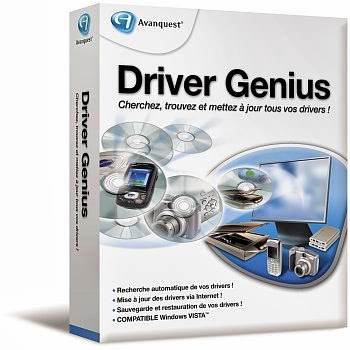
Driver Genius Professional is a professional driver management tool features both driver management and hardware diagnostics. Driver Genius provides such practical functions as driver backup, restoration, update and removal for computer users. If you often reinstall your operating system, you may not forget such painful experiences of searching all around for all kinds of drivers. If unfortunately you have lost your driver CD, the search will be more troublesome and time-consuming.

Automatic Driver Detection
With 1000’s of drivers in the database (for mice, keyboards, scanners, motherboards, digital cameras, printers and more) Driver Genius automatically seeks and identifies the drivers requiring updates, providing you with the most suitable drivers to enhance your system’s performance. Receive automatic “updated driver” notifications and install in just one click.

Removal of Old/Redundant Drivers
Automatically removes out-of-date drivers from the Download Manager and hides driver notifications for devices you no longer use.

Backup and Restore Your PC’s Drivers
Deletes and backs up installed device drivers for your computer, ensuring you have peace of mind.

Schedule Your Updates
Use the Driver Scan Scheduler to set a convenient time to update your PC, ensuring that your drivers are always up-to-date.

Scan Update History
Driver Genius Professional 12 will save all the driver updates in a log file for reference. Now includes an IMPROVED “Scan Planning” feature – individual planning of scans!

Diagnose Your System
Use the “Diagnose Your System” tool to identify problems, quickly detect the component which is not functioning properly and find an effective solution.

Support for Windows 8 (32bit & 64bit) and Windows Server 2012
Driver Genius 12 now can fully support for official Windows 8 and Windows Server 2012. Driver Genius can offer the most recent version drivers for Windows 8 system.

Improved Hardware Management
Improved Hardware Management supports the newest Intel and AMD CPU and Graphics Processing Unit including latest nVidia Quadro, GeForce AMD FirePro drivers and many more.

It can support more hardware sensors and offer more accurate hardware temperature. Optimised hardware detection speed---increase 40%.

System health monitoring
High PC temperature will reduce the stability and performance of hardware devices, and may even damage them.
Driver Genius 12 can monitor the temperature of CPU, Video card, HDD etc in real time to prevent system damage from overheat in advance.

Improvement:
Improved compatibility for Windows 8.
Improved loading time for hardware info.
Improved hardware info. Support Intel Haswell and AMD Kabini. Support latest NVIDIA GeForce GPU and AMD Radeon GPU.

Bug Fixed:
Fixed program may crash or freeze on Windows 8 64bit and Windows Server 2012.
Minor bug fixes.

Features:
Auto search and update the installed drivers
Detection of installed drivers and backup
Automatic recovery of redundant drivers in one click
Removal of obsolete or unused drivers
Support for more than 30,000 drivers for various devices

Features
Type: Installation | unpacking.
Languages: English.
Cut: Other localization, help files.
Activation conducted.
Download Here
===

အားလံုးပဲအဆင္ေျပႏိုင္ပါေစ

www.winhlaing.org


က်ြန္ေတာ္တင္သမွ်ပိုစ့္ေတြ Facebook ကေနရယူခ်င္တယ္ဆိုရင္  ဒီမွာ like ေပးခဲ့ပါေနာ္
မန္ဘာ၀င္ခဲ့ျခင္းျဖင့္ ပိုစ့္အသစ္တင္တိုင္း မိမိ Gmail ထဲကိုတိုက္ရိုက္ေရာက္ရွိမည္ျဖစ္ပါသည္။
ထို႔ေၾကာင့္မန္ဘာ၀င္ခဲ့ဖို႔ဖိတ္ေခၚပါတယ္။

Monday, 17 March 2014

IObit Driver Booster PRO v1.3.1.175 Multilingual With LicenseKeys

Mr. Win Hlaing | 17.3.14 | Best Blogger Tips

မိမိကြန္ပ်ဴတာမွာ Driver ေတြ outdate ျဖစ္ေနလို႔ ျပႆနာေတြေပါင္းစံုတက္ေနရင္ Lobit ကထုတ္တဲ့ Driver Bootster Beta ကိုသံုးလိုက္ပါ Update လုပ္သင့္တဲ့ Driver ေတြကို သူကေျပာပါလိမ့မယ္ Update all ကလစ္ တစ္ခ်က္ႏွိပ္ရုံနဲ႔ သင့္ကြန္ပ်ဴတာေလးရဲ့ Driverေတြအဆင္ေျပပီေပါ့ သူငယ္ခ်င္းတို႔ရယ္။ ဒါဆိုေမးစရာရွိလာတယ္ Driver ေတြ Update ျဖစ္ေတာ့ ဘာထူးလာမွာလဲတဲ့ ကၽြနေတာ္တို႔ ကြန္ပ်ဴတာေတြ software နဲ႔  Hawdware နဲ႔ ကိုက္ညီဖို႔အတြက္ Driverေတြက အဓိက လိုအပ္ပါတယ္။ Driver မမွန္ရင္ သံုးမရသလို Driver ေတြလိုအပ္ပါတယ္ အမ်ားအားျဖင့္ေတာ့ Sound Driver နဲ႔ Graphic ေတြသာ အဓိက ျပႆနာရွာေနတာပါ
Download Here
====
 
 
 အားလံုးပဲအဆင္ေျပႏိုင္ပါေစ

www.winhlaing.org


က်ြန္ေတာ္တင္သမွ်ပိုစ့္ေတြ Facebook ကေနရယူခ်င္တယ္ဆိုရင္  ဒီမွာ like ေပးခဲ့ပါေနာ္
မန္ဘာ၀င္ခဲ့ျခင္းျဖင့္ ပိုစ့္အသစ္တင္တိုင္း မိမိ Gmail ထဲကိုတိုက္ရိုက္ေရာက္ရွိမည္ျဖစ္ပါသည္။
ထို႔ေၾကာင့္မန္ဘာ၀င္ခဲ့ဖို႔ဖိတ္ေခၚပါတယ္။
 

Wednesday, 12 March 2014

Drive SnapShot v1.43.16707 With LicenseKeys + Portable

Mr. Win Hlaing | 12.3.14 | Best Blogger Tips

 ဒီ drive snapshort ကိုေတာ့ 32 bit, 64 bit ကို တင္းေပးလုိက္ပါတယ္ ဒီsoftwareကေတာ့ back up, restore and view backed up hard disk data, easily ကိုလုပ္ရန္အထူးအသံုး၀င္ software ျဖစ္လိုက်ေနာ္ တင္ေပးလိုက္တာပါဗ်ာၾကုိတယ္ဆိုေတာ့
SnapShot is disk imaging software that enables the user to back up, restore and view backed up hard disk data, easily and safely. Snapshot Backup is aimed at the backup/disaster recovery market. There is little use for on the fly disk image creation, if you want to deploy hundreds or thousands of workstations. We think however, that the possibility to do on the fly backup is very important for the end user to regularly protect his data. At least, this was our reason to create Snapshot. No need to shut down and boot from floppy, no need to create network disks, and no need to wait half an hour for the backup process - we think that's nice. Snapshot View is a very easy and powerful method to explore disk images. This technique could be easily adapted to disk images created by other disk imaging programs.
Main features:
- Create Disk Image Backups, While Running Windows
- Continue your work, while the Backup is in progress
- Easy Use and Restore of single Files or directories
- Complete Restore of a disk in case of Disaster
- Compatible with all Windows file systems (FAT16, FAT32, NTFS)
- Compatible with all Windows RAID Methods
- Very easy and comprehensive command line interface.

DOWNLOAD HERE
===
  အားလံုးပဲအဆင္ေျပႏိုင္ပါေစ

www.winhlaing.org


က်ြန္ေတာ္တင္သမွ်ပိုစ့္ေတြ Facebook ကေနရယူခ်င္တယ္ဆိုရင္  ဒီမွာ like ေပးခဲ့ပါေနာ္
မန္ဘာ၀င္ခဲ့ျခင္းျဖင့္ ပိုစ့္အသစ္တင္တိုင္း မိမိ Gmail ထဲကိုတိုက္ရိုက္ေရာက္ရွိမည္ျဖစ္ပါသည္။
ထို႔ေၾကာင့္မန္ဘာ၀င္ခဲ့ဖို႔ဖိတ္ေခၚပါတယ္။

Thursday, 6 March 2014

DriverPack Solution 2013 Full Version (x86&64 bit)

Unknown | 6.3.14 | Best Blogger Tips


 DriverPack Solution ကို သိၾကျပီးျဖစ္မွာပါ... မိမိတို႔ ကြန္ပ်ဴတာမွာ အေၾကာင္းအမ်ိဳးမ်ိဳးေၾကာင့္ Driver ေပ်ာက္တာမ်ိဳး ၊ လိုေနတာမ်ိဳးေတြကို  Run ေပးလိုက္တာနဲ႔ ၅ မိနစ္ဆိုတဲ့ အခ်ိန္အတြင္း ေအာ္တို ဆြဲတင္ေပးသြားမွာပါ.. ဖိုင္လ္ဆိုက္ဒ္ကေတာ့ နည္းနည္းၾကီးပါတယ္ 4.4GB ပါ... ေအာက္မွာ အဆင္ေျပစြာ ေဒါင္းယူႏိုင္ပါတယ္..။

Automatic installation of drivers:

Install the DriverPack Solution on almost any computer for only about 5 minutes.
Saving of time
After downloading the Driver Pack Solution once no longer need to spend time searching for drivers.
Windows XP / Vista / 7 (x86-x64)
Supports all modern operating systems!
As a 32-and 64-bit version
Ease of use
Simple and intuitive interface.
Any driver for any computer
All the drivers on a single DVD-ROM
Simplify downloading new drivers from the Internet.
Ability to update drivers
Update the existing driver to more recent versions.
The program is suitable for all models of computers.
That includes free drivers for laptops: Asus, Acer, Sony, Samsung, HP, Lenovo, Toshiba, Fujitsu-Siemens, DELL, eMachines, MSI .

It will help download free drivers for:

motherboard, sound card (audio), Video Card, Network Card, Wi-Fi, chipset, controller, Bluetooth (Bluetooth), Modem, Web-camera, card reader, CPU, input devices, monitor, Printer, scanner, USB, Other .
Download drivers free from the manufacturers: Ati (Radeon), Nvidia (GeForce), Realtek, Intel, Amd, Atheros, Via.

System requirements:

The program is suitable for all models of computers.
Windows XP / Vista / 7 (x86-x64)
Supports all modern operating systems!
As a 32-and 64-bit version!
Download DriverPack Solution 13 Requirements:
Any PC (desktop/laptop/netbook)
Windows 8 / 7 / Vista / XP (x32-x64)
Size: 4,4Gb


(or)

Direct Download Links

Download Part 1 

Download Part 2

Download Part 3

 Download Part 4

 Download Part 5


www.winkabarkyaw.net


Friday, 28 February 2014

DriverEasy Professional v4.6.6.42258 With Patch _ SOFTWARES UPDATE FULL

Mr. Win Hlaing | 28.2.14 | Best Blogger Tips

Driver easy professional  ေလးကမိမိတို ့ရဲ ့ကြန္ပ်ဴတာမွာလိုအပ္ေနတဲ ့Driver ေတြကို ကလစ္တစ္ခ်က္တည္းနိပ္ရံုနဲ ့အဆင္ေျပသြားမွာပါ။ကြန္ပ်ဴတာအခုမွစသံုးတဲ ့သူငယ္ခ်င္းေတြေရာ services သမားေတြပါေဆာင္ထားသင္ ့ပါတယ္။ျပိီးေတာ ့System restor point ေတြကိုလည္းအလိုအေလ်ာက္ျပဳလုပ္ေပးျပီးေပ်ာက္ပ်က္ေနတဲ ့ driver ေတြကို လည္းျပန္လည္ရယူေပးပါတယ္။ ဒီ software ကိုၾကုိက္တယ္ဆိုရင္ေအာက္မွာသြားေရာက္ေဒါင္းနုိင္ပါတယ္ဗ်ာ
DriverEasy is an application that you can use to locate missing drivers and download them on your computer. Once you initiate the program with the user-friendly interface, you can view system information that focuses on the machine, operating system, RAM, processors and motherboard. But you can also view data about hardware, such as video cards, monitors, hard disk, network card and audio card.
So, all you have to do is initiate the scanning process and DriverEasy will start locating your missing drivers (e.g. keyboards, mice and other pointing devices, sound, video and game controllers, human interface devices, display adapters).
Features:
Download in high speed drivers from server
Easily usage and small size
Have more than 1,000,000 driver in their database
Support from all type of hardwares
Compatible with all versions of windows
How to active:
1) Copy the patch to the app's directory That is (C:\Program Files\Easeware\DriverEasy)
2)Press Patch.
3)Register with any name/serial and enjoy!


အားလံုးပဲအဆင္ေျပႏိုင္ပါေစ

ေဒါင္းနည္းေလးမသိရင္ ဒီမွာ ၀င္ဖတ္ေပးပါခင္ဗ်ား

Wednesday, 26 February 2014

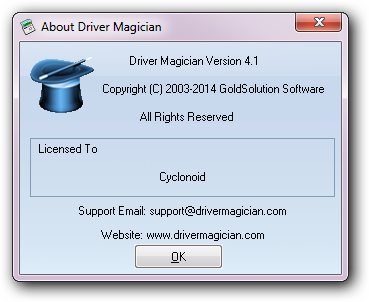
Driver Magician FULL 4.1 + Serials (7Mb)

Mr. Win Hlaing | 26.2.14 | | Best Blogger Tips

Driver Magician ရဲ႕အသံုး၀င္မႈ႕ေတြကေတာ့ drivers ေတြကို backup, restoration and update လုပ္
ေပးႏိုင္ပါတယ္။တကယ္လို႔သူငယ္ခ်င္းတို႕စက္က Driver အတြက္အခက္အခဲရွိေနမယ္ဆိုရင္ဒီေကာင္ေလး
ကိုသံုးျပီးေတာ့မိမိစက္မွာလက္ရွိအသံုး၀င္ေနတဲ့ Driver ေတြကို backup လုပ္ထားသင့္ပါတယ္။ေနာက္အ
ခါ၀င္းဒိုးတင္တဲ့အခါမွာျပန္လည္ျပီး Restore လုပ္တဲ့အခါ Driver မျပည့္စံုတဲ့အခက္အခဲေတြကိုေက်ာ္ျဖတ္
ႏိုင္မွာပါ။one mouse click ေလးျဖစ္တဲ့အတြက္အသံုးျပဳရအဆင္ေျပပါတယ္။Full License ျဖစ္ေစဖို႔အ
တြက္ေဒါင္းေလာ့စ္ဖိုင္ထဲမွာ Serial ကီးေလးကိုထည့္သြင္းေပးထားပါတယ္။ဖိုင္ဆိုဒ္ကေတာ့ 7Mb ပဲရွိပါ
တယ္။၀င္းဒိုးအားလံုးအသံုးျပဳႏိုင္ပါတယ္။

Driver backkup image


Driver restoration image
Device drivers backup
Device drivers restoration


Driver update image
LiveUpdate image
Device driver update
LiveUpdate


Option image
Driver Auto-Setup image
Options window
Device driver auto-setup wizard


Unknown device detector image
Driver removal image
Detect unknown devices
Uninstall Drivers
Driver Magician offers a professional solution for device drivers backup, restoration and update in Windows operating system. It identifies all the hardware in the system, extracts their associated drivers from the hard disk and backs them up to a location of your choice. Then when you format and reinstall/upgrade your operating system, you can restore all the "saved" drivers just as if you had the original driver diskettes in your hands. After one system reboot, your PC will be loaded and running with the required hardware drivers.
Key features:
• Back up device drivers of your computer in four modes.
• Restore device drivers from backup in one mouse click.
• Update device drivers of your PC to improve system performance and stability.
• Uninstall device drivers
• Live Update device identifier database and driver update database.
• Detect unknown devices.
• Back up more items such as My Documents and Registry.
• Restore more items from backup.
• Get detailed information of the hardware drivers.
• Clone all drivers to an auto-setup package (.EXE), so you can restore drivers without installing Driver Magician.
Home page - http://www.drivermagician.com
Install Notes!!
1. Extract the setup from the folder
2. Install the software.
3. Use any of the given serial to activate :)


အားလံုးပဲအဆင္ေျပႏိုင္ပါေစ

 
ေဒါင္းနည္းေလးမသိရင္ ဒီမွာ ၀င္ဖတ္ေပးပါခင္ဗ်ား

Saturday, 15 February 2014

ကြန္ျပဴတာအတြက္ လိုအပ္ေနတဲ့ Driver ေတြကို ရွာဖို႔ Driver Genius Professional 14.0.323 Build 6050

Unknown | 15.2.14 | | Best Blogger Tips


ဒီေန႔ ေတာ့ သူငယ္ခ်င္းတို႔ စိတ္ပူတက္ရတဲ့ Driver ျပႆနာေလးကို

ေျဖရွင္းေပးမယ့္ Driver Genius Pro ေလးကို ျပန္လည္မွ်ေဝေပးခ်င္ပါတယ္။

Fullversion ျဖစ္ဖို႔အတြက္ Crack  File ေလးလည္း အထဲမွာ ပါ ပါတယ္။ 

လုပ္နည္း ကိုလည္း ေသခ်ာေအာင္ video အတိုေလး လုပ္ၿပီး ရွင္းျပထားေပးပါတယ္။


DOWNLOAD [14.8MB]

MILOSHARE | TUSFILES | DEV-HOST


ေအာက္မွာေတာ့ Driver Genius ကို Crack ဖိုင္ျဖင့္

Fullversion ျဖစ္ေအာင္ လုပ္နည္း ျပေပးထားပါတယ္


You Tube မွာလည္း သြားေရာက္ၾကည့္ရႈ႕လို႔ရပါတယ္ 

https://www.youtube.com/watch?v=DMGQgwU0KMs 


ကိုလတ္(ကြ်ဲဆင္း)

Tuesday, 24 December 2013

Driver Genius ကို Fullversion လုပ္နည္းႏွင့္ Driver Genius Professional 14.0.0.323

Unknown | 24.12.13 | Best Blogger Tips


ကြန္ျပဴတာ ဝင္းဒိုး အသစ္ျပန္တင္တာပဲ ျဖစ္ျဖစ္ အေၾကာင္းတစံုတရာေၾကာင့္

Windows ရဲ႕ Driver ေတြ ေပ်ာက္ေနတယ္ ၊ Driver ေတြရဲ႕ Date ေတြဟာ

Expire ျဖစ္ေတာ့မယ္ ဆိုရင္ ဒီေကာင္ေလးကို အသံုးျပဳ႕ၿပီး ျပန္ရွာ

 ျပန္ၿပီး update လုပ္ေပးလို႔ရပါတယ္။ သံုးဖူးတယ္ ဆိုရင္ ဒီေကာင္ေလးကို သိမွာပါ

က်ေနာ္ ကေတာ့ အၿမဲတမ္းေဆာင္ထားပါတယ္။ ေအာက္မွာ install လုပ္နည္းေလးနဲ႔

Fullversion လုပ္နည္းေလးကို ေရးေပးထားပါတယ္ ခင္ဗ်ာ

1။ DR.Genius.Pro.Silent-Engh3.exe ဆိုတဲ့ ဖိုင္ေလးကိုကလစ္ ၂ ခ်က္ ေခါက္ၿပီး run လိုက္ပါ
     ေအာက္မွာ ပံုေလးနဲ႔ျပထားေပးပါတယ္


2 ။ Desktop မွာ သူ႔ရဲ႕ Shotcut ေလးေပၚလာၿပီဆိုရင္ install လုပ္တာ  ၿပီးဆံုးသြားပါၿပီ ခင္ဗ်ာ။ 

  
( ၃ ) Driver genius ေလးကို မ run လိုက္ပါနဲ႔ခင္ဗ်ာ။ update လုပ္ေပးေစခ်င္လို႔ပါ
         ေအာက္မွာ ျပထားတဲ့ ပံုအတိုင္း Driver genius ရဲ႕ တည္ရွိရာ open File Location ကို
         သြားလိုက္ပါ။အထဲမွာအနီေရာင္ ေလးထာင့္နဲ႔ ျပထား  ေသာ LiveUpdate.exe ကို
         ကလစ္ေပးၿပီး update လုပ္ေပးလိုက္ပါ။ၿပီးေအာင္ေစာင့္ေနာ္။ 
        ပံုမွာ ျပထားတဲ့ အတိုင္း ဆက္လုပ္လိုက္ပါေနာ္။


ဒီမွာ Update လုပ္တာ ၿပီးသြားပါၿပီ ခင္ဗ်ာ

( ၄ ) အခုေနာက္တခါ run မယ္ေနာ္ ။ ေအာက္မွ ပံုထဲကေလးေထာင့္ ကြင္းထဲက
         DR.G.Act-Engh3.exe  ကိုကလစ္ ၂ ခ်က္ေခါက္ run လုိက္ပါ ခင္ဗ်ာ
         အဲ့ဒါဆိုရင္ fullversion ျဖစ္သြားပါၿပီ ခင္ဗ်ာ


ေဆာ့ဝဲေလးကို ႀကိဳက္လို႔ သံုးမယ္ဆို ေအာက္မွာေဒါင္းသြားလိုက္ပါ ခင္ဗ်ာ 
 

DOWNLOAD FROM MILOSHARE

DOWNLOAD FROM  TUSFILES


ကိုလတ္(ကြ်ဲဆင္း)


Thursday, 31 October 2013

Asus K53S / SV Drivers Windows 7 64-bit For Laptop

Anonymous | 31.10.13 | Best Blogger Tips


Asus K53S / SV Drivers Windows764bit  အတြက္ Driver အတြက္တင္ေပးလုိက္ပါၿပီ..လိုအပ္ေသာ မိတ္ေဆြအေပါင္း လိုအပ္သလိုေဒါင္းယူျပီးသုံးစြဲနိဳင္ပါတယ္ေနာ္   ေတြကရွိသမွ် ေလးကိုျပန္လည္ မွ်ေ၀ ေပးျခင္းျဖစ္ပါတယ္...  အ ကုန္ေဒါင္းၿပီး Install လုပ္ရံုပါ..အဆင္ေျပပါေစခင္မ်ာ..


ခုလိုအားေပးတဲ့အတြက္ အထူးေက်းဇဴးတင္ပါေၾကာင္း ေျပာၾကားပါရေစ..ဘေလာ့ခရီးသည္မွ နည္းပညာမ်ားအား မည္သူမဆို လြတ္လပ္စြာ ကူးယူသုံးစြဲနိဳင္ပါတယ္.. ကြ်န္ေတာ္ ပိုင္ဆိုင္ေသာေနရာေလးမ်ားအား ဆက္လက္ လည္ပါတ္လိုပါက ***************************************

ဘေလာ့ခရီးသည္သို႕ { ဒီမွာ } သြားလိုက္ပါ
လယ္တီေျမသားသို႕{ ဒီမွာ } သြားလိုက္ပါ
စာေပနန္းေတာ္သို႕{ ဒီမွာ } သြားလိုက္ပါ

Tuesday, 22 October 2013

ကြန္ပ်ဴတာအတြက္လိုအပ္တဲ ့ DRIVER ေတြကိုရွာေပးမည့္ DRIVER BOOSTER

စိုင္းသူနည္းပညာ ျပန္လည္မွ်ေဝျခင္း | 22.10.13 | Best Blogger Tips

DriverBoost Pro 8.2.0.10 Full Version
သင္ ့ကြန္ပ်ဴတာမွာ driver ေတြ လိုအပ္ေနတာသင္သတိထားမိလား....?  အမွဴ ့မဲ ့အမွတ္မဲ ့ေနလိုက္ရံု
နဲ ့သင္ ့ကြန္ပ်ဴတာမွာ လိုအပ္ေနတဲ ့ driver ေတြ ရေနျပီလို ့မထင္လိုက္ပါနဲ ့ update ေတာင္းေနတဲ ့driver ေတြအမ်ားၾကီး ရိွေနမွာ ပါ။ ကြန္ပ်ဴ တာတစ္ခုလံုးကို
ေမာင္းနွင္ေပးမဲ ့ driver ေတြေသေနလို ့မရပါဘူး။ ဒီေကာင္ေလးကေတာ ့လိုအပ္ေနတဲ ့ driver ေတြကိုauto ရွာေပးပါတယ္။ေနာက္ထပ္တစ္ခါ ဘယ္ေတာ ့မွ update မျဖစ္ေတာ ့ဘူးလို ့ေတာ့ပါဘူး ။ဖိုင္ဆိုဒ္ ( 4MB ) ပဲရိွတာေၾကာင္ ့ အဆင္ေျပမယ္လို ့ယူဆပါတယ္။။အထဲမွာ patch file ေလးကို ထည္ ့သြင္းေပးထားတာေၾကာင္ ့ full version အျဖစ္အသံုးျပဳနိုင္ပါတယ္ခင္ဗ်ာ။
အသံုးျပဳပံုကေတာ ့ေအာက္မွာေလ ့လာလို ့ရေအာင္ထည္ ့ေပးလိုက္ပါတယ္။


DriverBoost Pro 8.2.0.10 Full Version + Crack


DOWNLOAD - ZIPPYSHARE ,  TUSFILE , SHAREBEAST


အသစ္တင္တိုင္း FACEBOOK ကေနဖတ္မယ္ဆိုရင္

ဒီမွာ LIKE လုပ္ေပးထားပါ။


စိုင္းသူ


ေဒါင္းနည္းမသိခဲ့ပါက { ဒီမွာ } သြားလိုက္ပါ

Tuesday, 1 October 2013

Driver Genius Professional 12.0.0.1328 Full Crack / Keygen

Unknown | 1.10.13 | Best Blogger Tips


ကြန္ျပဴတာေတြ windows အသစ္ ျပန္တင္ၿပီးတဲ့အခါ လိုအပ္တဲ့

Driver ေတြ ကို ျမန္ျမန္ဆန္ဆန္ေလးရွာေဖြ ေဒါင္းယူ update လုပ္ေပးပါတယ္

ေနာက္ထူးျခားတာေတာ့ driver ေတြကို မိမိ ဝင္းဒိုးတင္တဲ့ အခါျပန္မရွာရေအာင္

 back up လုပ္ထားလို႔ရတယ္ လိုအပ္မယ္ဆို ေအာက္မွာ ေဒါင္းႏိူင္ပါတယ္


CRACK ဖိုင္ ကိုေအာက္မွာေဒါင္းပါ


ေဒါင္းနည္းမသိခဲ့ပါက { ဒီမွာ } သြားလိုက္ပါ
 
Driver Genius Professional is a professional driver management tool features both driver management and hardware diagnostics. Driver Genius provides such practical functions as driver backup, restoration, update and removal for computer users. If you often reinstall your operating system, you may not forget such painful experiences of searching all around for all kinds of drivers. If unfortunately you have lost your driver CD, the search will be more troublesome and time-consuming.


Driver Genius can automatically find driver for a device that the system can’t find a driver for it. It can recognize the name and vendor’s information of the device, and directly provide download URL for the required driver. Driver Genius also supports online updates for drivers of existing hardware devices. There are more than 30,000 most recent drivers for such hardware devices as motherboards, video cards, sound cards, network cards, modems, monitors, mouse, keyboards, digital cameras, video capture cards, etc. on Driver Genius web site. Driver Genius customers can obtain information for latest drivers by Driver Genius’s LiveUpdate program, which can synchronize to the database on Driver Genius site.

What’s new in this version:

Improved download server check speed.
Improved sensor monitoring for ASUS and Gigabyte mainboard.
Improved stability for hard drive detection.
Hardware Info: Support new NVIDIA GeForce GPU (NVIDIA GeForce GT 710M,755M, Quadro K510M,K2100M,K4100M, GRID K100 and GRID K200)
Fixed: Application may crash when downloading driver.
Fixed: Application may crash on some Windows 8.1 systems.

Tuesday, 24 September 2013

Dell Inspiron 14 3421 Drivers Free Download

Unknown | 24.9.13 | Best Blogger Tips


အစ္ကိုကူညီေပးပါဦးဗ်ာ.... Dell Inspiron 3421 window7 driver....ေလးမ်ားရွိရင္ကူညီေပးဦးေနာ္....

အေတာ္ေလးအစဥ္မေျပျဖစ္ေနလို႔....သူ့ဆိုဒ္ထဲမွာလည္း..မရဘူးျဖစ္ေနတယ္အစ္ကို...စက္က...မေလးရွားက ၀ယ္ပီးပို႔လိုက္တာ....Vista..ဆိုေတာ့မသံုးခ်င္လို႔ျဖဳတ္ျပီး..၀င္းဒိုးျပန္တင္ေတာ့...Driver..တိုင္ပတ္ေတာ့တာဘဲ....


Driver Package Solution...ကလည္းမသိဘူးတဲ့ဗ်ာ..

..အစ္ကိုကူညီေပးပါဦးေနာ္......အခ်ိန္ရရင္ေပါ့ဗ်ာ...

ကိုမ်ိဳး


တျခားလိုအပ္သူမ်ားပါ အဆင္ေျပေအာင္ ဒီကေနပဲ ျပန္လည္လည္မွ်ေဝေပးလိုက္ပါတယ္ခင္မ်ာ ....:)


Dell Inspiron 14 3421 Drivers


Dell Inspiron 14 3421 Drivers For Windows 8


Category


Description

File Name/Download
Realtek High-Defination Audio DriverThis package provides Realtek ALC3221 Audio DriverAudio_Driver
Intel Chipset Driver

This package provides Intel HM77 Express Chipset Family Driverthat are running on Operating System: Win7 and Win8Chipset_Driver
Intel Management Engine Interface DriverThis package provides Intel Management Engine Interface Driverthat Chipset_Driver
Dell Wi-Fi DriverThis package provides Dell Wireless 1703 DriverthatComm_Driver
Synaptics Touchpad Driver
This package provides Dell Touchpad Driver running the following Operating Systems: Win7 and Win8Input_Driver


Dell WiFi + BT Driver


This package provides the driver for Dell Wireless 1704 802.11b/g/n running the following operating systems: Win8


Network_Driver
Realtek Ethernet Controller Driver
This package provides the driver for Realtek RTL8105E-VD Ethernet
Controller running the following operating systems: Win7 and Win8
Network_Driver
Dell Wireless 1703 802.11b/g/n, BT4.0+HS
Dell Wireless 1703 802.11b/g/n, BT4.0+HS_X05_WF10.0.0.200_BTv8.0.0.208 DW1703
nVIDIA Graphics DriverThis package provides the driver for the nVIDIA Geforce GT625M / GT640M /
GT730M Graphics
Video_NV
Intel Graphics DriverThis package provides the driver for Intel HD GraphicsVideo_Driver


Dell Inspiron 14 3421 Drivers For Windows 7


Category


Description

File Name/Download
Realtek High-Defination Audio Driver

This package provides Realtek ALC3221 Audio DriverAudio_Driver
Intel Chipset DriverThis package provides Intel HM77 Express Chipset Family Driver that are running on Operating System: Win7 and Win8Chipset_Driver
Intel Management Engine Interface Driver
This package provides Intel Management Engine Interface DriverChipset_Driver
Intel USB 3.0 eXtensible Host Controller DriverThis package provides Intel USB 3.0 eXtensible Host Controller DriverChipset_Driver
Intel Rapid Storage Technology Driver
This package provides the Intel Rapid Storage Technology DriverAHCI_INTEL
Synaptics Touchpad DriverThis package provides Dell Touchpad DriverInput_Driver
Dell Wi-Fi + BT DriverThis package provides the driver for Dell Wireless 1704 802.11b/g/n running the following operating systems: Win7Network_Driver
Dell WiFi + BT Driver

This package provides the driver for Dell Wireless 1703 802.11b/g/nNetwork_Driver
Realtek Ethernet Controller DriverThis package provides the driver for Realtek RTL8105E-VD Ethernet
Controllerrunning the following operating systems: Win7 and Win8
Network_Driver
nVIDIA Graphics Driver

This package provides the driver for the nVIDIA Geforce GT625M / GT640M /
GT730M Graphics
Video_NV
Intel Graphics Driver
This package provides the driver for Intel HD GraphicsVideo_Driver
Realtek Card Reader DriverThis package provides the driver for Realtek Card ReaderSD-Card_Driver


Sunday, 15 September 2013

I-Mobile IQ 2, IQ 3, IQ 4, IQ 5 အတြက္ Drivers မ်ားႏွင့္ Driver တင္နည္း

Unknown | 15.9.13 | Best Blogger Tips


I-Mobile IQ 2, IQ 3, IQ 4, IQ 5 အတြက္ Drivers ေတြကို ေအာက္ကလင့္မွာ ေဒါင္းပါ...

IQ2 


IQ3


IQ4


IQ5


ကဲ.. ေဒါင္းၿပီးၿပီဆိုရင္ Install လုပ္နည္းဆီသြားၾကည့္ရေအာင္..

1. မိမိဖုန္းမွာ Setting>Application> Unknown Source ကို အမွန္ျခစ္အရင္ျခစ္လိုက္ပါ...

2. Setting>Application>Develop အတိုင္း၀င္ၿပီးေတာ့  USB Debugging ,
Stay Awake, Allow mock location ေတြရဲ႕ေဘးမွာ အမွန္ျခစ္ထားလိုက္ပါ..

3. ဖုန္းကို Computer နဲ႔ခ်ိတ္လိုက္ပါ..

4. My Computer ကို Right Click ေထာက္လိုက္ၿပီး Manage ကိုႏွိပ္လုိက္ပါ..
ၿပီးရင္ Device Manager ကို ထပ္ႏွိပ္လိုက္ပါ.. ညာဘက္မွာ ကိုယ္တပ္ဆင္ထားတဲ့
ဖုန္းကို ကြန္ပ်ဴတာက မသိေသးေၾကာင္း အ၀ါေရာင္ ? ေလး ေပၚေနပါမယ္..

5. အဲဒီ အ၀ါေရာင္ ? ေလးကို ညာကလစ္ေထာက္ၿပီး Update Driver ကိုႏွိပ္လိုက္ပါ...

Install from a list or specific location ( Advanced ) ကိုေရြးၿပီး Next
ကိုႏွိပ္လုိက္ပါ.. ထပ္ေပၚလာတဲ့အကြက္ထဲမွာ Browse ကိုႏွိပ္ၿပီး
ကိုယ္ေဒါင္းထားခဲ့တဲ့ ဖိုင္ကို ေရြးေပးလိုက္ပါ.. ပထမ Folder ႀကီးကို
ေရြးၿပီး Next ကို ႏွိပ္ပါ.. မရရင္ အထဲမွာ AMD နဲ႔ x86 ဆိုတာ
ႏွစ္ဖုိင္ပါတယ္..အဲဒီ ဖိုင္တစ္ခုခုကို ေရြးၿပီး Next ကိုႏွိပ္ပါ.. Driver
Install လုပ္ေနတာကို ေတြ႕ၿပီဆိုရင္ အိုေကၿပီေပါ့.. ကြန္ပ်ဴတာကို

6. Restart ခ်လိုက္ၿပီး ဖုန္းကို ထပ္ခ်ိတ္ၾကည့္ပါ.. ခုနကလိုပဲ Manage ထဲက Device Manager ထဲမွာ ကိုယ့္ဖုန္းကို သိၿပီဆိုရင္ ရပါၿပီ...


ဝန္ခံျခင္း... ( ဒီ Driver ေတြကို ကၽြန္ေတာ္ မတင္ဖူးပါ.. ေလ့လာမိသေလာက္ ျပန္လည္ ေဖာက္သည္ခ်ထားျခင္းသာ ျဖစ္ပါတယ္ခင္ဗ်ာ.. )


သင္ဆရာ ျမင္ဆရာတို႔ကို ဦးထိပ္လ်က္


 http://www.nyeinchanthu3.blogspot.com/2013