Showing posts with label Password Revocery. Show all posts

Sunday, 5 January 2014

Google Chrome မွာ Password ေမ့သြားရင္ ဘယ္လိုျပန္ၾကည့္မလဲ...?

Unknown | 5.1.14 | | Best Blogger Tips


က်ေနာ္ ရဲ႕ ေဘာ္ဒါေတြ ထဲမွာ Google Chrome ကို သံုးစြဲၾကတဲ့ ေဘာ္ဒါေတြရွိမွာပါ

Loading ၾကာခ်ိန္လည္း  နည္းတယ္ Firefox ထက္ ျမန္ဆန္ သြက္လက္ေတာ့ သံုးစြဲၾကမွာပါ

က်ေနာ္ ကေတာ့ သံုးပါတယ္။ Google Chrome User တေယာက္အေနနဲ႔ LOG IN ဝင္ၿပီးေတာ့ 

သံုးပါတယ္။ ဘာေကာင္းလည္း ဆိုေတာ့ ဒီမွာ Sign up လုပ္ထားခ်င္းအားျဖင့္

မည္သည့္ ေနရာ မည္သည့္ PC မွာ မဆို မိမိ သံုးစြဲေနၾက Bookmark ေတြ Mail ေတြကို

ျပန္လည္ရရွိပါတယ္။ ဒီထက္ပိုတာေတြလည္းရွိပါတယ္။windows အသစ္ တင္လိုက္လို႔

Google Chrome အသစ္ျပန္ဆြဲမယ္ ဆိုပါစို႔ မိမိ သံုးေနက် အေကာင့္နဲ႔ password ကို ေပးၿပီး

ျပန္ဝင္ မယ္ ဆိုရင္ မိမိ အေကာင့္နဲ႔ ပါက္သက္သမွ်ေတြ ျပန္လည္ရရွိပါတယ္။

အိုေက အခု႔ ေျပာခ်င္တာက Chrome ကို သံုးၿပီး Gmail ေတြ Facebook ေတြ ဖြင့္ထားမယ္

password ေတြကိုလည္း save ထားမယ္ ဆိုပါစို႔  ။ ဥပမာ Facebook ကိုဖြင့္မယ္ 

password ေတြကို save ( Remember Passwordလုပ္) ထားတဲ့ အတြက္  

facebook မွာ user name ေတြ password ေတြကို

ျပန္ရိုက္ေနစရာ မလိုဘူး Facebook ႀကီး တန္းပြင့္ လာမယ္ ။ဟုတ္တယ္ေနာ္

အဲ့ဒီလို သံုးတာမ်ားလာလို႔ ဒါမွမဟုတ္ ဘယ္လို အၾကာင္းနဲ႔ ျဖစ္ျဖစ္ passwoord ေတြ

ေမ့ေနၿပီ ဆိုရင္ ဘယ္လို ျပန္ၾကည့္လို႔ရႏိူင္တယ္ ဆိုတာကို ေအာက္မွာ ပံုေလးနဲ႔ ျပထားေပးပါတယ္
Google Chrome ရဲ႕ Latest Version ကိုလိုုခ်င္ရင္ ဒီမွာေဒါင္းလိုက္ပါ

 လုပ္နည္းေလး ကိုေတာ့ ေအာက္မွာ ၾကည့္လိုက္ပါ။လူတိုင္းေတာင္ သိေနမလား

မသိဘူး ခင္ဗ်။လုပ္နည္းေလးက လြယ္ပါတယ္။သတိမမူ ရင္သာ မျမင္ရပဲ ေနမွာပါ


 အေပၚက ပံုအတိုင္း Google Chrome ရဲ႕ ညာဘက္ေဒါင့္ အေပၚနားေလးက

ေဘးတိုက္ မ်ဥ္း ၃ ေၾကာင္း ကို ႏွိပ္ၿပီးေတာ့ setting ကိုသြားလိုက္ပါ


 setting ထဲကို ေရာက္ပီ ဆိုရင္ Show Advanced setting ကို ဆက္ႏွိပ္လိုက္ပါ


 Password and Forms ကိုေရာက္ၿပီ ဆိုရင္ Manage Save Password ကို ဆက္ႏွိပ္လိုက္ပါ


အထဲမွာ မိမိ အသံုးျပဳ႕ရန္ save လုပ္ထားတဲ့ Password ေတြကို ျမင္ရပါေအာင္

မိမိ လိုခ်င္တဲ့ password ေနရာကို ကလစ္လိုက္ပါ ။ password ေနရာမွာ Show လို႔ ေပၚလာပါၿပီ

အဲ့ဒါ ဆိုရင္ မိမိ password ကို ျပန္ျမင္ရပါၿပီ။ၾကည့္ ၿပီးရင္ေတာ့ Hide ကို ျပန္ ႏွိပ္ထားလိုက္ေပါ့

 မိမိ သံုးစြဲ သေလာက္ password ေတြကို ဒီေနရာမွာ ျမင္ရပါတယ္ ခင္ဗ်ာ။

Password ေတြကို save တယ္ ဆိုတာလည္း Internet Cafe တို႔ သူငယ္ခ်င္းတို႔ ဆီမွာ 

သြား မ save နဲ႔ ..နားကားေနမွာစိုးလို႔ေျပာတာ .ခ္ခ္။ 

တျခားလူ နဲ႔ မွ်ေဝ သံုးစြဲျခင္း မရွိတဲ့ မိမိ ကိုယ္ပိုင္စက္ေတြမွာပဲ save လုပ္ထားသင့္ပါတယ္ 


 ကိုလတ္(ကြ်ဲဆင္း)

Thursday, 10 October 2013

Gtalk&Gmail အေကာင့္ password မ်ား ေမ့ေနလွ်င္(သို႕)အခိုးခံရလွ်င္ ျပည္လည္ရယူနည္း(ျမန္မာလို)

Unknown | 10.10.13 | | Best Blogger Tips


Gtalk&Gmail အေကာင့္ password မ်ား ေမ့ေနလွ်င္(သို႕)အခိုးခံရလွ်င္ ျပည္လည္ရယူနည္း
1။ ဂ်ီေတာ့ ေဘာက္စ့္ေလးထဲမွာရွိတဲ့ Forgot your password? ကိုႏွိပ္လ္ိုက္ပါ။
2။ username & email လိပ္စာကိုျဖည့္ၿပီး submit ကိုႏွိပ္လိုက္ပါ။
3။ ေပးထားတဲ့ စာလုံးေစာင္းေလးေတြကို မွန္ေအာင္ျဖည့္ၿပီး continue ကိုႏွိပ္ပါ။
4။ Answer my security question ေရွ႕က အ၀ိုင္းေလးကို ႏွိပ္လိုက္ပါ။
5။ အေကာင့္ဖြင့္စဥ္က မိမိေျဖထားေသာ အေျဖကို ျဖည့္ေပးလိုက္ပါ။
6။ ေပးထားတဲ့ ကြက္လပ္2ခု ထဲမွာ password အသစ္ကို တူေအာင္ျဖည့္ၿပီး Reset Password ကိုႏွိပ္လိုက္ပါက မိမိရဲ႕ Gtalk&Gmail
အေကာင့္မ်ား ၄င္း password အသစ္ျဖင့္ ၀င္ေရာက္အသုံးျပဳႏိုင္ၿပီ ျဖစ္ပါသည္။
ၿပုလုပ္ပုံ ကုိ pdf အေနနဲ႕ တင္ေပးထားပါတယ္ ပုံေလးေတြ နဲ႕ တကြ ပါ အဆင္ေၿပပါေစဗ်ာ


AC Vs DC


ေဒါင္းနည္းမသိခဲ့ပါက { ဒီမွာ } သြားလိုက္ပါ

Friday, 19 July 2013

Password Lock က်ေနေသာ Lumia 920 ကို Hard Reset လုပ္ျခင္း

Unknown | 19.7.13 | | Best Blogger Tips


Password Lock က်ေနေသာ Lumia 920 ကို Hard Reset လုပ္ျခင္း


အေၾကာင္းေၾကာင္းေၾကာင့္ Nokia Lumia with Windows Phone 8 မွာ Password ထားမိၿပီး


 ေမ့သြားလို႔ ျပန္လုပ္ယူလို႔ မရေတာ့တဲ့ အခါ Lock က်သြားတက္ပါတယ္။ Password ကလည္း ဘယ္လိုမွ 


စဥ္းစားလို႔မရ၊ Try ရင္း Try ရင္း Lock Time ကလည္း တစ္ျဖည္းျဖည္း နာရီေတြ မ်ားလာၿပီဆိုရင္ Hard 


Reset ခ်ဖို႔ လုိအပ္လာပါလိမ့္မယ္။ 


( Lock မက်ထားတဲ့ ဖံုးဆိုရင္ေတာ့ Setting ကေန Reset ကို လြယ္ကူစြာ လုပ္နိဳင္ေပမဲ့ 


Locked ျဖစ္ေနတဲ့အခါ အဆိုပါနည္းလမ္းကို သံုးလို႔မရတဲ့အတြက္ Key ေတြကို ႏွိပ္ၿပီး ေ


အာက္ေဖာ္ျပပါနည္းလမ္းကို အသံုးျပဳဖို႔ လိုအပ္လာမွာ ျဖစ္ပါတယ္။ )


Lumia ကို ျပန္အသံုးျပဳနိဳင္ဖို႔ တစ္နည္းအားျဖင့္ Format လုပ္ၿပီး Factory Reset ခ်ကာ ျပန္လည္ 


အသံုးျပဳနိဳင္ဖို႔ ေအာက္ပါအတိုင္း ေဆာင္ရြက္နိဳင္ပါတယ္။ 


Warning!! Lock က်ထားတဲ့ ဖံုးက Data ေတြကေတာ့ ပ်က္စီးသြားမွာ ျဖစ္ပါတယ္။


Locked Lumia Phone ကို Factory Reset လုပ္ဖို႔ လိုအပ္လာၿပီဆိုရင္ အလြယ္ကူဆံုး နည္းလမ္းကေတာ့ 


Step 1


ဖံုးကို Charger မွာ မတက္ထားပါနဲ႔။ 


1. ဖံုးကို ပိတ္လိုက္ပါ။


2. ပိတ္သြားၿပီဆိုရင္ Volume down Key ကို ႏွိပ္ထားၿပီး charger နဲ႔ အားသြင္းလိုက္ပါ။ 


မွန္ကန္တယ္ဆိုရင္ exclamation mark (!) အႀကီးႀကီး တစ္ခုတည္း screen မွာ ေပၚလာပါလိမ့္မယ္။


(OS reset ကို ဆက္မလုပ္ခ်င္ေတာ့ပဲ Normal MOde ကို ျပန္ထြက္ခ်င္တယ္ဆိုရင္ Volume Down + 


Power Key ကို 10Seconds ေလာက္ ႏွိပ္ထားေပးလိုက္ပါ။).


Step 2


(!) ေပၚေနတဲ့ အခ်ိန္မွာ ေဖာ္ျပပါ အစီအစဥ္အတိုင္း Keys မ်ားကို တစ္ခုျဖင္း ႏွိပ္သြားပါ။


1. Volume up


2. Volume down


3. Power


4. Volume down


မွန္ကန္တယ္ဆိုရင္ ဖံုး Restart ျဖစ္သြားပါလိမ့္မယ္။


Step 3


Restart ၿပီးသြားတာနဲ႔ Reset လုပ္ငန္းစဥ္ေတြကို လုပ္ေဆာင္ေနတဲ့ စက္သြားႏွစ္ခုလည္ေနတဲ့ 


ပံုုမ်ိဳးကို ေတြ႕ရပါလိမ့္မယ္။ အားလံုးၿပီးဆံုးသြားၿပီ ဆိုရင္ေတာ့ Factory Setting နဲ႔ Reset ျဖစ္ၿပီးသား 


Lumia Phone အေနနဲ႔ျပန္လည္ရရွိမွာ ျဖစ္ပါတယ္။


ယခင္က ဖံုးကို Live Account နဲ႔ ခ်ိတ္ဆက္ၿပီး Backup လုပ္ထားတာ ျဖစ္ခဲ့မယ္ဆိုရင္ေတာ့ 


ယခင္က Data အခ်ိဳ႕ကို ျပန္လည္ ရရွိနိဳင္ပါလိမ့္မယ္။


TineHtetAung: TechSpace Tech Team


ကိုလတ္(ကြ်ဲဆင္း)


Monday, 14 January 2013

Top Password Recovery Bundle Enterprise Edition 2012 Full Version

Unknown | 14.1.13 | Best Blogger Tips


အသံုးျပဳသူတိုင္းၾကိဳက္ႏွစ္သက္မယ့္PasswordsRecoverySoftware ေကာင္းေလးတစ္ခုျဖစ္ပါတယ္...Windows 8 အတြက္ပါ ေထာက္ပံ့ေပးထားပါတယ္..ဘာေတြကို Recovery လုပ္ႏိုင္သလဲဆိုရင္.................


The software, password recovery software
is the complete series for business users, and the company has made.
Users can use this operating system, personal information, files and
documents that have been encrypted by other software to decode.
specifications can include this software.

Windows Password Reset and Removal:
If
you forget your Windows password, this software will help you to.
Password Recovery Bundle of Windows 8, 7, 2008, Vista, XP, 2003, 2000,
supports.


Email Password Recovery:
Supports
Microsoft Outlook 98/2000 / XP / 2003/2007/2010, Outlook Express,
Windows Mail, Windows Live Mail, Hotmail, Gmail, Eudora, Incredimail,
Becky! Internet Mail, Phoenix Mail, Ipswitch IMail Server, Reach-a-Mail,
Mozilla Thunderbird, Opera Mail, The Bat!, PocoMail, Pegasus Mail is a
feature of the software.

Instant Messenger Password Recovery:
With this software you can easily recover your passwords an Instant forgotten.
This
software MSN Messenger, Windows Messenger, MSN Explorer, Windows Live
Messenger, AIM Pro, AIM 6.x and 7.x, Google Talk, MyspaceIM, Trillian
Basic, Trillian Pro, Trillian Astra, Paltalk, Miranda, Digsby, Pidgin ,
GAIM, EasyWebCam, Camfrog Video Chat, Ipswitch Instant Messaging support
for sure.

Recover password encrypted file:
Tvnayy of this section may include:
PST Password Recovery
PDF Password Recovery
Office Password Recovery
Archive Password Recovery
Access Password Recovery MS
SQL Server Password Recovery

Internet password recovery:
You can help the software to recover your forgotten passwords to your browsers.
FTP Password Recovery software is also capable of this section.


တုိ႕ျဖစ္ၾကပါတယ္ ခင္မ်ာ...Download ရယူႏိုင္ၾကပါၿပီ။


Download==>Tusfiles / Mediafire


ကၽြန္ေတာ္ IT Helper ၏ ဆိုဒ္အသစ္ေလးျဖစ္ေသာ www.mmithelper.blogspot.com မွလိႈက္လွဲစြာၾကိဳဆိုပါတယ္ခင္မ်ာ..ကြန္ပ်ဴတာနည္းပညာ ဖုန္းႏွင့္ပတ္သက္ေသာနည္းပညာ အျခားေသာ IT နည္းပညာမ်ား စြာကို အခ်ိန္ႏွင့္တေျပးညီ ၾကိဳးစားၿပီးတင္ဆက္သြားမွာျဖစ္ပါတယ္.. အားလံုးေသာ ညီအစ္ကိုေမာင္ႏွမ မ်ား လာလည္ၾကပါဦးေနာ္....။


Sunday, 6 January 2013

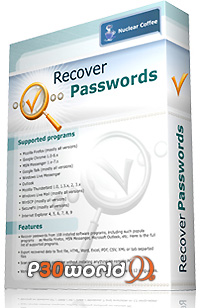
Nuclear Coffee Recover Passwords 1.0.0.21 Full Version

Unknown | 6.1.13 | | Best Blogger Tips


Passwords Recovery Software ေကာင္းေလးတစ္ခုျဖစ္ပါတယ္...ဘယ္လို အရာမ်ိဳးေတြကို Recovery 


လုပ္ေပးသလဲဆိုရင္.....


 Recover all your passwords from more than 100+ programs.


Features


- Recover passwords from 108 installed software programs, including such
popular programs as Mozilla Firefox, MSN Messenger, Microsoft Outlook,
etc. Here is the full list of supported programs.

- Export recovered data to Text file, HTML, Word, Excel, PDF, CSV, XML or tab separated files


- Scan remote network computer without installing anything on remote PC


- Nice looking intuitive user interface, but with solid amount of options


- Working on Windows NT / 2000 / XP / Vista / Windows 7 and available in 12 languages.


Download ရယူႏိုင္ပါၿပီခင္မ်ာ..။


Download==> Solidfiles / Trusfiles


Friday, 28 December 2012

RAR Password Unlocker 4.2.0 Full Version

Unknown | 28.12.12 | Best Blogger Tips


 Download ==> Solidfiles / Mediafire

Rar Passwords ေမ့သြားသူမ်ား..ျပန္ဖ်က္ခ်င္သူမ်ားအတြက္ အသံုး၀င္ပါတယ္။ေတာင္းဆိုထားတဲ့ အစ္ကိုအတြက္ တင္ေပးလုိက္ပါၿပီ။


RAR
Password Unlocker is proved to be a helpful tool when you forgot
WinRAR/RAR password and cannot open the RAR archives. It can recover RAR
password at high speed via 3 attack options: Brute-force, Brute-force
with user-defined Mask and Dictionary.
Support all RAR files created by any tools


  • Recover RAR password faster with SSE, etc.

  • Support multi-core CPU and GPU acceleration.

  • 3 efficient password attack options available.

  • Save password recovery process automatically.

  • Shut down computer automatically after recovery.


Key Features


Powerful WinRAR Recovery Tool


Quickly recover forgotten passwords from encrypted RAR archives (*.rar)
created by any applications, including the latest version of WinRAR.
Unlock any password-protected RAR archive no matter what compression and
encryption algorithm is used.


Recover Fast with GPU & Multi-core CPU


Recover RAR password at high speed by using advanced SSE technology and new search algorithm.


Allow you to accelerate RAR password recovery with Multi-core CPUs, NVIDIA CUDA GPUs and ATI OpenCL GPUs.


3 Efficient Password Attack Options


Brute-force Attack – Try all possible password combinations when you have no idea about it.


Brute-force Attack with Mask – Greatly reduce the recovery time
by specifying the forgotten password length, character set, etc. (High
Recommended)


Dictionary Attack – Recover lost RAR password by trying the
password combinations in the built-in dictionary as a password.
Self-created dictionary in any language is also supported.


Search for Encrypted Files


Search feature helps you find your encrypted RAR archives easily and
fast by scanning your PC. You can select the type of scan you want to
use and scan specific files – from your entire computer system to one or
two selected folders.


Auto -save Recovery State


Stop and resume your password recovery process anytime through the
auto-save feature. This RAR password cracker can automatically save your
password recovery state.


More Features


Efficient Recovery

Recover RAR password at high speed, regardless of your encrypted RAR archive size.


Program Priority


Allocate more CPU power to RAR Password Unlocker and speed up recovery efficiently.


Easy and safe to use

3 simple steps to retrieve password in a safe and easy manner. No any data loss or damage.


Auto shut-down

Shut down your computer automatically when WinRAR password recovery completes.


Free Technical Support

Feel free to contact us by email if you have any problems in using our apps.


System Requirements


OS: Windows 7/ Vista/XP/2008/2003/2000


CPU: 1 GHz processor (2.4 GHz is recommended)


RAM: 512 MB (1 GB is recommended)


Disk space: 15 MB of free space.


RAR Password Unlocker v4.2.0.0 Portable

Unknown | 28.12.12 | | | | Best Blogger Tips


RAR ဖိုင္လ္ေတြ Password ေတြကို Recover ျပန္လုပ္ေပးမဲ႔ Software ပါ.... ေတာင္းထားလို႔ အားလံုးအတြက္ ျပန္လည္မွ်ေဝေပးလိုက္ပါတယ္....:)


RAR Password Unlocker There will introduce to users. You probably already have a password that you remember or have notes to be lost in any way. There are many sites that allow you to enter your email address and password if forgotten it can be easily retrieved. RAR file but not the shape, and there is no way to retrieve it. In such situations RAR Password Unlocker software which will come to your aid. RAR file you want to retrieve just the address that you enter your password, the software automatically to 48 ... Time will. Portable is a version that has been prepared for youso that you will not run into any crack or serial needed.


Some features of this software:


- The ability to quickly retrieve the password by using complexmathematical equations


- Employing algorithms


- A simple, lightweight


- No need any activation


Thursday, 13 December 2012

Folder Lock Passwords ေမ့သြားသူမ်ားအတြက္ ေျဖရွင္းရန္ျဖစ္ႏိုင္သည့္နည္းလမ္းမ်ား

Unknown | 13.12.12 | Best Blogger Tips


Folder Lock Passwords ေမ့သြားသူမ်ား..ျဖဳတ္မရေတာ့သူမ်ား အတြက္ အဆင္ေျပေစမယ့္ နည္းလမ္းေလး ေတြ႕လို႕တင္ေပးလုိက္ပါတယ္..အားလံုးလဲအဆင္ေျပလိမ့္မယ္လို႕ေမွ်ာ္လင့္ပါတယ္။ 


 ားလံုးပဲၾကိဳးစားၾကည့္ပါလို႕ တိုက္တြန္းပါရေစ..က်ေနာ္ ကူးလာတဲ့ မူရင္းဆိုဒ္ေတြမွာေတြ႕ရတဲ့ ကြန္မန္႕ေတြအရေတာ့..အဆင္ေျပတယ္..သိုင္းက်ဴး..အာဘြား ေတြလုပ္ခဲ့တာေတြ႕ရပါတယ္ :D


လုပ္ပံုလုပ္နည္းကိုေတာ့ ေအာက္မွာၾကည့္လိုက္ပါ။


ေနာက္တစ္နည္းက..


STEP 1

First open REGEDIT using RUN command, and go to the following path [HKEY_CURRENT_USER\Software\Microsoft\Windows\QualityControl]

“_pack”=”this is encrypted password ~~~”


STEP 2

Ignore sign ~~~~ , For example “espxttbqfwpm~~~~~” After ignoring it will be like this “espxttbqfwpm”


STEP 3

After that just type that in reverse order, for example if the code is
“espxttbqfwpm” then just type in reverse order then it would be like
this “mpwfqbttxpse”


STEP 4

This is a bit complicated step but it’s the most easiest step, what you
need to do here is that to move one character each to backward, here the
example:

m becomes to l becomes the alphabet l is first letter before m,p become
to o coz o is the letter before p, and keep doing until all encrypted
password you can read, in this tutorial the password –> espxttbqfwpm
after decrypted become –> lovepassword


က်ေနာ္သိသေလာက္ နည္းေတြတင္ေပးလုိက္ပါၿပီ..က်ေနာ္ကိုယ္တိုင္လဲ ကလိေနတုန္းပါဘဲ..ညီအစ္ကိုေတြလဲ ကလိၾကပါလို႕.... :D


Thursday, 6 December 2012

Wondershare PDF Passwords Remover 1.5.1 Full Version

Unknown | 6.12.12 | Best Blogger Tips


Passwords ခံထားတဲ့  PDF ဖိုင္ေတြ နဲ႕ Encrypted လုပ္ထားတဲ့ PDF ဖိုင္ေတြရဲ႕ Passwords ေတြကို အလြယ္တကူ ဖယ္ရွားရွင္းလင္းႏိုင္တဲ့ Wondershare ရဲ႕ Product တစ္ခုျဖစ္ပါတယ္ခင္မ်ာ။


PDF Password Remover is designed to remove the password and restrictions
(Owner Password) of PDF files. Right-click the PDF file, select Decrypt
with Wondershare PDF Password Remover from the shortcut menu, the
restrictions will be removed in seconds. It is easy for you to copy,
edit or print the PDF files after decryption.


Remove PDF Password and Restrictions


- Decrypt encrypted PDF files which were restricted by author to prevent others from copying, editing or even printing


- Remove the user/open password only if you key in the password correctly


- Support importing Adobe PDF 1.0 – 1.7 formats (.pdf)


Miscellaneous


- Extremely easy to use


- User-friendly interface


- Standalone, doesn’t need Adobe Reader or Acrobat to be installed


- Support PDF files in 10 languages: English, Turkish, Thai, Latin, Korean, Greek, Cyrillic, Arabic, Japanese, Chinese


Download ==> Mediafire ၊  2shared


Monday, 3 December 2012

Word Password Recovery 1.80

Unknown | 3.12.12 | Best Blogger Tips


Microsoft Word  မွာ Passwords  ေပးထားတာကို ဒါေလးနဲ႔ ျဖဳတ္ႏိုင္ပါတယ္... လိုအပ္သူေတြရွိမွာပါ.... 


Word Password Recovery is the best Word password cracker to recover forgotten passwords for protected Word documents (*.doc, *.docx) created in Microsoft Office 2010, 2007, 2003, XP, 2000 and 97. Easily recover MS Word password using combination of Brute-force attack, Mask attack or Dictionary attack. Simply select your Word document (*.doc, *.docx) and wait for a few minutes while your password is recovered.


100% recovery rate.

Recover your lost Microsoft Word passwords the fast and easy way.

Support most of the document encryption algorithms in MS Office.


Key Features & Benefits

Simple and intuitive graphic interface.

Support Word documents created in MS Office Word 2010, 2007, 2003, XP, 2000, 97.

Recover lost or forgotten Word documents passwords.

Unlock and open password-protected Word documents.

Offer various recovery methods: Brute-force attack, Mask attack or Dictionary attack.

Take advantage of multi-threading technology to speed up the recovery process.

FREE technical support.

FREE update.


Recover Word Password Using Various Methods


Brute-force attack - It attempts all possible combinations of passwords until the correct password is found. The password recovery engine is highly optimized, thus short password can be recovered immediately.


Mask attack - If you remember the password partially you can set a mask with the mask symbols for those parts you can't remember, it will help you effectively shorten the recovery time compared with brute-force attack.


Dictionary attack - Since many people use regular words or phrases for password, perform a dictionary attack by trying each word from the dictionary will save your precious time.


Home Page : http://www.top-password.com/word-password-recovery.html


Thursday, 29 November 2012

RAR Password Recovery 1.8 Full Version

Unknown | 29.11.12 | | Best Blogger Tips


RAR ဖိုင္လ္ေတြက Password ေတြကို Recover လုပ္ေပးတဲ႔ Software ေလးပါ.... 


Recover Lost RAR/WinRAR Password


RAR Password Recovery is a powerful WinRAR password recovery utility to recover lost or forgotten passwords for RAR/WinRAR archives. Unlock any password-protected WinRAR archive no matter what compression and encryption algorithm is used. Simply select your RAR file and wait for a few minutes while your password is recovered. No need to struggle to recall the lost passwords anymore.


-100% recovery rate.


-Recover lost or forgotten RAR/WinRAR passwords.


-Support brute-force attack, mask attack and dictionary attack.


Key Features & Benefits


-Simple and intuitive graphic interface.


-Support all versions of RAR files, including WinRAR 3.x and 4.x.


-Recover lost or forgotten password of encrypted RAR file..


-Unlock any password-protected RAR archive.


-Offer various recovery methods: Brute-force attack, Mask attack or Dictionary attack.


-Take advantage of multi-threading technology to speed up the recovery process.


-FREE technical support.


-FREE update.


>>>  Download Here  <<<


Sunday, 2 September 2012

Windows Password Remover v7.0

Unknown | 2.9.12 | | Best Blogger Tips


ဒီေန႔မွ်ေဝခ်င္တာေလးကေတာ့ ေမ့သြားလို႔ ေပ်ာက္သြားလို႔ ရွာမရေတာ့တဲ့  
ကြန္ျပဴတာေတြရဲ႕ Password ကိုဖယ္ရွားေပးႏူိင္တဲ့ နည္းေလးကိုအားလံုးအတြက္မွ်ေဝခ်င္ပါတယ္
ေအာက္မွာေပးထားတဲ့ လင့္ႏွစ္ခုမွာ Software ကို အရင္Dowload လိုက္ပါ....


အေပၚလင့္ေတြကေန ေဒါင္းၿပီးၿပီဆိုရင္ CD ေခြ ဘမ္းဖို႔အတြက္ Software မရွိေသးရင္  ဒီမွာ ယူလိုက္ပါ..။
ၿပီးရင္ Software ေလးကို CD ေခြေပၚမွာ ဒါမွမဟုတ္ USB ထဲကိုထည့္လိုက္ပါ
CD ေခြ ဒါမွမဟုတ္ USB ကေန မိမိ ရွာခ်င္တဲ့ ကြန္ျပဴတာထဲကို ထည့္လိုက္ၿပီးေတာ့ Restart ခ်လိုက္
ၿပီးေတာ့ Boot ကိုေရြးေပးလိုက္ပါ ။ေရြးေပးၿပီးရင္ေတာ့ အထဲမွာ ညႊန္ၾကားတဲ့ အတိုင္း
ဆက္လုပ္သြားမယ္ဆိုရင္ Password ကိုရွာလို႔ ရသြားပါၿပီ ခင္ဗ်ာ...။


POST BY : ကိုလတ္(ကြ်ဲဆင္း)


Windows Password Remover v7.0 is a Passware Password Recovery Kit Enterprise image for a bootable CD that resets Windows Administrator passwords.

It supports to reset passwords of all Windows versions, like Windows 7, Windows Vista, XP, 2008, 2003 and 2000, etc.

Burn the ISO in a CD or USB, that will work during the boot process and instantly reset/remove Administrator or other account passwords and Windows security settings that prevent you from logging in.


Features:

# 100% recovery rate

# All passwords are reset instantly

# Windows 7 New!, Vista, Vista SP1 supported

# All Windows Workstations supported

# Resets secure boot options: startup password or startup key disk

# Displays account properties

# Resets local Administrator passwords

# Resets Domain Administrator passwords


Monday, 14 May 2012

Password Recovery Bundle 2012 Enterprise Edition v2.20

Unknown | 14.5.12 | Best Blogger Tips


Password ေမ့တတ္တဲ႔ သူငယ္ခ်င္းမ်ား အတြက္ပါ ....:)


Password Recovery Bundle??? a full suite (bundle) of password recovery tools available for its corporate and government clients. The password recovery software was created to deal with files protected through the use of popular computer applications. It is not ElcomSoft’s goal to aid hackers or criminals in accessing sensitive data. Rather, these password crackers are made available ElcomSoft clients to aid security and computer forensics specialists in dealing with password protected data. Based on our tests and feedback from ElcomSoft clients, these password recovery tools are the fastest on the market, easiest to use, least expensive and they are feature rich. More password recovery tools are in development which will target the security afforded by other popular computer applications.
EPRB??? (Elcomsoft Password Recovery Bundle???) allows business managers, information technology support administrators, and law enforcement officials to gain access to various password-protected documents, that have been accidentally or purposefully password protected. The product combines the latest and the most advanced cryptanalysis algorithms developed by Elcomsoft’s research department. EPRB is capable of instantly recovering passwords for a wide range of business and office applications, text processors, spreadsheets, database management programs, office suites, email clients, instant messengers etc. Over 100 different file formats and types of password encryption methods are supported.
Key Features & Benefits

- 100% recovery rate.

- Wide compatibility – Recover passwords to a variety of email clients, instant messengers, ftp clients, web browsers and many other applications.

- Unique abilities – More than 45 programs passwords can be recovered.

- Save you time and money – Find your lost passwords easily! No need to call in an expensive PC technician. Never worried about losing your important accounts again.

- Instant recovery – Recover passwords to all your accounts within seconds.

- User-friendly interface. It is quite easy to use.

- FREE technical support.

- FREE update.
Built-in Password Recovery Tools
* MSN Password Recovery ??? Recovers passwords for MSN Messenger, Windows Messenger, Hotmail, MSN Explorer and Windows Live Messenger accounts.
* Email Password Recovery ??? Retrieves passwords to mail accounts created in Outlook 98/2000/XP/2003/2007, Outlook Express, Windows Mail, Windows Live Mail, Eudora, Incredimail, Becky! Internet Mail, Phoenix Mail, Ipswitch IMail Server, Reach-a-Mail, Mozilla Thunderbird, The Bat!, etc.
* PST File Password Recovery ??? Enables you to recover lost or forgotten passwords to personal folders in Microsoft Outlook (.pst files).
* Windows Cached Password Recovery ??? Recovers Windows 7/Vista/2008/2003/XP/2000/NT autologon password (when user is logged on).
* Dialup Password Recovery ??? Helps you to easily recover logins and passwords for RAS, VPN or Dial-up Networking connection.
* Google Talk Password Recovery ??? Recovers login and passwords for your Google Talk, Google Desktop, Gmail Notifier, Picasa and Gmail accounts stored on the local computer.
* Miranda Password Recovery ??? Recovers AIM, ICQ, MSN, Yahoo! Messenger, Jabber, IRC passwords stored by Miranda instant messenger.
* Product Key Finder ??? Easily finds lost product key (CD Key) for Windows, Microsoft Office, SQL Server, Exchange Server and many other products, even if you can’t boot into Windows.
* AIM Password Recovery ??? Recovers lost or forgotten passwords for AOL Instant Messenger, AIM Pro, AIM 6.x and 7.x.
* IE Password Recovery ??? Allows you to recover passwords to Web sites saved in Microsoft Internet Explorer, as well as AutoComplete passwords. Remove Content Advisor passwords.
* Firefox Password Recovery ??? Displays logins and passwords for protected sites stored by Firefox and Mozilla browsers, even from crashed computer.
* New! Opera Password Recovery ??? Recovers website passwords stored by Opera browser, as well as passwords to all mail accounts configured in Opera Mail.
* Chrome Password Recovery ??? Allows you to view the usernames and passwords stored by Google Chrome Web browser.
* Trillian Password Recovery ??? Finds all Trillian accounts saved on your local computer. All versions of Trillian are supported: Trillian Basic, Trillian Pro and Trillian Astra.
* Paltalk Password Recovery ??? Recovers AIM, ICQ, MSN, Yahoo! Messenger and ICQ passwords saved by Paltalk instant messenger.
* FTP Password Recovery ??? Decrypts FTP passwords stored by most popular FTP clients: CuteFTP, SmartFTP, FileZilla, FlashFXP, WS_FTP, CoreFTP, FTP Control, FTP Navigator, FTP Commander, FTP Voyager, WebDrive, 32bit FTP, SecureFX, AutoFTP, BulletProof FTP, Far Manager, etc.
* Access Password Recovery ??? Unlocks Microsoft Office Access 95/97/2000/XP database.
* Other Password Recovery ??? Recovers passwords for Ipswitch Instant Messaging, EasyWebCam, Digsby, Total Commander, Camfrog Video Chat, Remote Desktop Connection.
Don’t see your program in the list above? you can use the built-in Asterisk Password feature to see the actual passwords hidden under asterisk characters (******), from almost any web pages and Windows applications including: MySpaceIM, CoffeeCup FTP, FTP Explorer, VNC, Gizmo5, Orbit Downloader, Evernote, etc.