Showing posts with label video recording. Show all posts

Tuesday, 4 February 2014

ကြန္ျပဴတာ Screen မွာ Video ရိုက္ဖို႔ Zebra-Media Screen Recorder 1.5.0.0

Unknown | 4.2.14 | Best Blogger Tips


Zebra-Media Screen Recorder 1.5.0.0 | 17 MB

ကြန္ျပဴတာမွာ Video Screen shot ရိုက္ဖို႔ရန္အတြက္ပါ။ 

ဖိုင္ဆိုဒ္ေသးေသးေလးနဲ႔ တကယ္အလုပ္လုပ္ေကာင္းပါတယ္။က်ေနာ္ ကိုယ္တိုင္လည္း စမ္းသပ္အသံုးျပဳ႕

ၿပီးမွ ျပန္လည္မွ်ေဝေပးလိုက္တာပါခင္ဗ်ာ။ မိမိ Screen ကို မိမိလိုသေလာက္ေနရာေလးကို

Screen Ruler အသံုးျပဳ႕ၿပီးေတာ့စိတ္ႀကိဳက္ရိုက္ကူးႏိူင္သလို 

Full Screen အျပည့္လည္းရိုက္ယူႏိူင္ပါတယ္

ရိုက္ကူးေနစဥ္မွာ Desktop က အသံဖိုင္ music ဖိုင္ mic ျဖင့္ မိမိစကားေျပာသံ ေတြကိုလည္းတခါတည္း

record လုပ္ထားေပးႏိူင္ပါတယ္။ထြက္တဲ့ Formatကေတာ့အရည္အေသြးေကာင္းတဲ့  

AVI ဒါမွမဟုတ္MPEG ဖုိင္ႏွင့္အျခားဖိုင္တို႔ကိုရရွိႏိူင္ပါတယ္။

software ပညာ တခုခုကို လက္ေတြ႕သင္ေနတာပဲျဖစ္ျဖစ္၊ 

Games တခု႔ကို ကစားေနတာပဲျဖစ္ျဖစ္ Record လုပ္ႏိူင္ပါတယ္။ ဒါအျပင္ Gtalk Chatting,

Facebook video Chatting, Video ၾကည့္ေနတာေတြကိုလည္း Record လုပ္ထားလို႔ရႏိူင္ပါတယ္

အသံုးျပဳ႕မယ္ ဆိုရင္ ေအာက္မွာဝင္ေဒါင္းသြာလိုက္ပါခင္ဗ်ာ

DOWNLOAD


ကိုလတ္(ကြ်ဲဆင္း)


Saturday, 8 June 2013

TV က ဗီြဒီယိုေတြကို Computer နဲ႔ ဖမ္းေပးမယ့္ Pinnacle TVCenter 6.4.5.933

Unknown | 8.6.13 | | Best Blogger Tips


Pinnacle
TVCenter ကေတာ့ TV ကေန ဗီြဒီယိုဖိုင္ေတြကို ကြန္ပ်ဴတာနဲ႔
ၾကည့္လို႔လည္းရတယ္.. ဖမ္းယူလို႔လည္း ရတယ္ ဆိုတဲ့ Software ပါ..
ရုပ္ထြက္ၾကည္လင္ျပတ္သားၿပီး Resolution ေကာင္းတဲ့ ဗီြဒီယိုဖိုင္အျဖစ္
ဖမ္းယူႏိုင္တယ္လို႔ဆိုပါတယ္.. TV Tuner ရွိတဲ့သူမ်ားကေတာ့
ဒီေကာင္မ်ဳိးကိုသံုးဖူးၾကမွာပါ.. တီဗြီၾကည့္ရင္း ကိုယ္လိုခ်င္တဲ့
ဇာတ္ကားေကာင္းေတြဆို ဖမ္းယူႏိုင္တာေပါ့ဗ်ာ.. ကၽြန္ေတာ္ေတာ့
မလုပ္ဖူးဘူးခင္ဗ်.. လိုခ်င္သူေတြ ေဒါင္းနိုင္ေအာင္ လင့္
ညႊန္းေပးလိုက္ပါတယ္..

More than just TV – Manage your TV

PCTV
TV Center is equipped with a powerful PVR functionality. You can watch
your favorite TV stations, timeshift, schedule recordings and much more
... .

Save space using an existing PC

PCTV TV products bring TV to your computer. You can easily enable your PC / Laptop with a full featured TV functionality.

Watch your favorite TV shows while traveling

Use
your laptop to install your PCTV product and watch TV at your favorite
location. You can also record TV shows and watch them later while
traveling using your laptop or a media playback device.

Your personal IPTV: DistanTV mobile

You
can also stream your PCTV programmes from your home via the Internet to
your iPhone or iPad while sitting in a Cafe or hotel room anywhere in
the world. You can control and watch all channels of your PCTV tuner in
high picture quality

Your personal IPTV: DistanTV mobile

You
can also stream your PCTV programmes from your home via the Internet to
your iPhone or iPad while sitting in a Cafe or hotel room anywhere in
the world. You can control and watch all channels of your PCTV tuner in
high picture quality


အဆင္ေျပပါေစ..


******************


Download : 582.8 MB


Friday, 22 February 2013

iGame-Capture Pro 1.0.2.21 Full

Unknown | 22.2.13 | | Best Blogger Tips


ဒီ
Software ကေတာ့ Game သမားမ်ားအႀကိဳက္ျဖစ္ေစမွာပါ.. ကိုယ္ကစားတာကို Capture
ရိုက္ထားႏိုင္ၿပီး Video, Image အျပင္ အသံေတြနဲပါ
သိမ္းထားေပးႏိုင္မွာျဖစ္ပါတယ္.. ဒါဆိုရင္ ျပန္ၾကည့္ၿပီး
ကိုယ္ဘယ္နားမွာမွားခဲ့တယ္.. ဘယ္လိုလုပ္ရင္ ႏုိင္မယ္ စသည္ျဖင့္ေပါ့ဗ်ာ..
အရင္တစ္ခါ တင္ေပးခဲ့ဖူးေသးတယ္.. အခုဟာ ဗားရွင္းအသစ္ပါ.. Windows 8 ထိ
ေထာက္ပံ့ေပးပါတယ္..


 iGame Capture Pro 1.0.2.21 Full +
Keygen is a application that enables you to capture game’s video, images
and sound when playing games. It allows player to capture the game
using DirectX or OpenGL Technology.With this capture tool, share your
understanding games record to your friends now.


iGame
Capture Pro 1.0.2.21 Full + Keygen is a excellent recording game
realtime video,audio and screen capture tool for Windows
XP/Vista/Win7/Win8.


    It allows player to capture the game using DirectX or OpenGL Technology.

    iGame Capture can capture realtime game video and shot screen.

    iGame capture can show how many Frames Per Second (FPS) you are getting in a corner of your screen.

    Perform custom benchmarks and measure the frame rate between any two points.

    Also iGame capture can show many system information, such as CPU usage,Memory Usage, CPU Temperature and Fan speed,etc.

    iGame Capture save video into MP4,AVI,MPG or FLV file for convenience shared them.

    OS: Windows XP / Vista / 7/8.


အဆင္ေျပပါေစ


Credit to : ေမာင္ေပါက္


Setup Download Links: 8.05 MB


Here !


or


Here !


Keygen Download Links: 132 KB


Here !


or


Here !


Thursday, 10 January 2013

CyberLink YouCam 5

Unknown | 10.1.13 | | Best Blogger Tips


Cyberlink YouCam ကိုအားလံုးသိၾကမွာပါ... ေတာင္းထားလို႔ တဆင့္ျပန္လည္မွ်ေဝေပးလိုက္ပါတယ္....


Cyberlink YouCam 5 Full Mediafire - Free Cyberlink YouCam 5 Download. Bagi kamu yang suka berekspresi dengan menggunakan Web Cam. Cyberlink YouCam 5 adalah software yang dapat membantu anda mengeluarkan ekspresi lewat Web Cam. Anda dapat mendesain avatar sendiri, atau mengubah wajah anda dengan avatar yang sudah disediakan oleh Cyberlink YouCam 5. 


Anda dapat juga memberikan efek animasi di dalam video anda. Nah baca dulu keterangannya dibawah ini. Sebelum di Install, lihat spesifikasi komputer anda. Jangan gara-gara software ini, kerja komputer menjadi lambat. Oche.. so have fun !!!


Cyberlink YouCam 5 is a software designed to facilitate you in the picture or video of expression with which embellished with a variety of very interesting effects. For those of you who like Video Chat, maybe this is one of the main application is very useful to make your chat more interesting and exciting.


This software also provided facilities Download additional effects of DirectorZone for free. The program provides four types of video effects that include emotional effects, filters, frames, and distortion. YouCam supports some software that is so popular for a chat like Windows Live Messenger, Yahoo Messenger, Skype, AOL and Instant Messenger.


The program provides at least some kind of a very cool video effects that include :


Three dimensional effects are very interesting


Emotion Effect


Add frame effects to you are photos or video


Effects include distortion model, the effect of mirror distortion


Securities that can be personally designed by Drawing tools filter effects


Minimum Requirements :


XP/ Vista/ 7 of Operating System


Intel Pentium D 3.0 GHz or AMD Athlon


Web camera


512 MB of RAM


1 GB Free HDD Space


Click Here to Download From Mediafire


Click Here to Download From 4Share


Saturday, 5 January 2013

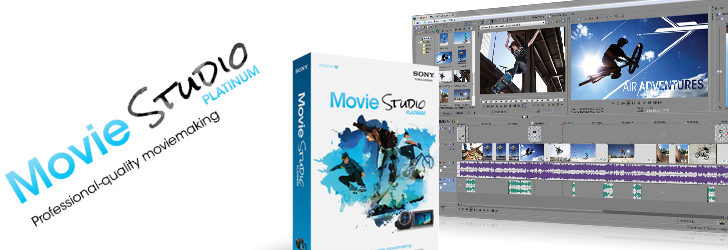
Sony Movie Studio Platinum 12 Build 576 (86 & 64 Bit)

Unknown | 5.1.13 | | | Best Blogger Tips


Sony က ထုတ္တဲ့ Video Editing , 3D Video Editing Software တစ္ခုျဖစ္ပါတယ္ခင္ဗ်ာ

မိမိစိတ္ၾကိဳက္ Bit နဲ႕ ဘာသာစကား ကိုေရြးခ်ယ္ၿပီး Download ရယူႏိုင္ပါတယ္..Key ကိုေတာ့ သတ္သတ္ တင္ေပးထားပါတယ္ခင္မ်ာ.။


Download Key==> Solidfiles / Tusfiles


Create
movies in stunning AVCHD™ and stereoscopic 3D. Edit audio in Sound
Forge Audio Studio, upload movies to Pixelcast™, and burn them to DVD or
Blu-ray Disc™ — all with Movie Studio Platinum Suite! With innovative
and powerful features for video compositing, color correction, and
animated titling, professional-grade results are easier to achieve than
ever. Use the surround sound mixing tools to create 5.1 soundtracks. Add
style with the NewBlueFX 3D Titling and Video Effects. Complement your
film with 50 Sony Sound Series: Production Music soundtracks.


Movie Studio Platinum 12


Tell
your story any way you want. Edit video in nearly any format, including
stereoscopic 3D. Stylize your movies with high-quality video effects,
transitions, titles, and filters. Fix washed-out footage or make colors
pop with color-correction tools. Share your movies on Pixelcast™ without
ever leaving the application! Collaborate on a fun and unique
experience with friends and have them upload their movies and photos
too. The choice is yours and, with Movie Studio Platinum, the
possibilities are endless.


Red Giant Magic Bullet Quick Looks


Classic
film looks in a click. Magic Bullet Quick Looks sets the mood for your
footage in seconds. You can easily define the style of your video with
100+ presets that add color and light to every scene, from wedding video
to the next Sundance original.


NewBlueFX 3D Titling and Video Effects


The
Movie Studio Platinum 12 Suite includes an exciting group of audio and
video effects by NewBlue, a leading manufacturer of audio and video
plug-ins. Once installed, the tools are available directly from the
Movie Studio Platinum 12 effects windows, providing a seamless editing
experience without ever leaving the application. These additional
transitions and effects provide more options to enhance audio and video
projects with a professional look and feel.


Jump Start Tutorials


The
included Jump Start Tutorials provide a quick overview of the Movie
Studio Platinum 12 program. You’ll learn how to create entire audio
and video projects from setup to final delivery. Topics also include
several advanced sections explaining how to add that professional touch
with Chroma Key techniques and Color Correction tools.


iZoptope™ Vocal Eraser


Sound
Forge™ Audio Studio 10 software includes the Vocal Eraser plug-in.
Create karaoke tracks and remove vocals from songs for remixing.


50 Sony Sound Series: Production Music soundtracks


  • Add
    intensity with music. Access 50 royalty-free Sony Sound Series:
    Production Music soundtracks. Each Production Music soundtrack comes in
    four different lengths. Choose the one that best fits your movie, or
    tweak the file any way you want.

  • Notable fixes/changes in version 12.0 (Build 575/576)

  • Render progress is now displayed in the Windows taskbar.

  • Added support for metadata orientation information for still image formats.

  • Added Enable joystick support to the General tab in the Preferences dialog.

  • If
    you have FXhome HitFilm 2 Express installed, you can use HitFilm
    projects on the Movie Studio timeline and add HitFilm effects to your
    events. For more information about the Visual Effects Suite, which
    includes Movie Studio and HitFilm2 Express

  • Added support to the Sony AVC render format to properly encode lower-field-first interlaced video.

  • Fixed a crash that could occur when importing a variable frame rate H.264 MP4 clip from After Effects (CS6).

  • Fixed a crash that could occur when using Shift-drag or Ctrl-drag on an event fade offset.

  • Fixed a crash that could occur when pressing D to toggle through tools on the timline.

  • Fixed a crash that could occur when rendering to Sony AVC: AVCHD format when the Audio coding mode was set to 1/0 (mono).

  • Fixed a crash that could occur when opening some MVC files.

  • Fixed
    a crash that could occur when when using the Auto correct button in the
    Stereoscopic 3D Adjust plug-in with a 3D clip from an HDR-TD10 camera

  • Fixed a crash that could occur when attempting to view ISMV files created by the Microsoft Expression Encoder 4.

  • Fixed audio gapping that could occur when looping MVC files.

  • Fixed an issue that could cause artifacts on the last frame of certain MVC 3D files.

  • Fixed an issue that could prevent you from rendering MP4 files with audio settings below certain sample or bit rates.

  • Fixed an issue that could prevent audio playback or draw incorrect waveform data when using Sony AVC MP4 files with AAC audio.

  • Fixed an issue that could cause MPEG-2 program streams to display a green frame when previewed in the Explorer window.

  • Fixed
    an issue that could cause renders to fail when using custom Sony AVC
    templates where Field order was set to Lower field first.

  • Fixed an issue that could cause rendering to fail when rendering to MainConcept AVC format.

  • Fixed
    an issue that could cause an error when rendering a 5.1 surround
    project to Sony AVC/MVC format if the Enable LFE check box was not
    selected.

  • Fixed an issue that could cause a volume spike at the beginning of rendered Sony AVC: AVCHD files.

  • Fixed an issue that could cause some MVC files to freeze the application.

  • Fixed Trim Start/End behavior to preserve event fades.

  • Fixed an issue that prevented the Synchronize command from being displayed when right-clicking events.

  • Fixed an issue that could cause audio tracks to be minimized when hiding/showing the Trimmer.

  • Fixed an issue with selecting multiple effect keyframes.

  • Fixed an issue that could cause the Titles & Text resize box to be displayed incorrectly in the Video Preview window.

  • Fixed an issue that could prevent keyframes from being created when no keyframe row was selected.

  • Fixed an issue that could cause envelope points to be changed when adding new envelope points in a video effect.

  • Fixed an issue that could prevent 3D videos from being identified as 3D when being uploaded to YouTube.

  • Fixed
    an issue that could cause partial disc burns if the application loses
    focus when using Tools > Burn Disc > Disc-at-Once Audio CD.


Sony Movie Studio Platinum Suite 12.0 Includes :


  • Movie Studio Platinum 12.0

  • DVD Architect Studio 5.0

  • Sound Forge Audio Studio 10.0


Minimum system requirements


  • Microsoft® Windows Vista® 64-bit SP2 or Windows 7 64-bit

  • 2 GHz processor (multicore or multiprocessor CPU recommended for HD or stereoscopic 3D)

  • 500 MB hard-disk space for program installation

  • 2 GB RAM (4 GB recommended)

  • IEEE-1394DV card (for DV capture and print-to-tape)

  • USB 2.0 connection (for importing from AVCHD, XDCAM EX, NXCAM, or DVD camcorders)

  • 512 MB GPU memory

  • Supported NVIDIA or AMD GPU:


Windows-compatible sound card


  • DVD-ROM drive (for installation from a DVD only)

  • Supported CD-recordable drive (for CD burning only)

  • Supported DVD-R/-RW/+R/+RW (for DVD burning only)

  • Supported BD-R/-RE drive (for Blu-ray Disc™ burning only)

  • Microsoft .NET Framework 3.5 SP1 (included on application disc)

  • Apple® QuickTime® 7.1.6 or later for reading and writing QuickTime files

  • Internet Connection (for Gracenote MusicID Service)


Tuesday, 1 January 2013

Boilsoft Video Joiner & Video Splitter 7.01.1 Full Version

Unknown | 1.1.13 | Best Blogger Tips


Video ဖိုင္လ္ေတြ ျဖတ္,ဆက္,ညွပ္ ဖို႔အတြက္ပါ... Video Joiner ေရာ Video Splitter ေရာ ႏွစ္ခုစလံုးပါပါတယ္...


Boilsoft Video Joiner 6 Boilsoft Video Splitter 6 - tools, without which there can not do any user working with video. Boilsoft Video Splitter - allows you to cut large movie into several smaller parts or small clips. Boilsoft Video Joiner - is used to connect multiple video clips into one large video file


Our Boilsoft Video Joiner (formerly AVI/MPEG/RM/WMV Joiner) is the comprehensive and easy solution!! Using our AVI/MPEG/RM Joiner, you can Merge / join multiple AVI, MPEG(MPG), RM(Real Media) or ASF/WMV video files into one "non-stop" file. It's easy and fast! Just a couple of mouse clicks, you can enjoy your movie clips without break... AVI Joiner, MPEG Joiner, RM Joiner, WMV/ASF Joiner all-in-one.


Features:


. Direct Stream Clone Mode joins same type files in super speed.


. Re-encode Mode joins any different format files as you like.


. Support join AVI, DivX, MPEG-4 files.


. Support join MPEG-1 and MPEG-2 video files.


. Support join VOB video files.


. Support join RM, RMVB files.


. Support join ASF, WMV, WMA files


. Support join 3GP(.3gp, .3g2) files


. Support join MP4(.mp4, .m4a, .m4v) files


. Support join MKV files.


. Support join FLV, MTS files in Re-encode Mode.


. Support join MPEG Audio and Windows Media Audio.


. Join video files as many as you want.


. Scramble and rearrange the video clips in the sequence that you exactly desire.


. Very User-friendly interface.


Boilsoft Video Splitter is a tool to split, cut or trim a large AVI, MPEG, RM, ASF, WMV, 3GP or MP4 Video file into smaller video clips without re-encode. Using the included video player, you can easily split AVI, MPEG, RM, ASF, WMV, 3GP or MP4 Video file by time or the selection as needed. Direct stream cut, without re-encode, Our Video Splitter is the most efficient and fastest in the market. Video Splitter -- AVI Splitter, MPEG Splitter, RM Splitter, ASF Splitter, WMV Splitter, 3GP Splitter, MP4 Splitter all-in-one!


Features:


* Direct stream cut, without re-encode.


* Support split AVI, Divx, MPEG-4 video files


* Support split MPEG-1, MPEG-2, VOB video files.


* Support split ASF, WMV, WMA files


* Support split Real Media(.rm, .rmvb)


* Support split MP4(.mp4, .m4a) file


* Support split 3GP(.3gp, 3g2) file


* Support split VCD (.dat) file


* Support split AC3 file


* Support large video file, even large then 2GB.


* Very fast and without any quality loss.


* Very User-friendly interface.


Click Here to Download


Thursday, 27 December 2012

Honestech DVD Authoring Studio 2.0 Full Version

Unknown | 27.12.12 | | | Best Blogger Tips


DVD ေခြေတြကို အေကာင္းဆံုးႏွင့္ အခ်ိန္အၾကာဆံုးျဖစ္ေအာင္ ထုတ္လုပ္ႏိုင္တဲ့ Software ေကာင္းေလးတစ္ခုျဖစ္ပါတယ္..ဒါ့အျပင္ Video Capture ေတြကိုလည္းျပဳလုပ္လို႕ရပါတယ္..ေတာင္းဆိုထားတဲ့ အစ္ကိုအတြက္တင္ေပးလိုက္ပါၿပီ..


အေသးစိတ္အခ်က္အလက္ကုိေတာ့ ဆက္ဖတ္ေပးပါ။


Download ==> Mediafire / Solidfiles


Honestech DVD Authoring Studio 2.0 is a DVD authoring software that can
create a maximum of 27 hours long DVD in one double layer DVD disk. With
this powerful software, you can produce Ultra-Long DVD, MPEG files,
VIDEO_TS folder and Disk image file. You can use not only the video
files in your PC but also your own captured video files from a TV
capture card or a digital camcorder as input sources. Honestech DVD
Authoring Studio 2.0 has real-time capturing feature as well.


Features


  • Ultra Long DVD

    This 4.7GB DVD can be burned up to 16 hours of videos unlike
    any other 2 hours play DVDs. honestech DVD Authoring Studio 2.0 also
    supports Dual-Layer DVD+R (8.5GB) allowing you to burn a maximum of 27
    hours with the Ultra-Long DVD format. You can enjoy a DVD full of
    numerous movies with your family and friends all in a single disk.


  • TV, USB or DV Capture

    honestech DVD Authoring Studio 2.0 will support you to capture
    videos from TV cards, USB camera or digital DV camcorder. You can also
    import videos that you want from the existing DVDs. If you want to
    convert pictures to videos, just insert your pictures and click away.


  • Dual Layer Support

    Support Dual-Layer burning.


  • Copy Disk

    Copy DVD disk for duplication.


  • Mix-mode DVD disc

    You don’t need to worry about the free disk space with honestech
    DVD Authoring Studio 2.0. 

  • Feel free to burn a full complete movie file
    into a single disk with more free space left for other data.


  • Import

    Import videos from an existing DVD.


  • Edit

    Edit videos or photo shows, transitions, effects, texts, audios and trims.


  • Menu

    Supports various DVD menu themes and motion menu.


  • Various outputs

    Support Ultra-Long DVD, DVDs, VCDs, SVCDs, MPEG files, VIDEO_TS folder and

  •  Disk image file. 


System Requirements


  • Video Input

    WMV, AVI, MPEG, ASF, DV-AVI


  • Image Input

    JPG, JPEG, BMP


  • Video Output

    VCD, SVCD, DVD, Ultra-long DVD


  • Operating system

    Windows 98SE, Windows Me, Windows 2000, Windows XP


  • Processor

    Pentium IV 1GHz or higher


  • Memory

    256MB or higher


  • HDD

    20GB or more


  • DirectX 9.0 or higher


  • CD Writer for VCD, SVCD


  • DVD Writer for DVD


Tuesday, 25 December 2012

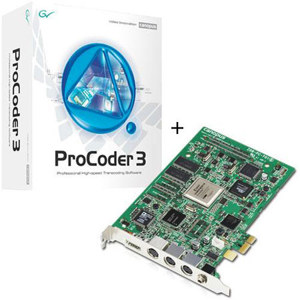
Canopus Grass Valley ProCoder 3.05.60 Full Version

Unknown | 25.12.12 | | | Best Blogger Tips


အဆင့္ျမင့္ video တည္းျဖတ္ေရးသမားေတြ သံုးတဲ့ Software တစ္ခုျဖစ္ပါတယ္..Video Format မ်ိဳးစံုကို coding ျပဳလုပ္ျခင္း..စတဲ့ေနရာေတြမွာအသံုးျပဳၾကပါတယ္..ေတာင္းဆိုထားတဲ့ သူရွိေပမယ့္လည္း connection အခက္အခဲေၾကာင့္ အခုမွတင္ေပးလိုက္ရတာပါ။ Download ရယူႏိုင္ပါၿပီ။


Download Crack==> Tusfiles


ProCoder 3 software combines speed and flexibility into a streamlined
video conversion tool. Widely acknowledged as the leading software
transcoder, it features extensive input/output options, advanced
filtering, batch processing, and an easy-to-use interface.


Whether
encoding MPEG video for DVD production, producing Windows Media for
streaming or transcoding between NTSC and PAL, ProCoder software makes
video format conversion quick and easy. With it you can encode a single
source to multiple targets simultaneously, run multiple conversion jobs
back-to-back in batch mode, or use drag-and-drop preset icons to start
conversion with a single click.


The ProCoder 3 software has an
array of high-performance features, including a design that efficiently
leverages the power of your CPU, broad codec support, local and
networked use capabilities to fit your workflow, and queue management to
ensure your jobs are performed in just the right order.


Key Features


  • Professional high-speed, high-quality encoding and conversion of
    video to all popular formats, including MPEG-1, MPEG-2, Windows Media,
    QuickTime, and more

  • Microsoft Windows XP and Vista compatible

  • Grid encoding for MPEG-2 (transport stream, program stream)

  • Support for multiple CPUs within one PC (including quad-core)

  • Watch folder function for automated encoding

  • Job queuing manager with priority functions

  • Stitching of multiple source files to create a single file

  • Multiple color-space support including YUV and RGB

  • Aspect-ratio and NTSC/PAL conversion, frame-rate interpolation, and automatic adaptive deinterlacing

  • 3:2 pulldown and inverse telecine

  • Multi-pass VBR processing

  • Full HD support for MPEG and Windows Media

  • VOB file and DVD-video image creation with chapter points

  • Save droplets for quick, drag-and-drop conversion

  • Separate audio import/export options including multiplexing and audio mapping

  • Export plug-in for Grass Valley EDIUS® nonlinear editing software

  • Includes presets for Blu-ray authoring software


Specifications

Source Formats


  • Grass Valley DV

  • Grass Valley HQ

  • Microsoft DV

  • H.264

  • AVCHD

  • Dolby Digital

  • Video for Windows codecs

  • DirectShow codecs

  • QuickTime codecs

  • MPEG-1, MPEG-2

  • Macromedia Flash (video only)

  • Windows Media

  • DivX

  • MP3 and PCM .wav files

  • AVISynth script files

  • Still images including .bmp, .tga, .tif, .png, and .jpg

  • Watch folder function for automated encoding


Target Formats


  • Grass Valley DV

  • Grass Valley HQ

  • Microsoft DV

  • H.264

  • Dolby Digital

  • iPod (MPEG-4)

  • MEDIAEDGE (MPEG-2, MPEG-4)

  • Most Video for Windows codecs

  • Most DirectShow codecs

  • Most QuickTime codecs

  • MPEG-1, MPEG-2 (using Canopus codec)

  • VOB (DVD-video image)

  • ACM codecs

  • Macromedia Flash video

  • Windows Media

  • RealVideo

  • MP3 and PCM .wav files


Video Filters


  • 601 to 709 color correction (ITU-R BT 601 SD to ITU-R BT 709-5 HD)

  • 709 to 601 color correction (ITU-R BT 709-5 HD to ITU-R BT 601 SD)

  • 601 correction—expand color space

  • 601 correction—shrink color space

  • Adaptive de-interlace

  • Bitmap keying

  • Black/white correction Blur

  • Circular blur

  • Color correction

  • Color safe

  • Crop

  • Fade in/out

  • Gamma correction

  • Gaussian blur Median

  • Pulldown

  • Rotate

  • Sharpen

  • Temporal noise reducer


Audio Filters


  • Lowpass

  • Normalize

  • Volume


Minimum System Requirements


  • Intel Celeron, Intel Pentium III, Intel Pentium 4, AMD Athlon, AMD
    Athlon XP or AMD Duron processor, 800 MHz CPU or faster (multiprocessor
    and hyper-threading support included)

  • 256 MB RAM (512 MB of RAM required for HD encoding)

  • 80 MB free disk space

  • DirectX 9.0 or later

  • Operating System:

    • Windows 7 (32-bit or 64-bit)

    • Windows Vista (SP1 or later, 32-bit)

    • Windows XP (SP3 or later, 32-bit)


  • One free USB port (1.1 or higher)


Friday, 21 December 2012

VideoStudio Pro X5 Full New Version

Unknown | 21.12.12 | | | Best Blogger Tips


Video Editing လုပ္တဲ့ Software တစ္ခုျဖစ္ပါတယ္။ Blue Ray , DVD Format
ေပါင္းစံုကိုလည္း အရည္ေသြးျမင့္ျမင့္နဲ႕ ဖန္တီးႏိုင္သလို..Video Recording
လုပ္ျခင္းအျပင္ Video Editing သမားမ်ား အတြက္ အျခားအသံုး၀င္ Tool မ်ားလည္း
ပါ၀င္ပါတယ္..Video Effect မ်ားစြာလည္း ပါ၀င္ပါေသးတယ္။Video Editing
သမားမ်ား အၾကိဳက္ေတြ႕ေစမယ့္ Software ေကာင္းတစ္ခုလည္းျဖစ္ပါတယ္..Version အသစ္ထြက္လာတဲ့ အတြက္ အသံုးလိုသူမ်ား အသံုးျပဳႏိုင္ေအာင္ တင္ေပးလိုက္ပါတယ္...Installation လုပ္ပံုလုပ္နည္းနဲ႕ Full Version ျဖစ္ေအာင္ License Key ထည့္နည္းကိုပါ Video Tutorial ျဖင့္တစ္ခါတည္း တင္ေပးလုိက္ပါတယ္ခင္မ်ာ။


Download Keygen + Video Tutorial

Tusfiles / verzend /


Wednesday, 28 November 2012

Video2Webcam Version 3.3.3.6 FullVersion

Unknown | 28.11.12 | | Best Blogger Tips


VZO ခ်က္ရင္း ကိုယ္နဲ႕ခ်က္ေနသူဆီသို႕ Video ေတြ..Video Link ေတြေ၀မွ်ႏိုင္တဲ့ Software အလန္းေလးတစ္ခု တင္ေပးလိုက္ပါတယ္။


Video2webcam enables you to show video clips as virtual webcam during video chat whether you own a real webcam or not. You could either share your home-made video clips easily with your friends while chatting on line or make fun of them by pretending to be somebody else. With it, you can play a variety of videos on messengers and switch between real & virtual webcams easily & quickly.It supports all kinds of media file formats including video formats (avi, asf, flv, mp4,mpeg, mpg, ram, rm, rmvb, wmv and etc.) and picture formats (jpg, gif, bmp, png and etc.). Besides, it works on all webcam programs such as MSN, Camfrog, Skype, ICQ, AIM, Paltalk, Yahoo Messenger, ANYwebcam, Stickam, ICUII, Ustream.tv, iSpQ, etc.


Key Features:


  • Show video clips during video chat easily

    Share your home-made video clips with your friends while chatting online easily.

  • Work even without a real webcam

    Play a variety of videos on messengers no matter whether you have a real webcam or not.

  • Switch between real and virtual webcams quickly

    Click the “Choose Video Source” button to fast switch your webcam video source.

  • Support all kinds of media file formats

    Include video formats (avi, asf, flv, mp4, mpeg, mpg, ram, rm, rmvb, wmv, etc.) and picture formats (jpg, gif, bmp, png, etc.).

  • Work for all webcam programs

    MSN, Yahoo Messenger, Camfrog, Skype, ICQ, AIM, Paltalk, ANYwebcam, Stickam, ICUII, Ustream.tv, iSpQ.


Screenshots:


Video2Webcam :: Show video clips during video chat even  without a real webcam


Video2Webcam


Options ::


Options


<==Download Here==>


or


<==Here==> 


(DOWNLOAD
ျပဳလုပ္နည္း == > ေပးထားတဲ့ DOWNLOAD LINK ေတြကို CLICK လိုက္လွ်င္
ADFOC.US ဆိုတဲ့ဆိုဒ္ကိုေရာက္ပါမယ္။ ေရာက္ရင္ 5 စကၠန္႕ေစာင့္ေပးပါ။
ညာဘက္ျခမ္းအေပၚနားတြင္ SKIP ဆိုတာေလးကို ႏွိပ္ေပးလိုက္တာနဲ႕ မိမိ DOWNLOAD
ျပဳလုပ္ရမယ့္ LINK ကိုေရာက္ရွိၿပီး DOWNLOAD
ျပဳလုပ္ႏိုင္ၿပီျဖစ္ပါတယ္ခင္မ်ာ.. ADFOC.US တြင္ SKIP တစ္ခုတည္းသာ
ႏွိပ္ေပးရပါမယ္.အျခား REGULAR DOWNLOAD တို႕..PLAYNOW ဆိုတာေတြကို
ႏွိပ္ေပးစရာလံုး၀မလိုအပ္ပါခင္မ်ာ)