Showing posts with label PDF. Show all posts

Saturday, 1 March 2014

Windows 7,8 and andriodဆုိင္ရာ PDF ႏွင့္ Soda PDFဆုိင္ရာ Software ေပါင္း 15ခု

Mr. Win Hlaing | 1.3.14 | | | Best Blogger Tips

PDFဆုိင္ရာ Softwar ေပါင္း 15ခု တင္းေပးလိုက္ပါ
ဒီတစ္ေခါက္ေတာ့၀င္းလႈိင္က အားလံုးကိုစုစည္ျပီးတင္ေပးလိုက္ပါတယ္ အဲဒါေတြကေတာ့ PDF  Soda ,PDF  ေယာ Windows 7,8, SOD3,6 D PDF Reader and andriod ဆုိင္၇ာေတြစုစည္ျပီး တင္ေပးလုိက္ပါတယ္ အဲဒါေတြ တစ္ခုဆိ ခဲြျပီးတင္ေပးလိုက္ပါတယ္ေနာ္

 DOWNLOAD

အားလံုးပဲအဆင္ေျပႏိုင္ပါေစ
ေဒါင္းနည္းေလးမသိရင္ ဒီမွာ ၀င္ဖတ္ေပးပါခင္ဗ်ား

Tuesday, 25 February 2014

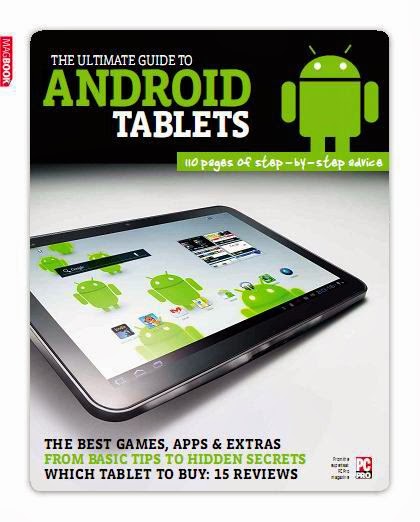
Tablet ကို အသံုးျပဳ႕သူမ်ားအတြက္ေလ့လာသင့္ေသာ The Ultimate Guide to Android Tablets (True PDF)

Unknown | 25.2.14 | | Best Blogger Tips

Tablet ကို အသံုးျပဳ႕သူမ်ားအတြက္ Tab ထဲမွာ အလုပ္လုပ္တဲ့ Android OS အေၾကာင္းကို

အေသးစိတ္ေဖာ္ျပေပးထားတဲ့ စာအုပ္ေလးပါ။စာအုပ္ကေတာ့ အဂၤလိပ္လို ေရးထားတာျဖစ္ပါတယ္

အဂၤလန္ က ထုတ္တဲ့ စာအုပ္ျဖစ္ပါတယ္။စိတ္ဝင္စားရင္ေအာက္မွာ

ဝင္ေဒါင္းၿပီး ဖတ္ရႈ႕ေလ့လာလို႔ရပါတယ္။စာမ်က္ႏွာ 115 မ်က္ႏွာပါၿပီးေတာ့

36 MB ဖိုင္ဆိုဒ္ရွိပါတယ္ခင္ဗ်ာ


DOWNLOAD


ကိုလတ္(ကြ်ဲဆင္း)

Tuesday, 4 February 2014

Samsung Galaxy ဖုန္း အသံုးျပဳ႕သူလူတိုင္းအတြက္ Tips, tricks, Apps, & Unlock the potential of your Device အဂၤလိပ္လို စာအုပ္

Unknown | 4.2.14 | | Best Blogger Tips


Samsung Galaxy ဖုန္း အသံုးျပဳ႕သူလူတိုင္းအတြက္

ဖတ္သင့္တဲ့ စာအုပ္ေလးပါ..ခ္ခ္ခ္ ..အဂၤလိပ္ လို Ebook ေလးကို site ေတြထဲမွာ

ရွာေတြလို႔ က်ေနာ္သူငယ္ခ်င္းေတြလည္း ဖတ္ရႈ႕ႏိူင္ေအာင္ျပန္လည္ မွ်ေဝလိုက္ပါတယ္ 

-ဖုန္း အသံုးျပဳ႕နည္း

- Application ေတြကို အသံုးျပဳ႕နည္း + Hack နည္း

စသည္ျဖင့္အေၾကာင္းအရာစံုလင္စြာျဖင့္ စာမ်က္ႏွာေပါင္း 180 ပါ ပါတယ္

 
အပိုင္း ၁ ႏွင့္ ၂ ကိုတစ္ခါတည္းတင္ေပးလိုက္ပါတယ္ခင္ဗ်ာ

VOLUME 1 ကို ေအာက္မွာရယူပါ( 29.5 MB  )


VOLUME 2 ကို ေအာက္မွာရယူပါ( 42.5 MB)


ကိုလတ္(ကြ်ဲဆင္း)

Sunday, 1 December 2013

Program ေရးစရာမလုိဘဲ Android application (APK) ျပဳလုပ္နည္း

Unknown | 1.12.13 | | Best Blogger Tips


မိမိတုိ႕ ရဲ႕Website, Blog, Facebook Page, Facebook Group, Facebook Account 

မ်ားအတြက္APK ျပဳလုပ္မယ္ ဆိုရင္ ဒီေကာင္ေလးကလည္း အရမ္းလြယ္ပါတယ္

ဒါေလးကိုေတာ့ ဆရာမ ေဒၚထားထားလြင္ က PDF အျဖစ္ ေရးထားတာပါ

အသံုးျပဳ႕မယ္ဆိုရင္ PDF ကို ေအာက္မွာဝင္ေရာက္ယူႏိူင္ပါတယ္


ကိုလတ္(ကြ်ဲဆင္း)


Tuesday, 20 August 2013

Adobe Acrobat 7.0 Professional + Keygen

Unknown | 20.8.13 | Best Blogger Tips


 Adobe Acrobat 7.0 Professional  ကို Mail တဆင့္ေတာင္းထားလို႔ လိုအပ္ေနသူမ်ား အားလံုးအတြက္ ျပန္လည္မွ်ေဝေပးလိုက္ပါတယ္....


The Adobe Acrobat 7.0.7 Professional and Standard update addresses
several known issues in Adobe Acrobat 7.0.5 Professional and Standard
software. Adobe recommends that all Adobe Acrobat 7.0.x Standard and
Professional users apply this update.


Improvements in Adobe Acrobat 7.0.7 Standard and Professional include the following:

• Support for new 3D content — View, interact with, annotate, and
measure 3D content embedded in PDF documents created with Adobe Acrobat
3D. Also, view and interact with the 3D model tree.

• One-button PDF file creation — The one-button PDF creation tool in
Autodesk® AutoCAD® has been updated to include support for AutoCAD 2006
(Acrobat Professional only).

• Additional stability improvements.


This multilingual update can be applied to any language version of Acrobat 7.0.5 Professional or Standard.


ေဒါင္းမရဘူးေျပာလာလို႔ပါ ....


Click Here to Download Setup


Click Here to Download Keygen Only


Tuesday, 26 February 2013

Adobe Acrobat Pro XI 11.0.2 + Patch + Keygen

Unknown | 26.2.13 | Best Blogger Tips


Adobe Acrobat Pro ကို ေတာင္းထားလို႔ ထပ္တင္ေပးလိုက္ပါတယ္.... အဆင္ေျပၾကပါေစ.....။


Adobe ® Acrobat ® Pro XI - it's not just convert your PDF. It contains many smart features that provide more opportunities for interaction. Easily, quickly and professionally. Combining a wide range of content including documents, spreadsheets, email, images, video, 3D-graphics and maps in one concise and structured portfolio PDF. Joint work in reviewing the documents to which granted total access. Creating interactive forms and rapid collection of data. Protect and control sensitive information. Advanced features Acrobat software for users of Adobe Reader ®.


Additional Information:


Evaluate the effectiveness of technology Adobe ® Acrobat ® Dynamic PDF for creating and sharing PDF files, a new generation. Collaborate with colleagues, customers and partners through the use of sessions reviewing electronic documents, fillable PDF forms and services Acrobat.com. Combine multiple file types into a polished, organized PDF Portfolio of professional quality. Install passwords and permissions to protect documents. Increase the attractiveness of documents using a multifunctional content.


Click Here to Download Adobe Acrobat Pro XI 11.0.2


Click Here to Download Keygen Only


Click Here to Download Activator Only


Click Here to Download Patch Only


New Upload (4 August 2013)


Click Here to Download  Only Activator

Saturday, 9 February 2013

Universal Document Converter 5.5 + Keygen

Unknown | 9.2.13 | | Best Blogger Tips


Universal Document Converter ေလးေတာင္းထားလို႔ အားလံုးအတြက္ ျပန္လည္မွ်ေဝေပးလိုက္ပါတယ္...


Microsoft Word documents, Microsoft Excel tables, Microsoft PowerPoint, Autodesk AutoCAD စ,တာေတြကေန  PDF Format အမ်ိဳးမ်ိဳးကို  Print  ထုတ္ေပးႏိုင္တဲ႔ Converter ေလးပါ...။


Universal Document Converter 5.5+ Multilanguage Full Keygen  - is the most complete solution for the conversion of documents of any type of files in Adobe PDF or graphical files. The base is virtual printing technology. Therefore, the export format chosen Microsoft Word documents, Microsoft Excel tables, Microsoft PowerPoint presentations and Autodesk AutoCAD drawings is as simple as typing on a desktop printer.


Benefits of Universal Document Converter:


- Export into 8 formats. Documents of any type can be exported into Adobe PDF or graphical files in 7 popular formats: TIFF, JPEG, PNG, PCX, DCX, GIF or BMP.


- Work with multipage documents. Several documents of various types can be united into one multipage file.


- Universality. The technology of virtual printing makes it possible to convert documents of any type, including multipage reports, technical drawings and commercial posters, into a chosen format.


- Practicality. The direct export of a document into a graphical file (instead of printing and scanning a paper copy) economizes on expendable materials and time.


- Ease of use. For exporting documents of any type into Adobe PDF or graphical files all that is required is to print them using the printer labeled 'Universal Document Converter'.


The advanced algorithm of quantization. Advanced algorithm for image quantization makes it possible to produce the highest quality copies even when converting them into a black and white format.


- High resolution. The ability to export documents with a resolution up to 2,400 DPI enables you to save all elements of design of advertising materials and the minutest details of drawings and electronic diagrams.


- Automatic margin cropping. The function of automatic cropping of empty margins makes it unnecessary to edit graphical copies of tables and diagrams before placing them in presentations or text documents.


- Economy of system resources. Low consumption of system resources enables you to export documents of practically any size which can contain hundreds of pages.


- Flexibility in configuration. The flexibility in configuring the program makes it possible to choose the optimal ratio between the quality of documents copies and the size of output files. For example, for publication on a website the smallest possible files are needed. On the other hand, for preparing documents to be sent to the printshop, files are required that are high resolution and compressed without quality loss.


- Quick configuration. A profile library (collection of settings with optimal conversions for standard conversion tasks) makes it possible to configure Universal Document Converter with two clicks of the mouse.


- Remote usage. Compatibility with Microsoft Windows Terminal Services and Citrix makes it possible to use Universal Document Converter from remote computers.


- Scalability. The possibility to share Universal Document Converter over a network and use it from workstations allows for a significant increase in speed for the conversion of documents.


- COM-interface. The presence of a COM-interface simplifies the compatibility of document flow systems with Universal Document Converter.


What's new in the current version:


- Full compatibility with Microsoft Office 2013 software package has been implemented


- The issue causing conversion failure when "Advanced Printer Options" is disabled has been fixed


- The issue causing looping of program installation over an older version has been fixed


- The issue causing duplicate activation request on computers with several network adapters has been fixed.


Click Here to Download Setup


Click Here to Download Keygen Only


Monday, 21 January 2013

Okdo Pdf to All Converter Professional 4.8 Full Version 16MB

Unknown | 21.1.13 | | Best Blogger Tips


PDF ကေန မိမိေျပာင္းလိုတဲ့ ဖိုင္ေတြကိုေျပာင္းေပးႏိုင္တဲ့ Software ေကာင္းေလးတစ္ခုျဖစ္ပါတယ္..


Windows 8 အတြက္ပါ Support လုပ္ႏိုင္ပါတယ္..အသံုးလိုအပ္သူမ်ား Download ရယူႏိုင္ပါၿပီခင္ဗ်ာ...


Okdo Pdf to All Converter Professional is the most powerful and
professional PDF to other format files converter. With the powerful
converter, you can batch convert your pdf file to many formats as doc,
docx, docm, xls, xlsx, xlsm, rtf, ppt, pptx, pptm, txt, htm, pdf, jpeg,
jpg, bmp, gif, tif, png, emf, wmf, ico, jp2, j2k, pcx, rle, tga, swf
video etc. It is easy to operate, only you need to do is to add the
converted files to the list then click "Convert" button is OK. It can
preserve original layout,images, text, vector drawings of your pdf file.


OS Supported: Windows XP, Windows Vista, Windows 7, Windows 8


Advanced Features


It is a standalone program which does not need Adobe Acrobat software support.

Support the encrypted PDF conversion.

Simultaneously convert massive PDF format files to one certain format file once to save time.

Preserve the original layout of your PDF in an editable Document, Image, Html etc.

Convert PDF to Word with three modes: By default mode; With AdobeReader software; By image way.

Extract the character of PDF to convert.

Convert PDF to Excel with three modes: By image way; With AdobeReader software; With user-defined way.

Convert PDF to PowerPoint with three modes: By default way; Extract the
character of PDF to convert; With AdobeReader software to convert.

Convert one multipage PDF file to one multipage PPT file.

Set the image watermark.

Convert PDF to SWF file: Permit SWF play automatically; Compress SWF
with Flash 6 format; Adjust the output image quality; Specify the
converted PDF page; Support the encrypted PDF file.

Convert each page of PDF to one single image.

Set the output file page size.

Zoom the image by proportion.

Convert one multi-page PDF file to one multi-page tiff, gif file.

Custom to set the output file name.

You can add the whole folder to convert.

You can set to open the output folder when conversion finished.

Support save output files in the same folder as source files.

Support convert each file to separate directory within output folder.

More...


Key Features


User-friendly interface is very easy to use with merely a few clicks.

Support add the entire folder to convert.

Save List: Save the converted files to a list.

Load List: Load the saved list files directly to convert.

Support convert Pdf to Docx,Docm, Xlsx,Xlsm, Pptx,Pptm of Office 2007/2010.

It can preserve original layout, text, images etc of your pdf file.    


Wednesday, 12 December 2012

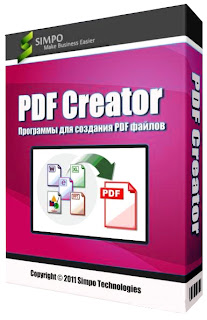
PDF Creator Version 1.5 Download (အသစ္ျပန္တင္ေပးထားပါတယ္)

Unknown | 12.12.12 | | Best Blogger Tips


PDF ဖိုင္ေတြကို ဖန္တီးခ်င္သူမ်ားအတြက္ PDF Creator Version 1.5 တင္ေပးလိုက္ပါတယ္။ Version အသစ္ထြက္တာ ရွိေပမယ့္လည္း Internet ျဖင့္ခ်ိတ္ဆက္ၿပီး Download တစ္ခါျပန္ဆြဲေနရတဲ့အတြက္ Connection မေကာင္းသူမ်ား အဆင္မေျပျဖစ္ႏိုင္ပါတယ္။ ဒါေၾကာင့္ ယခု Version ေလးကိုဘဲ တင္ေပးလိုက္ရျခင္းျဖစ္ပါတယ္။ Download ယူႏိုင္ပါၿပီ။


PDFCreator has a very basic interface
that won't win it any beauty contests. However, by keeping the visuals
to a minimum, users will be able to quickly and easily navigate the
program and get right to the task at hand. PDFCreator appears as a
small, white, rectangular box with a thin strip of command icons along
the top. Here you can print, look at options, navigate your files, and
open new files. Below the strip is an open space that displays your
selected file's name, size, and status.

After selecting a file
for conversion, users are taken to another simple screen. This one asks
users to create a file name, creation date, author, keyword and subject
for the soon-to-be-created PDF. At the bottom of the screen are commands
for saving the PDF or emailing it. The email option instantly adds the
PDF as an attachment in your Outlook email.

We were impressed
with the speed and ease we converted our files to PDF with PDFCreator.
There may be more flashy conversion programs available, or ones that try
to do more than this one, but for those just looking for an inexpensive
and simple PDF converter, this one fits the bill nicely.


<<<Download Here>>>


How To Download ?


Wait 6 Seconds ....


ပံုၾကီးၾကီးျမင္လုိပါက ပံုကို Click ပါ။


Tuesday, 30 October 2012

Free PDF Converter

Unknown | 30.10.12 | Best Blogger Tips


HTML  Convert   PDF


nyeinchan: အစ္ကို.. ကၽြန္ေတာ္ HTML ကေန PDF ကို ေျပာင္းတဲ့ ေဆာ့၀ဲေလး လိုခ်င္လို႕ပါ..


ဒီေအာက္က Link ကေန Online ေပၚမွာပဲေျပာင္းလို႔ရပါတယ္ခင္မ်ာ.... အဆင္ေျပပါေစ...


Free PDF Converter


It's a simple HTML to PDF Converter. No need to install any applications on your computer.


It's free and without registration! Soon to be hosted on dedicated servers!


ဒါမွမဟုတ္ Software ကို လိုခ်င္တယ္ဆိုရင္ေတာ့ ေအာက္က Link ကေနတဆင့္ ေဒါင္းယူႏိုင္ပါတယ္... Freeware ပါ....။


Convert HTML file or URL to PDF document


Written by Bogdan Popa on May 25th, 2012


HTML to PDF Converter is one of the apps that could convert HTML files to PDF documents with minimum user input.


And truth is, the application was especially developed to be easy to use and you can clearly see that in the way the program interacts with its users.


The interface is the living proof that both beginners and those with a bit more experience can safely install HTML to PDF Converter, as it adopts a very straightforward approach and options that require basic computer knowledge.


There are two ways to convert HTML to PDF documents, both of which are accessible via the main screen of the app. You can convert a HTML file directly by inputting the local path in a dedicated field, or simply convert an URL, so you have nothing else to do than to provide the link.


There are a few options concerning the conversion engine too, so the HTML to PDF Converter lets you enable JavaScript, Java and ActiveX.


As for the future PDF document, the program gives you the option to fill in with information a bunch of fields, such as title, subject, author, keywords and producer.


Unfortunately, no encryption settings, so you can't lock the created PDF document with a password.


The conversion engine is fast and completes its job in just a few seconds, proving to be a very reliable technology regardless of the Windows version installed on your system.


As a conclusion, if you're looking for an app that can convert HTML files to PDF documents, search no more. If you however want more advanced options and PDF encryption parameters, HTML to PDF Converter doesn't really help you.


Wednesday, 26 September 2012

Simpo PDF to Word 3.5.1.0

Unknown | 26.9.12 | Best Blogger Tips


 PDF ကေန Word ကိုေျပာင္းဖို႔အတြက္ပါ လိုအပ္ရင္ ေအာက္မွာ ေဒါင္းယူႏိုင္ပါတယ္..။


The Simpo PDF to Word application was designed to be a professional converter for batch converting PDF documents to Microsoft Office Word files. This product amazingly reserves the layout, text, images of the original PDF document.


Moreover, Simpo PDF to Word is a standalone application, so you could run this program independently and needn’t extra install Microsoft Word, Adobe Acrobat or Acrobat Reader.


Simpo PDF to Word provides you an intuitive interface, which is popular for both experts and beginners. Just two clicks: Import files, click “convert” and done!


Key features of “Simpo PDF to Word”:


Easy-to-use Interface:

· Like all Simpo PDF products, Simpo PDF to Word provides you an intuitive interface, which is popular for both experts and beginners. Just two clicks: Import files, click “convert” and done!


100% Preserve Layouts:

· All layouts, text, images and other contents in PDF file are amazingly preserved after it’s converted to word document.


High Speed Conversion:

· Simpo PDF to Word only takes seconds, and even faster, to convert a huge pdf file to .doc without any quality lost. What’s more, it supports batch conversion to save your time.


Advanced Settings:

· There are two options for the output. Your final Word files could be plain text (no images) or keep all layouts.


Standalone Application:

· Simpo PDF to Word is a standalone application, which means you needn’t extra install Microsoft Office Word, Adobe Acrobat or Reader to convert any PDF files.


Home page – http://www.simpopdf.com/


Sunday, 23 September 2012

Adobe Reader X ရွိရက္နဲ႔ PDF ဖိုင္လ္ေတြ ဖတ္/ဖြင့္မရျဖစ္ေနရင္

Unknown | 23.9.12 | | Best Blogger Tips


Adobe Reader X: There was an error opening this document. Access denied.


 Kolin: ကူညီပါအုန္း..စက္ထဲမွာ Adobe reader X ရိွတယ္ ဒါေပမယ့္ PDF file ေတြနဲ့ ဂ်ာနယ္ေတြဖတ္လို့မရဘူး အကို....


 ေမးထားတာက မျပည့္စံုပါဘူး .. ကြန္ျပဴတာတိုင္းမွာ Error တစံုတရာ ျဖစ္ရင္ သက္ဆိုင္ရာ Message ေလးေတြနဲ႔ သတိေပးတတ္ပါတယ္ ဘာ့ေၾကာင့္ျဖစ္တယ္, ဘာမရွိလို႔ ဘာညာဆိုျပီး Message ေလးေတြနဲ႔ ျပပါတယ္ ... အဲ့ဒီ Message ေလးေတြ သိရရင္ အေၾကာင္းရင္းကို တိုက္ရိုက္ ေျဖရွင္းႏိုင္ပါတယ္.. ခုကေတာ့ အေၾကာင္းရင္း Message ကို မသိရလို႔ Adobe reader X မွာ အမ်ားဆံုးျဖစ္တတ္တဲ႔ ျပႆနာမ်ားကို ျခံဳျပီး ေျဖရွင္းဖို႔ နည္လမ္း ေလးေတြကို မွ်ေဝေပးလိုက္ပါတယ္..။


Adobe Reader X မွာ PDF ဖိုင္လ္ေတြ ဖြင့္လို႔  အေပၚကပံုေလးလို "There was an error opening this document. Access denied."  Error ျပေနတယ္ဆိုရင္ ေအာက္ပါနည္းလမ္းအတိုင္း ေျဖရွင္းၾကည့္ႏိုင္ပါတယ္... ။


Start > all Programs
ကေန Adobe Reader X ကိုဖြင့္ပါ..။


 Edit > Preferences မွ တဆင့္..


“Security (Enhanced)” > “Enable Enhanced Security”  ကို အမွန္ျခစ္ေလးျဖဳတ္ေပးျပီး OK ေပးထားပါ...။


ေနာက္တစ္ခါ Edit > Preferences ကေန ...


General tab မွ “Enable Protected Mode at Startup” ကို အမွန္ျခစ္ေလးျဖဳတ္ျပီး..


Yes > OK ေပးလိုက္ပါ....


တကယ္လို႔ မရေသးရင္....


(1) Help > Check for Updates ကိုႏွိပ္ျပီး Update လုပ္ေပးပါ...


ျပီးေတာ့ ...


(2) Help > Repair Adobe Reader Installation ကိုႏွိပ္ျပီး Repair လုပ္ပါ.. ျပီးရင္ စက္ကို Restart ခ်ေပးလိုက္ပါ...။


 အဆင္ေျပၾကပါေစ..


 ဝင္းကမာၻေက်ာ္


Thursday, 30 August 2012

PDF Password Removal Software v7.0

Unknown | 30.8.12 | Best Blogger Tips


PDF Password Removal ေလးပါ PDF ဖိုင္လ္ေတြကို Password ေပးျပီး ေမ့ေနရင္ Remove လုပ္ဖို႔ပါ...:)


This software offers a solution for users who want to remove passwords from one or more PDF files. The user simply adds the required files or an entire folder before choosing the method: brute force or using a dictionary file. Brute force will guess at the password based on a specified character set and a minimum/maximum number of characters that you specify. The dictionary option will guess at the password based on words listed in a text file chosen by the user. Using this time saving software, passwords can be removed from even large numbers of PDFs with one click.


Home: http://www.sobolsoft.com/pdfpasswordremoval/


Download Here


Tuesday, 21 August 2012

Coolutils Total PDF Converter 2.1.210

Unknown | 21.8.12 | | Best Blogger Tips


Coolutils Total PDF Converter ကို လိုအပ္ေနသူမ်ားအတြက္ ျပန္လည္မွ်ေဝေပးလိုက္ပါတယ္...:)
Total PDF Converter converts PDF files to HTML, DOC (Word), text, Excel, PostScript, CSV or image files (e.g. TIFF). When you need to convert PDF files to other formats or PS to PDF, Total PDF Converter is the ultimate choice. Why? Because, it’s fast, easy-to-handle, accurate, doesn’t require Adobe Acrobat, supports many target formats and has a batch option (can convert hundreds of PDF files as well as single files). In addition to this, registered users get command line support to manage the utility with maximum efficiency.
Other unique features of Total PDF Converter include:

• PDF Converter can save Adobe files as images (in JPEG format) and position several of them on one screen. This is especially useful for users of Sony PSP. Have your PDF files displayed on your TV in the way that suits you most. The pages can be displayed vertically, horizontally, even diagonally, with one, two, three or more pages on the screen.

• Total PDF Converter can also save conversion preferences. This means, for example, that you do not have to re-check “Change each page to a separate file” every time you convert PDF to TIFF.

• The tool will also give you the option of tsrating page numbering in the outout file from any numbers (e.g. “6,7,8,9″, not just “1,2,3,4″).

• Total PDF Converter also supports DPI and paper size for TIFF. This means that now you can select the quality and size of the output TIFF image. Choose from 75, 150 or 300 DPI or set your own. The page size can be A3, A4, A5, B4, B5 or Letter. As well as this, you can rename .tiff to .tif via the GUI and command line in the \PDF to TIFF conversion process.

• Total PDF Converter can convert multi-page PDF files to HTML and place each page in a separate HTML file.


Wednesday, 15 August 2012

Adobe Reader X 10.1.4 Final (PDF စာအုပ္ေတြဖတ္မရျဖစ္ေနရင္)

Unknown | 15.8.12 | Best Blogger Tips


အင္တာနက္ထဲက PDF စာအုပ္ေတြ ေဒါင္းယူျပီး ဖြင့္/ဖတ္မရျဖစ္ေနရင္ ဒါေလး ေဒါင္းျပီး Run ေပးလိုက္ပါ... အားလံုးအဆင္ေျပၾကပါေစ....:)


Adobe Reader X 10.1.4 Final | 48.33 MB


Adobe Reader software is the global standard for electronic document sharing. It is the only PDF file viewer that can open and interact with all PDF documents. Use Adobe Reader to view, search, digitally sign, verify, print, and collaborate on Adobe PDF files. Adobe Reader provides industry-leading security; its Protected Mode helps safeguard your computer software and data from malicious code. It also enables a new level of end-user interaction thanks to the ability to natively display rich media content created with Adobe Flash® technology.


Tuesday, 31 July 2012

Simpo PDF Creator Pro v3.2.0.0 + Serial

Unknown | 31.7.12 | Best Blogger Tips

at Simpo PDF Creator Pro v3.2.0.0  Incl Serial br


PDF ဖိုင္လ္ေတြ ဖန္တီးဖို႔ပါ ... လိုအပ္ရင္ ေအာက္မွာ ေဒါင္းယူႏိုင္ပါတယ္...:) 


Using Simpo PDF can convert word and other documents into PDF, merge, split them. Your documents, Transform PDF from Word, Excel, ppt, images, HTML and any other printable documents. Also, you set a password can protect your PDF documents.


Program Simpo PDF merge and split ... Name suggests enough to the field of activity of the application. Can help you seal pages of the PDF, or glue to multiple files in a single document.
The popularity of the PDF files can not be denied. It allows you to insert pictures and graphics, you can scan books or other materials, conservation and pdf and it can also contain custom view settings, including the design of the pages and display the zoom level.
We already know that quality is expensive and comes all these features come with a price which translates into a lot of times in the output file size and download time of the entire document. So if you want to merge multiple PDF files to a larger one or splitting one very large individual pages or page ranges, there is a simple solution designed to do just that.
It, Simpo PDF designed to merge and Split is a small application that allows you to merge multiple PDF files or split files to a single page. The application is structured in two main frames: one will help you to merge multiple PDF files while the other allows you to split your PDF files the way you want.
A very simple interface allowing you to easily add PDF files to a new batch, and remove or clear the entire window with the push of a button (in this case, add and remove buttons and clear). Up and down buttons allow you to transfer the selected file up or down in a batch according to your needs.
We have two more buttons at the top of the window merge PDF and this is the secret and the integration method. Can be the first one that really comes in handy when you want to merge the files that are password protected. In this case, you have to press a button the password, enter your password file and will be taken into account when you merge your documents, otherwise the program just skip it because of password protection.