Wednesday, 3 April 2013

Free All Premium Accounts , Premium Cookies, Premium JavaScript and Premium Link Generators Daily Update - Tested 3rd April 2013

Unknown | 3.4.13 | Best Blogger Tips


Free All Premium Accounts , Premium Cookies, Premium JavaScript and
Premium Link Generators Daily Update - Tested 3rd April 2013 


 >>> Download Here <<<


100% Working...................... :)


 Premium Account ဆိုတာ ဥပမာ Mediafire ကေန 50MB ရွိတဲ့ဖိုင္တစ္ခုကို ပံုမွန္အတိုင္း                                ( Free Account )Download ယူမယ္ဆိုရင္ မိနစ္ ၂၀ ၾကာမယ္ဘဲထား... Premium Account ကိုသံုးလိုက္ျခင္းအားျဖင့္ ၁၀ မိနစ္ဘဲ ၾကာေတာ့မွာပါ.. ဒါကို Premium Account လို႕ေခၚပါတယ္..

ယေန႕အတြက္ Update ေလးေတြ တင္ေပးလုိက္ပါၿပီခင္မ်ာ...


အသံုးျပဳနည္းကေတာ့... မိမိ Download ခ်မည့္ ဖိုင္ကိုတင္ထားသည့္ Website ရဲ႕ Login ေနရာမွာ ေပး


ထားတဲ့ Username: Passwords: ကိုထည့္ေပးလိုက္ရံုျဖင့္ Premium Account ကိုအသံုးျပဳကာျမန္ျမန္


ဆန္ဆန္ Download ရယူႏိုင္မွာျဖစ္ပါတယ္ခင္မ်ာ..  


Tuesday, 2 April 2013

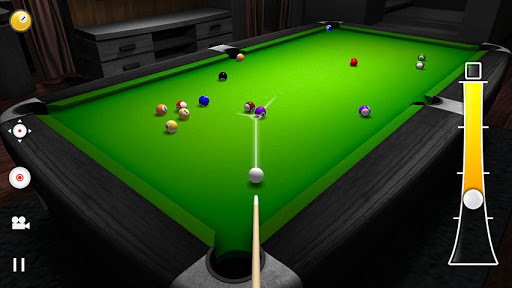
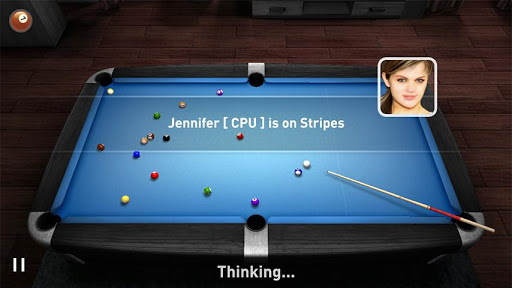
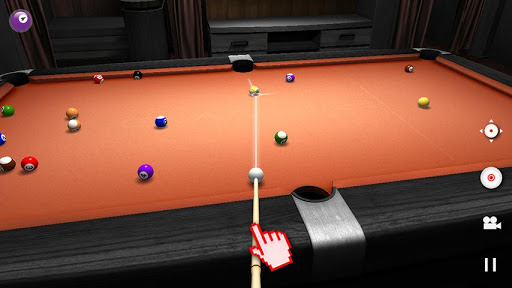
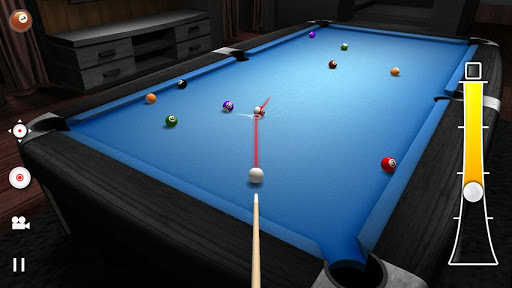
Android Phone မ်ားအတြက္ 3D ျမင္ကြင္းနဲ႕ ဘိလိယက္ Game Real Pool 3D v1.0.0

Unknown | 2.4.13 | Best Blogger Tips


Android Phone & Tablet ေတြမွာ 3D ျမင္ကြင္းေလးနဲ႕ ဘိလိယက္ထိုးခ်င္သူမ်ားအတြက္ Game ေလးတစ္


ခုမွ်ေ၀ေပးလိုက္ပါတယ္ဗ်ာ။ ကၽြန္ေတာ္ Game ကစားတာ ၀ါသနာမပါတဲ႕သူေတာင္ ဒီေကာင္ေလးကိုအ


ရမ္းသေဘာက်တယ္ဗ်ာ။ ရုပ္ထြက္ကလည္း ေတာ္ေတာ္ၾကည့္လို႕ေကာင္းတယ္ဗ်ာ။ ကစားရတာလည္း


ရွယ္ပါဘဲ။ ကြန္ျပဴတာနဲ႕လည္း ကစားလို႕ရသလိုမ်ိဳး မိမိသူငယ္ခ်င္းေတြနဲ႕လည္း ယွဥ္ၿပိဳင္ကစားႏိုင္ပါတယ္


ဗ်ာ။ သူငယ္ခ်င္းအခ်င္းခ်င္း လဖက္ရည္ေၾကး အေပ်ာ္တမ္းကစားႏိုင္တာေပါ့ဗ်ာ။ စမ္းျပီးကစားၾကည့္ၾကပါ


သေဘာက်မယ္လို႕ထင္ပါတယ္။ အစမ္းသေဘာအေနနဲ႕ Screen Shoot ေတြပါတင္ေပးလိုက္ပါတယ္ဗ်ာ။


Features:


  • 8 Ball, 9 Ball and UK 8 Ball.

  • Play with the Computer Player.

  • Pass & Play with friends.

  • 1 or 2 player

  • 3 Different Controls.

  • Spin / English Control.

  • 10 Characters to choose from.

  • 3 AI Difficulty Levels.

  • 3 Table colors.

  • Realistic Physics.

  • Stunning 3D graphics.

  • Relaxing Musics.


Required Android O/S : 2.0.1+


**  Step-1.ေအာက္က Download Button ကိုႏွိပ္လိုက္ပါ  


**  Step-2. "5sec". ေလာက္ေစာင္႕ေပးပါ။


**  Step-3. "  << SKIP AD >>   ".ကိုႏွိပ္ေပးပါ။


**  Step-4. Download Link က်လာပါလိမ္႕မယ္။


**  အဆင္ေျပပါေစဗ်ာ။


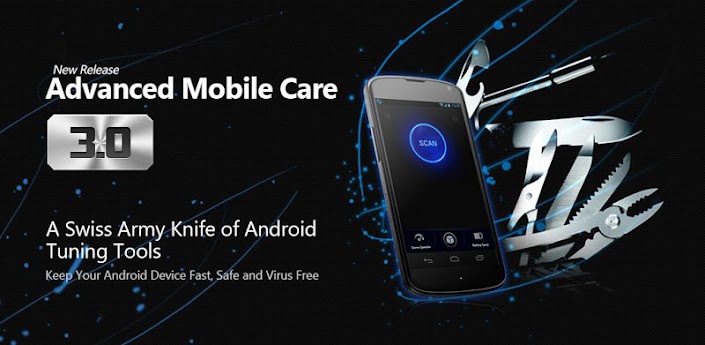
Advanced Mobile Care 3.0 For Android

Unknown | 2.4.13 | Best Blogger Tips


Advanced Mobile Care


Android Phone နဲ႕ Tablet ေတြမွာ မရွိမျဖစ္ေဆာင္ထားသင္႕တဲ႕ Application ေလးတစ္ခုမွ်ေ၀ေပးလိုက္ပါ


တယ္ဗ်ာ။ မရွိမျဖစ္ဆိုေတာ႕ ကၽြန္ေတာ္ေျပာတာကို ပိုသြားျပီမထင္နဲ႕ေနာ္။ ကၽြန္ေတာ္စမ္းသံုးၾကည္႕ျပီးမွ


ေတာ္ေတာ္ေလးေကာင္းလို႕ အာမခံရဲတာပါ။ ဒါေလးက လုပ္ေဆာင္ခ်က္ေတြေတာ္ေတာ္စံုလင္ပါတယ္ဗ်ာ


V2.0 မွာတစ္ခါတင္ေပးခဲ႕ဖူးပါတယ္။ အခု V3.0 အသစ္ေလးထြက္လာလို႕ထပ္တင္ေပးလိုက္ပါတယ္ဗ်ာ။


ဒါေလးကို Install လုပ္ထားမယ္ဆိုရင္ Antivirus ေတာင္မလိုဘူးေနာ္။Virus ေတြကိုစစ္ေပးႏိုင္တယ္ ၊


ေနာက္ကြယ္က Autorun ေနတဲ႕ Application ေတြကို ပိတ္ေပးႏိုင္တယ္ ၊ Battery ကိုလည္းရည္ရွည္ခံႏိုင္


ေအာင္ထိန္းသိမ္းေပးႏိုင္တယ္ ၊ ျပီးေတာ႕ Phone နဲ႕ Game ကစားတဲ႕သူေတြအတြက္Game Speed ကို ျမန္


ဆန္စြာကစားႏိုင္ေအာင္ ျမွင္႕တင္ေပးပါတယ္။ Data ေတြကို Backup/Resporeလုပ္ေပးႏိုင္ပါတယ္ဗ်။ ကိုယ္


တိုင္သာစမ္းသံုးၾကည္႕ပါေနာ္။ ဒီထက္ပိုတဲ႕ Features ေတြကိုေတြ႕ရမွာပါ။အေသးစိတ္ေလ႕လာခ်င္ရင္


ေတာ႕ ေအာက္မွာ ရွင္းျပေပးထားပါတယ္ဗ်ာ။


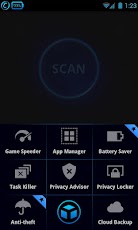
Advanced Mobile Care is an all-in-one Android security and performance
optimization app that performs real-time virus scans while also
featuring a brand new Anti-theft, powerful Game Speeder, Battery Saver,
Call Blocker, App Manager, Task Killer, Privacy Locker, Privacy Advisor
and Cloud Backup.
Advanced Mobile Care is a veritable Swiss Army
knife for Android tuning up. It gives Android users an excellent way to
protect their smartphones from Android security and performance
problems. Download for FREE and get the most out of your Android device!

Nexus 7, Nexus 10, Galaxy Note, Asus Transformer and most other Android tablets are supported!

Key Features:
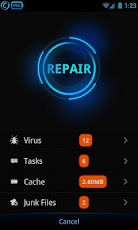
● Mobile Anti-virus:
One
touch anti-virus scan protects your device from viruses, malware,
spyware, and suspicious apps. It also provides real-time protection from
virus attacks when downloading a new app or unknown file.

● Anti-theft:
Turn
on the Anti-theft function by setting a password, and then you can
alarm, lock, or get location of the lost phone. Try these features of
Anti-theft by tapping Find lost phone.

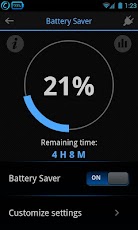
● Battery Saver:
Optional-Set battery saving mode to extend battery life as well as inform users about which apps consume the most battery power.

● Call Blocker:
Call
Blocker helps you block unwanted calls. Add the unwanted calls into the
blacklist manually or just block calls from non-contacts then you will
not be disturbed by the unwanted calls.

● System Tuneup:
One touch scan can clean memory, cache and junk files to boost your phone's operating speed.

● Game Speeder:
Launch games with Game Speeder to make games run smoothly without lag or game-play disturbance.

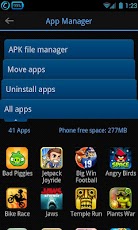
● App Manager:
App
Manager can batch delete APK files, move app to SD card, batch
uninstall apps. It also can sort all apps by name, size or use frequency
to identify large or unnecessary apps for removal.

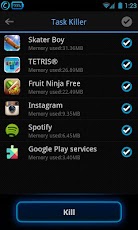
● Task Killer:
Quickly shut off memory intensive and battery hogging apps with one touch.

● Privacy Locker:
Hide, lock, and protect your private photos, videos and files with a password.

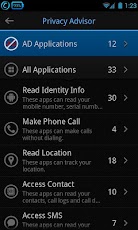
● Privacy Advisor:
Scan and display all apps that access your personal information, such as personal data, contacts, locations, and SMS.

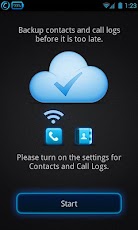
● Cloud Backup & Restore:
Backup and restore all your contacts and call logs from your previous device to a new one.

● Widget:
Perform quick scan directly from your Android desktop. Quick check system information and set a battery saving mode.

Available Languages:
English,
Русский, العربية, Italiano, Suomi, Türkçe, Nederlands, Slovenščina,
Беларуская, Vietnamien, Español, Română, Deutsch, Français, Česky,
ქართული, فارسی, Magyar, Polski, Svenska(Sverige), עברית,
Português(Brasil), 한국어, Português, Ελληνικά, Serbian, 中文(简体), 中文(繁體),
日本語

Please check our website for more details: http://www.iobit.com/advanced-mobile-care.php
Check out our Facebook page: http://www.facebook.com/iobitsoft
Follow us on Twitter: https://twitter.com/iobitsoft
For any questions you may have, please contact mobilesupport@iobit.com


**  Step-1.ေအာက္က Download Button ကိုႏွိပ္လိုက္ပါ  


**  Step-2. "5sec". ေလာက္ေစာင္႕ေပးပါ။


**  Step-3. "  << SKIP AD >>   ".ကိုႏွိပ္ေပးပါ။


**  Step-4. Download Link က်လာပါလိမ္႕မယ္။


**  အဆင္ေျပပါေစဗ်ာ။


အင္တာနက္ဂ်ာနယ္ (၁.၄.၁၃) (၁၄) အမွတ္ (၁၄)

Unknown | 2.4.13 | Best Blogger Tips


အင္တာနက္ဂ်ာနယ္
ကိုဖတ္ခ်င္သူမ်ားအတြက္မူရင္းဆိုဒ္က ေနျပီး ေဒါင္းလုပ္လင္႕ကိုတင္ေပး
လိုက္တာ
ပါ


ဗ်ာ။ အင္တာနက္ဂ်ာနယ္၀ယ္ဖတ္စရာမလိုေတာ႕ဘူးေပါ႕။ အခုအပတ္မွာ
Internet Journal (၁၄) အမွတ္ (၁၄) ကို တင္ေပးလိုက္ပါတယ္ဗ်ာ။ ဒီေန႕ 11
ရက္ေန႕ထြက္ ေလးပါ။ ဂ်ာနယ္ကို ၀ယ္ဖတ္ ရန္အတြက္ အဆင္မေျပေသာေနရာေဒသမွ
သူငယ္ခ်င္းမ်ားအားလံုးအဆင္ေျပၾကပါေစဗ်ာ။


**  Step-1.ေအာက္က Download Button ကိုႏွိပ္လိုက္ပါ  


**  Step-2. "5sec". ေလာက္ေစာင္႕ေပးပါ။


**  Step-3. "  << SKIP AD >>   ".ကိုႏွိပ္ေပးပါ။


**  Step-4. Download Link က်လာပါလိမ္႕မယ္။


**  အဆင္ေျပပါေစဗ်ာ။


Digital Life Journal အတြဲ-၁၊ အမွတ္ - ၄၈ (02.Apr.2013)

Unknown | 2.4.13 | Best Blogger Tips


နည္းပညာနဲ႕ပတ္သတ္တဲ႕ ဂ်ာနယ္ေတြကိုလည္း ကၽြန္ေတာ္ဆိုဒ္မွာ
အပတ္စဥ္တင္သြားေပးပါ႕ မယ္ဗ်ာ။ေနာက္အပတ္မ်ားမွာလည္း အပတ္စဥ္ တနလၤာေန႕တိုင္း
တင္ေပးသြားပါ႕မယ္ဗ်ာ။ အခုအပတ္မွာ Digital Life Journal  အတြဲ-၁၊ အမွတ္ - ၄၈ ကို တင္ေပးလိုက္ပါတယ္ဗ်ာ။ ဒီေန႕
April-2
ရက္ေန႕ထြက္ Update
ေလးပါ  ေအာက္က Link မွာေဒါင္းယူျပီး ဖတ္ရႈႏိုင္ပါတယ္ဗ်ာ။ ဂ်ာနယ္ကို
၀ယ္ဖတ္ရန္အတြက္ အဆင္ မေျပေသာေနရာေဒသမွ
သူငယ္ခ်င္းမ်ားအားလံုးအဆင္ေျပၾကပါေစဗ်ာ။


**  Step-1.ေအာက္က Download Button ကိုႏွိပ္လိုက္ပါ  


**  Step-2. "5sec". ေလာက္ေစာင္႕ေပးပါ။


**  Step-3. "  << SKIP AD >>   ".ကိုႏွိပ္ေပးပါ။


**  Step-4. Download Link က်လာပါလိမ္႕မယ္။


**  အဆင္ေျပပါေစဗ်ာ။


Phishing အေၾကာင္းသိေကာင္းစရာ

Unknown | 2.4.13 | Best Blogger Tips


Phishing
ဆိုတာဟာ
တရား၀င္ ၀က္ဘ္ဆိုက္ပံုစံမ်ဳိးအေယာင္ေဆာင္ၿပီး
အသံုးျပဳသူေတြဆီကေန  Username, Password,  အေႂကး၀ယ္ကတ္နံပါတ္စတဲ့
ကိုယ္ေရးကိုယ္တာအခ်က္အလက္ေတြ ရယူႏိုင္ေအာင္ တိုက္ခိုက္တဲ့ နည္းစနစ္ကို
ေခၚဆုိျခင္းျဖစ္ပါတယ္။ Phising  နည္းကို e-mail  နဲ႔ instant messaging 
စနစ္ေတြအသံုးျပဳၿပီး တိုက္ခိုက္သူေတြရဲ႕ အေယာင္ေဆာင္ ၀က္ဘ္ဆိုက္ေတြထဲ
လမ္းၫႊန္သြားကာ ကိုယ္ေရးကိုယ္တာ အခ်က္အလက္ အေသးစိတ္ကို ရယူတာျဖစ္ပါတယ္။
အဓိကအားျဖင့္ေတာ့ PayPal, eBay, YouTube  နဲ႔ online  ဘဏ္ေတြဟာ phishing 
တိုက္ခိုက္သူေတြရဲ႕ ဦးတည္ရာျဖစ္ေနၾကတာကို ေတြ႕ရပါတယ္။ Phishing 
နည္းနဲ႔တိုက္ခိုက္ႏိုင္ေၾကာင္း နည္းပညာဆိုင္ရာ
အေသးစိတ္ရွင္းလင္းေရးသားထားခ်က္ကို ၂၀၀၇ ခုႏွစ္အတြင္း Interex လို႔ေခၚတဲ့
International HP Users Group ဆီတင္သြင္းတဲ့စာတမ္းတစ္ခုမွာေဖာ္ျပထားၿပီး
phishing  ဆိုတဲ့စကားလံုးကိုေတာ့ ၁၉၉၆ ခုႏွစ္ ဇန္န၀ါရီလ ၂ ရက္ေန႔မွာ
America Online  ရဲ႕ Usenet newsgroup  မွာ စတင္အသံုးျပဳခဲ့တာကို
ေတြ႕ရပါတယ္။ အေစာပိုင္း phishing  နည္းနဲ႔တိုက္ခိုက္သူေတြဟာ AOL 
၀န္ထမ္းအေယာင္ေဆာင္ၿပီးအသံုးျပဳသူေတြဆီ instant message  ကေနတစ္ဆင့္ 
password  ေတြေတာင္းယူကာ spam message  ေတြ ေပးပို႔ၾကတယ္လို႔ သိရပါတယ္။
ဒီလိုကိုယ္ေရးကိုယ္တာ အခ်က္အလက္ေတြ ရယူကာ တိုက္ခိုက္တဲ့လုပ္ရပ္ေတြက်ယ္
ျပန္႔လာတာေၾကာင့္ ေနာက္ပိုင္းမွာ ကုမၸဏီကေန ဘယ္ AOL  ၀န္ထမ္းကမွ
အသံုးျပဳသူရဲ႕ ကိုယ္ေရးကိုယ္တာအခ်က္အလက္နဲ႔  password  ေတြ ေတာင္းယူျခင္း
မျပဳဆိုတဲ့စာသားကို instant message  တိုင္းမွာ ထည့္သြင္းေပးလာရတယ္လို႔
ဆိုထားပါတယ္။ အဲဒီေနာက္မွာေတာ့ တိုက္ခိုက္သူေတြဟာ online  ေငြေခ်စနစ္ေတြကို
ေျပာင္းလဲတိုက္ခိုက္လာၾကတာကို ေတြ႕ရပါတယ္။ ၂၀၀၁ ခုႏွစ္ ဇြန္လမွာ E-gold 
ဟာ phising  နည္းနဲ႔ ပထမဆံုး တိုက္ခိုက္ခံရတဲ့ ေငြေခ်စနစ္ ျဖစ္လာပါတယ္။
၂၀၀၄ ခုႏွစ္ အေရာက္မွာေတာ့ phishing  တိုက္ခိုက္မႈေတြဟာ တစ္ကမၻာလံုး
အတိုင္းတာနဲ႔ က်ယ္ျပန္႔လာတဲ့ ရာဇ၀တ္မႈႀကီးတစ္ခုျဖစ္လာခဲ့ပါတယ္။
တိုက္ခိုက္သူေတြအေနနဲ႔ online  ေငြေခ်မႈစနစ္ ဒါမွမဟုတ္
အေမရိကန္ျပည္တြင္းအခြန္မ်ားဌာနကေန ေပးပို႔တဲ့ပံုစံမ်ဳိးအေယာင္ ေဆာင္
e-mail  ေတြကို သုံးၿပီး ကိုယ္ေရးကိုယ္တာအခ်က္အလက္ေတြကို ရယူလာၾကပါတယ္။
လူတစ္ဦးခ်င္းစီကို သီးျခားရည္ရြယ္တဲ့ phishing  တိုက္ခိုက္မႈေတြကို spear
phishingု လုိ႔ေခၚဆိုၿပီး
စီးပြားေရးလုပ္ငန္းရွင္ေတြနဲ႔ကုမၸဏီအမႈေဆာင္အရာရွိေတြကို ရည္
ရြယ္တိုက္ခိုက္တာေတြကိုေတာ့  whaling လို႔ ေခၚဆိုၾကတဲ့ အေၾကာင္းလည္း
သိရပါတယ္။ Social networking ၀က္ဘ္ဆိုက္ေတြဟာလည္း phishing 
တိုက္ခိုက္မႈေတြရဲ႕ ဦးတည္ရာျဖစ္လာေနတာကို ေတြ႕ရပါတယ္။ ၂၀၀၆
ခုႏွစ္ေႏွာင္းပိုင္းမွာေပၚထြက္ခဲ့တဲ့  worm က MySpace  ရဲ႕
စာမ်က္ႏွာအတြင္းက linkက ေတြကို ေျပာင္းလဲကာ တိုက္ခိုက္သူ
ေတြရဲ႕၀က္ဘ္ဆိုက္ထဲ redirect  လုပ္ၿပီး login အခ်က္အလက္ေတြကို
ခိုးယူခဲ့ပါတယ္။ ေလ့လာမႈေတြ အရလည္း social networking ၀က္ဘ္ဆိုက္ေတြကို
ဦးတည္တဲ့ တိုက္ခိုက္မႈေတြရဲ႕ ၇၀ ရာခိုင္ႏႈန္းဟာ ေအာင္ျမင္တဲ့အေၾကာင္း
သိရပါတယ္။ Phishing  တိုက္ခိုက္မႈေတြအတြင္း
အမ်ားဆံုးအသံုးျပဳတဲ့နည္းလမ္းကေတာ့ အမွန္တကယ္ရွိေနတဲ့
၀က္ဘ္ဆိုက္ေတြကိုစာလံုးမွား ေပါင္းထားတဲ့ URL ဒါမွမဟုတ္ subdomain ေတြကို
အသံုးျပဳျခင္းအားျဖင့္ လွည့္စားထားၾကတာျဖစ္ပါတယ္။ ဒါ့အျပင္ မ်က္စိနဲ႔
ျမင္ေန ရတဲ့ link မွာ ယံုၾကည္စိတ္ခ်ရတဲ့ ၀က္ဘ္ဆိုက္နာမည္ထည့္ထားကာ
ေနာက္ကြယ္မွာတိုက္ခိုက္သူေတြရဲ႕ အေယာင္ေဆာင္၀က္ဘ္ဆိုက္ထဲေရာက္ရွိသြားေအာင္
လုပ္ေဆာင္ၾကတာေတြလည္း ရွိပါတယ္။ ေနာက္ထပ္နည္းလမ္းေဟာင္းတစ္ခုကေတာ့
username  နဲ႔ password  ကို  address bar  ထဲမွာ
တစ္ခါတည္း႐ိုက္ထည့္လို႔ရတဲ့နည္းကို သံုးတာပဲျဖစ္ပါတယ္။ ဥပမာအားျဖင့္
သာမန္အသံုးျပဳသူတစ္ ေယာက္အေနနဲ႔  http:www.google.com@members.tripod.com 
ဆိုတဲ့လိပ္စာဟာ Google ၀က္ဘ္ဆိုက္ထဲေရာက္ရွိမယ္လို႔ ထင္ၾကေပမယ့္
အမွန္တကယ္အားျဖင့္ members. tripod. com  ထဲ ေရာက္ရွိသြားကာ www.google.com 
ကေတာ့ username  အျဖစ္၀င္ေရာက္သြားမွာျဖစ္ပါတယ္။ အခုအခါ Inter- net
Explorerv မွာ ဒီလိုအသံုးျပဳတဲ့နည္းလမ္းကို disable ျပဳလုပ္ထားၿပီး Firefox
နဲ႔ Opera  တို႔မွာေတာ့ သတိေပးခ်က္ထုတ္ျပန္ေပးတာကို ေတြ႕ရပါတယ္။ တခ်ဳိ႕
phishing  တိုက္ခိုက္မႈ ေတြမွာဆုိရင္ JavaScript ကိုသံုး ၿပီး address
bar  အတြင္းက လိပ္စာကို ေျပာင္းလဲထားျခင္း URL အတြင္း အစစ္အမွန္၀က္ဘ္
ဆိုက္လိပ္စာအတုိင္း ဖန္တီးထားတဲ့ image  ထည့္သြင္းျခင္းစတာမ်ဳိး ေတြလည္း
လုပ္ေဆာင္တတ္ၾကပါ တယ္။ အခု ေနာက္ပိုင္းမွာေတာ့ cross-site scripting 
လို႔ေခၚတဲ့ တိုက္ခိုက္မႈ နည္းလမ္းသစ္ကို အသံုးျပဳလာၾကတာကို ေတြ႕ရပါ တယ္။
ဒီစနစ္ဟာ တျခား phi-shing  တိုက္ခိုက္မႈေတြလိုမ်ဳိး
အေယာင္ေဆာင္၀က္ဘ္ဆိုက္ေတြ ကို အသံုးျပဳတာမဟုတ္ဘဲ မူရင္း ၀က္ဘ္ဆိုက္ထဲ
script ထည့္သြင္းကာ ကိုယ္ေရးကိုယ္တာအခ်က္အလက္ေတြကို ခိုးယူျခင္းျဖစ္ပါ တယ္။
Anti-phishing  ကုမၸဏီ ေတြအေနနဲ႔ အေယာင္ေဆာင္ ၀က္ဘ္ဆိုက္ေတြကို
ရွာေဖြမွတ္တမ္းတင္ကာ အသံုးျပဳသူေတြဆီ သတိေပးခ်က္ထုတ္ျပန္ေပးေနတာေၾကာင့္
phishing  တိုက္ခိုက္သူေတြအေနနဲ႔ ၎တို႔ရဲ႕ ၀က္ဘ္ ဆိုက္ထဲမွာ
႐ိုး႐ိုးစာသားေတြအစား Flashး ကို အေျခခံထားတဲ့၀က္ဘ္ ဆိုက္ေတြ
အသံုးျပဳလာေနၾကတဲ့ အေၾကာင္း သိရပါတယ္။
၀က္ဘ္ဆိုက္အေျချပဳတိုက္ခိုက္မႈေတြအျဖစ္ မိုဘိုင္းဖုန္းေတြကေန message 
ေပးပို႔ၿပီး အသံုးျပဳသူ ေတြရဲ႕ ဘဏ္စာရင္းထဲျပႆနာ ေပၚေနတာေၾကာင့္
ဖုန္းဆက္ဖို႔ ေျပာဆိုကာ နံပါတ္တစ္ခုကိုေပးထားတတ္ပါတယ္။ အဲဒီနံပါတ္ကို
ေခၚဆိုလိုက္တာနဲ႔တစ္ၿပိဳင္နက္ ဘဏ္စာရင္းနံပါတ္နဲ႔ PIN  တို႔ကို
ေတာင္းယူသြားတာျဖစ္ပါတယ္။ ဒီ Vishing (Voice Phishing)  တိုက္ခိုက္မႈေတြမွာ
တရား၀င္အဖဲြ႕ အစည္းေတြဆီကေန ဆက္သြယ္ ေျပာဆိုလာတယ္လို႔ ထင္ရေအာင္ caller
ID ေတြကိုလည္း လိုသလိုေျပာင္းလဲအသံုးျပဳတတ္ၾကတဲ့ အေၾကာင္း သိရပါတယ္။
Phishing  တိုက္ခိုက္မႈေတြ ေၾကာင့္ ၂၀၀၄ ခုႏွစ္ ေမလကေန ၂၀၀၅ ခုႏွစ္
ေမလအတြင္း အေမ ရိကန္ႏိုင္ငံအတြင္းက ကြန္ပ်ဴတာ အသံုးျပဳသူေတြ
ထိခိုက္ခဲ့ရၿပီး ေဒၚလာ ၉၂၉ သန္း နစ္နာခဲ့ၾက ရတဲ့အေၾကာင္း သိရပါတယ္။ ယူ
ေကႏိုင္ငံအတြင္းမွာလည္း ကြန္ပ်ဴတာအသံုးျပဳသူ ၅ ရာခိုင္ႏႈန္း ဟာ Phishing 
တိုက္ခိုက္မႈေတြ ခံေနၾကရေၾကာင္း သိရပါတယ္။ Phishing  တိုက္ခိုက္ခံရမႈေတြ
ကို ေလွ်ာ့ခ်ဖို႔အတြက္ ကြန္ပ်ဴတာ အသံုးျပဳသူေတြကို ပညာေပးျခင္း၊ Web
browser ေတြအတြင္း anti-phishing  လုပ္ေဆာင္ခ်က္ေတြ
ထည့္သြင္းေပးျခင္းစတာေတြ လုပ္ေဆာင္လာၾကပါတယ္။ အေမရိကန္ျပည္ေထာင္စုမွာ
Anti-Phishing Act of  ၂၀၀၅ ကို ျပ႒ာန္းကာ အေယာင္ေဆာင္၀က္ဘ္ဆိုက္
ဖန္တီးသူနဲ႔ အေယာင္ေဆာင္ e-mail  ေပးပို႔သူေတြကို ေထာင္ဒဏ္ ၅ ႏွစ္နဲ႔
ေငြဒဏ္ ေဒၚလာ ၂ သိန္း ၅ ေသာင္းအထိျပစ္ဒဏ္ေပးႏိုင္ေအာင္
လုပ္ေဆာင္ခဲ့ၿပီးယူေကႏိုင္ငံမွာလည္း ေထာင္ဒဏ္ ၁၀ ႏွစ္ အထိ
ျပစ္ဒဏ္ေပးႏိုင္တဲ့  Fraud Act 2006 ကို ျပ႒ာန္းထားတဲ့အေၾကာင္း သိရပါတယ္။ 


 Credit to:


ျမန္မာ ႏုိင္ငံတြင္ လက္ရွိ အသုံးျပဳေနေသာ 3G ကြန္ရက္ မုိဘိုင္းလ္ဖုန္း မ်ားအား 4G ကြန္ရက္ စနစ္ျဖင့္ အဆင့္ျမႇင့္ တင္ႏုိင္ရန္

Unknown | 2.4.13 | Best Blogger Tips


 ျမန္မာ ႏုိင္ငံတြင္ လက္ရွိ အသုံးျပဳေနေသာ 3G ကြန္ရက္ မုိဘိုင္းလ္ဖုန္း မ်ားအား 4G ကြန္ရက္ စနစ္ျဖင့္ အဆင့္ျမႇင့္ တင္ႏုိင္ရန္

ဂ်ပန္ႏုိင္ငံမွ  ကူညီ ေထာက္ပံ့မႈျဖင့္ အေကာင္အထည္ေဖာ္ ေဆာင္ရြက္သြားမည္ ျဖစ္ေၾကာင္း မုိဘုိင္းလ္ ဆက္သြယ္ေရး အင္ဂ်င္နီယာခ်ဳပ္ ဦးေဌးဝင္း က ေျပာၾကားသည္။

အဆုိပါ 4G စနစ္တြင္ Data မ်ားမ်ား အသုံးျပဳ သူမ်ားအတြက္ အဆင္ေျပ သြားမည္ ျဖစ္ေၾကာင္း၊ ျမန္မာႏုိင္ငံက အိမ္ရွင္အျဖစ္ လက္ခံ က်င္းပမည့္ ၂ဝ၁၃ ဆီးဂိမ္းတြင္ မုိဘိုင္းလ္ဖုန္းမ်ား အသုံးျပဳရ လြယ္ကူေစရန္ ျမန္မာ့ ဆက္သြယ္ေရးမွ မုိဘိုင္းလ္ဖုန္း ကြန္ရက္အား 4G စနစ္သုိ႔ တုိးျမႇင့္ ေပးမည္ ျဖစ္ေၾကာင္း သိရသည္။


Ref:  http://www.myawady.net.mm


Monday, 1 April 2013

Video ဖိုင္ေတြကို တည္းျဖတ္ခ်င္သူေတြအတြက္ Wondershare Video Editor

Unknown | 1.4.13 | Best Blogger Tips


 Video ဖိုင္ေတြကို ကိုယ္လိုခ်င္တဲ႕ေနရာျဖတ္ၿပီး MP4 ဖိုင္ျပန္ထုတ္ခ်င္လို႔ပါလို႕


ေမးလာလို႕ ဒီေဆာ့၀ဲေလးတင္ေပးလိုက္ပါတယ္ wondershare ကထုတ္တာဆိုေတာ့


မိုက္တယ္ ဒီဇိုင္းကလည္း ဂြတ္တယ္ေလဂ်ာ..


ဖိုင္ဆိုဒ္ကေတာ့ 56MB ရွိေတာ့ ေဒါင္းရၾကာမွာေပါ့(လိုင္းမေကာင္းသူေတြဆို)


   ဘယ္လိုပဲျဖစ္ျဖစ္ပါ MP4 တင္မကပါဘူး ဖိုင္အမ်ိဳးအစားေပါင္းမ်ားစြာ


ျပန္ထုတ္လို႔ရပါတယ္..  သူက Video Editor အေသးစားေလးပါ


ျဖတ္ရံုတင္မက သီခ်င္းထည့္ခ်င္း စာတန္းထိုးျခင္းေတြလည္း ရတယ္


အဆင္ေျပတယ္ မိမိခ်စ္သူကို ပံုေလးေတြနဲ႕လုပ္ခ်င္ရင္လည္းအဆင္ေျပတယ္


 ေအာက္မွာက လုပ္နည္းပါ(Video ကို ျဖတ္ထုတ္နည္းပါ)


လုပ္နည္းက လြယ္ေတာ့ ဘာသာမျပန္ေပးေတာ့ပါဘူး ပံုၾကည့္ၿပီး


လုပ္ေတာင္ တတ္ပါတယ္.. အိုေကေနာ္ .. အဲအရင္ဆံုး


ေဆာ့၀ဲေလးေတာ့ ေဒါင္းအံုး(windows 8 သမားအတြက္လည္းရတယ္ေနာ္)


Step 1: Add video files to the program


You can either click "Import" on the main interface and select files
from your computer, or just simply drag and drop files to the User's
Album before adding them to the Timeline for editing. This video cutter
supports almost all regular video formats, such as MP4, FLV, AVI, VOB,
3GP, 3G2, MOV, F4V, M4V, MPG, MPEG, TS, TRP, M2TS, MTS, TP, DAT, WMV,
MKV, ASF, DV, MOD, NSV, TOD, EVO, etc.


cut videos


Step 2: Cut videos


Drag videos from the User's Album to the video track on the Timeline
and following these instructions to split video files. Firstly, move the
slider to the position you want to split the video. If you want to
remove one part, just split it out and remove it by Delete button on the
toolbar or right menu. Repeat the process to split a video into
multiple pieces. But you have to save multiple sections for different
files one by one after deleting unwanted parts.


split videos

Tips:  To quickly find the segment you want to cut,
the "Scene Detection" funtion will helps you a lot. Highlight the video
in the left item tray, right click it and select "Scene Detection" to
separate your videos into different parts, and then get your wanted part
easily.


split videos


Step 3: Export video


When you have finished the cutting, click "Create". You can save
video in other formats on the local computer by clicking "Format" and
specify some necessary settings. If you want to play video creation on
iPod, iPhone, iPad, click "Device" and select the thumbnail of your
devices. You can also share your videos on YouTube directly or burn
video to DVD discs for better video preservation.


cut video editor


ေက်းဇူးျပဳ၍ Like ေပးပါအံုး


ကြန္ပ်ဴတာမွာ Malware ေတြ Virus ေတြ အတိုက္ခံေနရရင္

Unknown | 1.4.13 | Best Blogger Tips


 IObit Malware Fighter PRO


Malware တိုက္ခိုက္တဲ႕ေဆာ့၀ဲေကာင္းတစ္ခုပါ


နာမည္ႀကီးေဆာ့၀ဲကုမၸဏီ IObit က ထုတ္ထားတာဆိုေတာ့


ေကာင္းပါတယ္ . Malware ေတြ မ်ားတယ္ Virus ေတြ မ်ားတယ္


ဆိုေပမယ့္ Antivirus မတင္ခ်င္ သူေတြအတြက္ ဒီေဆာ့၀ဲေလးတင္လိုက္ရင္


အဆင္ေျပႏိုင္မယ္ထင္ပါတယ္


ေအာက္က ေပးထားတဲ႕ ႏွစ္ခုစလံုးေဒါင္းပါ တစ္ခုက setup file


တစ္ခုက Activator ေလးပါ


Software Down ရန္


ေက်းဇူးျပဳ၍ Like ေပးပါအံုး


ဖုန္းကတဆင့္ Viber Code ေတာင္းလို ့မရသူေတြအတြက္

Unknown | 1.4.13 | Best Blogger Tips


Viber iPhone setup


 Viber Code ေတာင္းလို ့မရသူေတြအတြက္ Computer ကေန Code ေတာင္းလို ့ရတဲ့ Link ေလးပါ။အဆင္ေျပတာေတြ႕ရလို ့တဆင့္ ျပန္ Share ေပးလုိက္ပါတယ္..။


Ref : http://www.facebook.com/pages/Myo-Thant-Mobile-Mart/289377827841597


Award Keylogger Pro v3.2 + Crack & Patch

Unknown | 1.4.13 | Best Blogger Tips


https://blogger.googleusercontent.com/img/b/R29vZ2xl/AVvXsEj_y6pzh2Osc58qvq4pf9X5z22aECcMAV77bJsxx1EAbJjCT37qwc3oQFipmop8_qJ0B1g2N1Bb7hioNn0mK942cXM2dw42aibstBKOx7wrHCvAUMlE7sY0iK7UuqQ2quTPddbzcdzZ6_M/s1600/Award+Keylogger+Pro.png


 Hacking နဲ႕ဆိုင္တယ္ဆိုေတာ့ ေတာင္းထားတဲ႕သူရွိတဲ႕အတြက္ စိတ္မပါဘဲတင္ေပးလိုက္ရပါတယ္ဗ်ာ။

Keylogger လိုခ်င္တဲ႕သူမ်ားအတြက္ Award Keylogger Pro v3.2 ကိုတင္ေပးလိုက္ပါတယ္ဗ်ာ။ အျမဲတမ္း

သံုးႏိုင္ေအာင္ Crack & Patch ႏွစ္မ်ိဳးစလံုးတင္ေပးလိုက္ပါတယ္ဗ်ာ။ အဆင္ေျပတာနဲ႕သာသံုးၾကပါဗ်ာ။

ေတာင္းလြန္းလို႕သာတင္ေပးလိုက္တာဗ်ာ Keylogger ဆိုေတာ့ဘာမွမရွင္းျပခ်င္ဘူး။ ေကာင္းေသာအ

ေၾကာင္းအရာမ်ားအတြက္သာအသံုးျပဳဖို႕ တိုက္တြန္းလိုက္ပါတယ္ဗ်ာ။ နယူတန္ ရဲ႕ နိယာမလိုဘဲ သက္

ေရာက္မႈတိုင္းမွာတန္ျပန္တဲ့ တုန္႕ျပန္မႈေတြရွိတယ္လို႕ေတာ့သိထားေစခ်င္တယ္ဗ်ာ။


Award Keylogger Pro is a powerful software that offers surveillance to
your computer’s activities. It is an invisible program that keeps a
record to the computer where it’s installed. It can record keystrokes on
any applications and send the logs to you by email/FTP.

Key Features:

New! Supports Windows 8
Absolutely invisible/stealth mode
Record keystrokes typed on any applications
Logs accounts and passwords typed in the every application
Logs message typed in all instant messengers
Multiple monitors support
Record desktop screenshots by interval
Record websites visited
Keyword Detection and Notification
Stealthy & undetectable Monitoring, Recording
Secretly send logs to email box or FTP space
Password protected
Remote Installation


**  Step-1.ေအာက္က Download Button ကိုႏွိပ္လိုက္ပါ  


**  Step-2. "5sec". ေလာက္ေစာင္႕ေပးပါ။


**  Step-3. "  << SKIP AD >>   ".ကိုႏွိပ္ေပးပါ။


**  Step-4. Download Link က်လာပါလိမ္႕မယ္။


**  အဆင္ေျပပါေစဗ်ာ။


သတိ !!!! iOS 6.1.3 ထြက္လာပါျပီ

Unknown | 1.4.13 | | Best Blogger Tips


 iOS 6.1.3 ထြက္လာပါျပီ

Apple User မ်ား အေပ်ာ္လြန္ျပီးတင္ဖို႕ မစဥ္းစားပါနဲ႔ဦးခင္မ်..။

အရင္ဆံုး ဒီအခ်က္ေလးေတြ ကုိထည့္စဥ္းစားပါ။

၁. Lock Screen ရဲ႕ Security အားနည္းခ်က္ကုိိ ျပဳျပင္ထားပါတယ္။

၂.Jailbreak လုပ္လို႔ မရႏိုင္ေအာင္လုပ္ထားပါတယ္တဲ့.....

၃.အစမ္းသြင္းၾကည့္လို႔မရပါဘူး.... ။ iOS 6.1.3 သြင္းျပီးရင္ အရင္ Version

ကုိျပန္ႏိုမ့္ယူလိို႔ မရႏိုင္ပါဘူးတဲ့ခင္မ်....။


i OS 6.1.3 released in ;March 20, 2013
Recourse ; Cnet & http://seclists.org/cert/2013/48 


Photo ;computerworld


 Ref: http://www.facebook.com/UsefulTech


Windows 8 တင္နည္း

Unknown | 1.4.13 | | Best Blogger Tips


မဂၤလာပါ။ဒီတစ္ခါ ကၽြန္ေတာ္တုိ႔ Windows 8 ကုိ Install လုပ္နည္း ကုိပံုနဲ႔ တကြရွင္းျပမွာ ျဖစ္

ပါတယ္။တကယ္လုိ႔ သင္ဟာ Windows 8 သြင္းမယ္လုိ႔ ဆုံးျဖတ္လုိက္ျပီး ဆုိရင္ ဒီ Post ကသင့္အတြက္ လံုး၀ အသံုး၀င္မယ္လုိ႔ အာမခံပါတယ္။ကဲ  Windows 8 ကုိဘယ္လုိ တင္ရလဲဆုိတာကုိ ၾကည့္ရေအာင္။


သင့္ရဲ႕ File မ်ားကုိ Backup အရင္လုပ္ပါ။


ဟုတ္ကဲ့ Windows 8 ကုိမတင္ခင္ သင့္ရဲ႕ အေရးၾကီးတဲ့ File မ်ားကုိ Backup အရင္လုပ္ထားသင့္ပါတယ္။

ဥပမာ-သင့္ Computer ရဲ႕ Partition တစ္ခုခုထဲ ပဲျဖစ္ျဖစ္ ၊ External Hard Disk ထဲပဲျဖစ္ျဖစ္ ဒါမွမဟုတ္

DVD အေခြထဲေတြမွာ သင့္ရဲ႕ အေရးၾကီး တဲ့ Data ေတြကုိ Backup လုပ္ထားသင့္ပါတယ္။


ကဲ Windows 8 ကုိ တင္ရေအာင္။


သင့္ရဲ႕ PC ကုိ Restart ခ်ပါ။ စက္ျပန္တတ္တတ္ခ်င္း F2 (သုိ႔) Delete ကုိႏွိပ္ ျပီးရင္ First Boot Device မွာ သင့္ရဲ႕ DVD Drive ကုိထားပါ။ဒါမွမဟုတ္ F12 ကုိႏွိပ္ျပီး DVD Drive ကုိေရြးပါ။ျပီးရင္

ပံု  မွာျပထားတဲ့ ေပၚလာျပီး အဲ့ဒီေနရာမွာ Second အနည္းငယ္ၾကပါလိမ့္မယ္။


မိနစ္ အနည္းငယ္ၾကာတဲအခါမွာ ပံု မွာျပထားတဲ့ အတုိင္းေပၚလာျပီး ေပၚလာတဲ့ အထဲမွာ ဘာမွာ

မေျပာင္းလဲ ပဲ Next ကုိႏိွပ္ပါ။


Next Button ကုိႏွိပ္ျပီး သြားရင္ ပုံ မွာျပထားတဲ့ အတုိင္း Windows Setup Screen ေပၚလာပါလိမ့္မယ္။

Install Now ကုိႏွိပ္ပါ။


Install Now Button ကုိႏွိပ္ျပီးသြားရင္ ပံု  မွာျပထားတဲ့့အတုိင္းျမင္ရပါလိမ့္မယ္။အဲ့ဒီ မွာ Product Key

ကုိထည့္ျပီး Next ကုိႏွိပ္ပါ။


ျပီးရင္ Microsoft ရဲ႕ Software License Agreement Windows ကုိျမင္ရပါလိမ့္မယ္။ေလးေထာင့္ အကြက္မွာ အမွန္ျခစ္ျပီး Next ကုိႏွိပ္ပါ။


Next ကုိႏွိပ္ျပီး သြားရင္ ေရြးခ်ယ္စရာ ႏွစ္ခုကုိ ေတြ႕ရပါလိမ့္မယ္။အခု ကၽြန္ေတာ္တုိ႔က Windows ကုိလံုး၀

အသစ္သြင္းမွာ ဆုိေတာ့ Custom ကုိေရြးရမွာျဖစ္ပါတယ္။(တကယ္လုိ႔ သင္ဟာ အရင္ ရွိျပီးသား Windows ေပၚမွာ ပဲ Windows 8 ကုိ Install လုပ္မယ္ဆုိရင္ Upgrade ကုိေရြးပါ။)


ဘယ္ Partition မွာ သြင္းမွာ လဲ ဆုိျပီး ပုံ  မွာျပထားတဲ့ အတုိင္းေတြ႔ရျပီ ဆုိရင္ သင္ Install လုပ္ခ်င္တဲ့

Partition ကုိ Click တစ္ခ်က္ႏွိပ္ ျပီးရင္ Drive Options (Advanced) ဆုိတဲ့ စာသားကုိ Click တစ္ခ်က္ႏွိပ္

Format ဆုိျပီးေတြ႔ရလိမ့္မယ္။အဲ့ဒီ Format ကုိႏွိပ္ျပီး Partition ကုိ Format လုပ္မွာျဖစ္ပါတယ္။Format ကုိႏွိပ္လုိက္ရင္ Windows တစ္ခုေပၚလာျပီး Format တကယ္လုပ္မွာ လုိ႔ေမးလိမ့္မယ္။

(အေရးအၾကီးဆုံး သင္ Format လုပ္တဲ့အခါမွာ Partition ေတြမမွား ပါေစနဲ႔။)


Partition ကုိ Format လုပ္ျပီးသြားရင္ Next ကုိႏွိပ္ပါ။ ပံု  မွာျပထားတဲ့ Windows file ေတြကုိ Hard Drive မွာ Copy လုပ္ျပီး Windows 8 ကုိသင့္ရဲ႕ PC မွာတင္ေနပါျပီ။နည္းနည္းေတာ့ ၾကာလိမ့္မယ္။


ျပီးရင္ Restart ၾကသြားလိမ့္မယ္။


Restart ျပန္တတ္လာ တဲ့အခါ ပံု  မွာျပထားတဲ့ အတုိင္းျမင္ရျပီး။Restart ေနာက္တစ္ခါ ၾကသြားလိမ့္မယ္။


Restart ကေနျပန္တတ္လာတဲ့ အခါ ေအာက္ပုံေတြမွာ ျပထားတဲ့ အတုိင္း အေရာင္ေရြး ၊ နာမည္ ေပးျပီး Next ကုိႏွိပ္ပါ။ေနာက္ခု Setting ဆုိျပီးေပၚလာလိမ့္မယ္။ Use Express Setting ကုိႏွိပ္ပါ။


ေနာက္ျပီး Sign in ဆုိျပီးေပၚလာလိမ့္မယ္။သင္ရဲ႕ email address ကုိထည့္ပါ။(ၾကဳိ္က္တဲ့ Email Address)


ကဲ ေအာက္မွာ ျပထားတဲ့ ပံုေတြ ထဲကအတုိင္းေပၚလာရင္ သင့္ရဲ႕ PC မွာ Windows 8 ကုိသြင္းလုိ႔ျပီးသြားပါျပီ။


အားလံုးအဆင္ေျပၾကပါေစ။


Window 8 Install ျပဳလုပ္နည္းကို ဆက္ေလ့လာခ်င္ေသးရင္ ဒီမွာ  (or) ဒီမွာ  ႏွိပ္ျပီး ေလ့လာႏိုင္ပါေသးတယ္....။


BlazeVideo HDTV Player Professional 6.6.0.3

Unknown | 1.4.13 | | | Best Blogger Tips


ko ye: 
ေက်းဇူးျပဳျပီး Blaze Video HDTV Player full version ေလးတင္ေပးပါဦး....


Description: BlazeVideo
HDTV Player is a full-featured Digital & Analog TV software
solution for you to watch, record, pause, replay live TV/teletext
program or listen to digital FM radio on your PC. Supports DVB-T, DVB-S,
DVB-S2, DMB-TH, CMMB, ISDB-T, ATSC Global Digital TV standards and PAL,
NTSC, SECAM Analog TV standards, BlazeVideo HDTV Player supports most
popular TV Cards / TV Tuners / USB TV Dongles with Mircosoft BDA drive
on market. BlazeVideo HDTV Player also acts as your multi-media center,
with superior video and audio quality, and supports DVD, VCD, SVCD, and
most popular media files playback.


Features:- 

Ultimate High-Definition TV Enjoyment on Your PC

Timeshifting and Picture in Picture Entertainment

Record TV and Radio Channels

Full-Featured EPG (Electronic Program Guide)

Convert Recording Video Files onto More Portable Devices

Play ALL Other Media Files Perfectly


Size : 28 MB


Click Here to Download


Mobile Guide Journal Vol-1 , Issue-98 (1.4.13)

Unknown | 1.4.13 | Best Blogger Tips


နည္းပညာနဲ႕ပတ္သတ္တဲ႕ ဂ်ာနယ္ေတြကိုလည္း ကၽြန္ေတာ္ဆိုဒ္မွာ
အပတ္စဥ္တင္သြားေပးပါ႕ မယ္ဗ်ာ။ေနာက္အပတ္မ်ားမွာလည္း အပတ္စဥ္ တနလၤာေန႕တိုင္း
တင္ေပးသြားပါ႕မယ္ဗ်ာ။ အခုအပတ္မွာ Mobile Guide Journal  Vol-1 ,
Issue-98 ကို တင္ေပးလိုက္ပါတယ္ဗ်ာ။ ဒီေန႕
April-1
ရက္ေန႕ထြက္ Update
ေလးပါ  ေအာက္က Link မွာေဒါင္းယူျပီး ဖတ္ရႈႏိုင္ပါတယ္ဗ်ာ။ ဂ်ာနယ္ကို
၀ယ္ဖတ္ရန္အတြက္ အဆင္ မေျပေသာေနရာေဒသမွ
သူငယ္ခ်င္းမ်ားအားလံုးအဆင္ေျပၾကပါေစဗ်ာ။


**  Step-1.ေအာက္က Download Button ကိုႏွိပ္လိုက္ပါ  


**  Step-2. "5sec". ေလာက္ေစာင္႕ေပးပါ။


**  Step-3. "  << SKIP AD >>   ".ကိုႏွိပ္ေပးပါ။


**  Step-4. Download Link က်လာပါလိမ္႕မယ္။


**  အဆင္ေျပပါေစဗ်ာ။


PC Auto Shutdown v5.5 + Serial

Unknown | 1.4.13 | Best Blogger Tips


https://blogger.googleusercontent.com/img/b/R29vZ2xl/AVvXsEhQ1OCTxDIF_CnAoqil0q6SlfdWVOrIkYdPx1az5lskaYlxt2-0PINcZ0IiKzARAeJEuOdQ0vo1hR4chsYNPj2j0l6vx0lUegoRv8crI-5WhL3LBBuAeOXqD4yV6C-x6SU68Jqp_bX9hdE/s1600/AUTO+POWER+ON.png


ကြန္ျပဴတာကို Auto Shutdown ခ်ေပးႏိုင္တဲ႕ Software ေလးတစ္ခုမွ်ေ၀ေပးလိုက္ပါတယ္ဗ်ာ။ အသံုးလိုၾက

မယ္ထင္ပါတယ္ဗ်ာ။ ကၽြန္ေတာ့္အတြက္ေတာ့ အသံုးတည့္တယ္ဗ် ဘယ္လိုမ်ိဳးသံုးလည္းဆိုရင္ ညဖက္

အင္တာနက္မွာ ေဒါင္းလုပ္ဆြဲထားျပီး အိပ္လိုက္ရံုဘဲဗ်ာ ေဒါင္းလုပ္ဆြဲတဲ႕ ၾကာခ်ိန္ကို ခန္႕မွန္းျပီး ကြန္ျပဴ

တာမွာ ပိတ္ခ်င္တဲ႕ အခ်ိန္ကို Schedule ေလးဆြဲလိုက္ရံုပါဘဲ။ ဒါကကၽြန္ေတာ္အသံုးတည့္တဲ႕ပံုစံမ်ိဳးကိုေျပာ

ျပတာပါ။ အျခား အေၾကာင္းအရာမ်ားစြာကိုလည္း မိမိတို႕ ဥာဏ္ရွိသလို စဥ္းစားျပီး လုပ္ေဆာင္ႏိုင္ပါတယ္

ဗ်ာ။


PC Auto Shutdown is a handy software that helps you automatically
shutdown, power off, reboot, hibernate, suspend or log off computers at
schedule time you specifies. It can shut down computers at schedule time
when  no user is logged in or when computers are in suspended power
conservation mode. It gives you different ways to schedule the shutdown
event for your needs, such as daily, weekly and only once. During the
shutdown, it can clean up Recycle Bin, temporary files, IE cache, IE
cookies, IE history, IE auto- complete entries and recent document list
to improve system performance and protect your privacy.
A typical PC
left on for 24 hours each day can use $70 or more of energy per year. If
it's turned off at night and weekends, it will only use around $20 of
energy per year. Power outages have happened in the world, from United
States to Europe, so it's important for us to save electricity and
money.

Key features:

Shut down, power off, reboot, hibernate, suspend or log off computers at schedule time.
Shut down, power off, reboot, hibernate, suspend or log off computers at schedule time when no user is logged in
Activate
computers from suspended power conservation mode, and shut down, power
off, reboot, hibernate, suspend or log off computers at schedule time
Different schedules to meet your needs.
You can set up hotkeys to shut down your computer instantly.
Clean up IE cookies, history ,temporary files and Recycle Bin to protect your privacy.
Set password to avoid others changing your schedule configuration.
Customize alarm sound and countdown duration during shutdown.
Log each shutdown events.


**  Step-1.ေအာက္က Download Button ကိုႏွိပ္လိုက္ပါ  


**  Step-2. "5sec". ေလာက္ေစာင္႕ေပးပါ။


**  Step-3. "  << SKIP AD >>   ".ကိုႏွိပ္ေပးပါ။


**  Step-4. Download Link က်လာပါလိမ္႕မယ္။


**  အဆင္ေျပပါေစဗ်ာ။